

Master the best Knives Out sensitivity 2026 setup with pro-tested camera, ADS, and gyroscope curves paired with an ergonomic 4-finger HUD layout.
Controlling your crosshair in Knives Out feels terrible on default settings. You try tracking a sprinting target, and your view either stalls or overshoots into the sky. In close-quarters duels, your thumb runs out of screen space while weapon recoil kicks straight up.
Aim consistency is about removing physical friction between your inputs and the engine. Mobile shooters rely on three linked systems: Camera look speed, Aim Down Sights (ADS) friction, and Gyroscope tilt mechanics. If these profiles fight each other, your muscle memory resets on every trigger pull.
Here is how to calibrate your sliders, touch deadzones, and layout for dependable aim in 2026.
Knives Out Vouchers
Why Standard Sensitivity Profiles Fail in Knives Out
Default configurations in Knives Out attempt to balance every device tier at once. That compromise leaves stock sliders far too loose for long-range sniping and too sluggish for close-quarters defense.
Touch latency, joystick deadzones, and dynamic camera acceleration all degrade input accuracy. Stock movement sticks feature broad deadzones that delay character movement. Lowering your stick deadzone threshold to 5.8 eliminates drift while noticeably sharpening responsiveness.
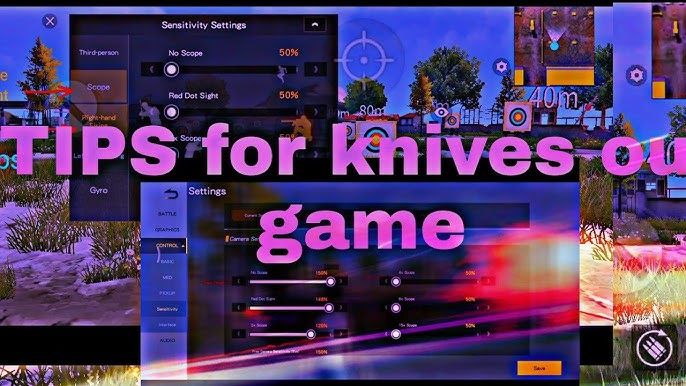
Camera rotation must also be isolated from firing physics. In Knives Out, swiping across your screen to look around uses one profile, but the moment you touch the trigger, ADS sensitivity takes over. If your ADS sensitivity matches your free-look speed, full-auto recoil will bounce off target because your corrective thumb drags overcompensate for weapon kick.
Graphics settings directly affect touch registration. Competitive setups run graphics on Smooth with frame rates pushed to Extreme or Ultra. Disabling anti-aliasing and dynamic shadows drops touch sampling latency and targets a steady 100 to 120 FPS, ensuring swipe distance maps 1:1 to crosshair displacement.
Calibrating Core Knives Out Camera Sensitivity Settings
Your camera slider controls everything prior to firing: horizon scanning, parachuting view, and target acquisition before scoping in.
If this value is too slow, you cannot check flanks or react to attacks from behind. If set too high, your crosshair overshoots sprinting targets on flicks. For third-person no-scope situational awareness, keep sensitivity between 120% and 130%. This range delivers a clean 180-degree defensive turn in a single natural swipe across half your screen.
Camera sensitivity does not control recoil. Its job is centering the crosshair on a target's chest before opening fire.
Drag-shot mechanics depend heavily on this initial speed. In sudden close-range encounters, setting general sensitivity between 140% and 165% allows a fast vertical flick from an opponent's torso to their head before they stabilize their spray.
Precision ADS Sensitivity Setup for Zero-Recoil Spray Control
The moment you press the fire button or open an optic, ADS sensitivity takes over to dictate how hard you must drag against weapon recoil.
ADS sensitivity must scale downwards as optical magnification increases. A 1x red dot covers a wide visual area and demands moderate tracking responsiveness. An 8x sniper scope magnifies distant targets heavily, meaning high sensitivity on an 8x scope causes tiny micro-movements to throw your reticle meters off target.
To prevent muzzle climb, keep ADS sensitivity 5% to 10% lower than camera sensitivity. This reduction adds natural drag resistance to keep full-auto bullet groupings tight.
| Optical Attachment | Recommended ADS Value | Engagement Distance & Usage |
|---|---|---|
| No Scope / Iron Sights | 100% | Close-range hip-fire tracking and reactive clearing under 20 meters. |
| Red Dot / Holographic (1x) | 45% – 55% | Optimized for close-quarters tracking and fast recoil drag under 50 meters. |
| 2x Scope | 30% – 35% | Smooth horizontal tracking for mid-range duels between 50 and 100 meters. |
| 4x Scope | 18% – 25% | Tuned for controlled burst fire and spray compensation from 75 to 150 meters. |
| 8x Scope | 10% – 12% | Low sensitivity to prevent crosshair overshooting during sniper tapping over 200 meters. |
Setting your 4x and 8x values higher than these baselines creates micro-jitter that causes long-range single-tap shots to miss entirely.
When optimizing competitive weapon loadouts, players frequently pick up Knives Out Vouchers to unlock tactical cosmetics and streamlined weapon variants with cleaner iron sight profiles.
Tournament-Grade Knives Out Gyroscope Sensitivity Values
Tilting your device to steady bullet groupings frees up your right thumb for tracking while your wrists handle downward spray stabilization.
Top-tier players split into two camps on gyro values. One prefers high settings (270%–300%) on close-range optics for fast flicks without thumb input. The other favors conservative ranges (100%–120%) to prevent natural hand tremors from destabilizing long-distance sniper reticles.
High gyroscope sensitivity on low-magnification optics paired with a sharp drop-off on high-power glass gives you rapid tracking during close-range scrambles while preserving absolute stability when sniping.
Before testing values in ranked matches, calibrate your physical hardware sensors. Built-in sensor calibration tools eliminate gyroscope input lag and reset sensor drift, ensuring physical tilt curves map accurately to in-game reticle motion.
The table below contrasts tournament gyroscope profiles with standard touch lens settings.
| Optic & View State | Tournament Gyroscope Value | Pure Touch Lens Sensitivity (Non-Gyro) |
|---|---|---|
| 3rd Person / No Scope | 300% | 155% |
| Red Dot / Holographic | 280% | 85% |
| 2x Optical Scope | 270% | 40% |
| 3x Optical Scope | 180% | 75% |
| 4x Optical Scope | 160% | 35% |
| 6x Optical Scope | 120% | 22% |
| 8x Sniper Scope | 100% | 5% |
Non-gyro lens configurations demand significantly higher base values to prevent your thumb from running out of screen real estate during defensive 180-degree turns.
Building an Optimal Knives Out 4 Finger Claw Layout
A standard two-thumb setup creates a hard mechanical limit: you cannot jump, crouch, aim, and track a target at the same time. A 4-finger claw HUD solves this by assigning dedicated actions to each digit.
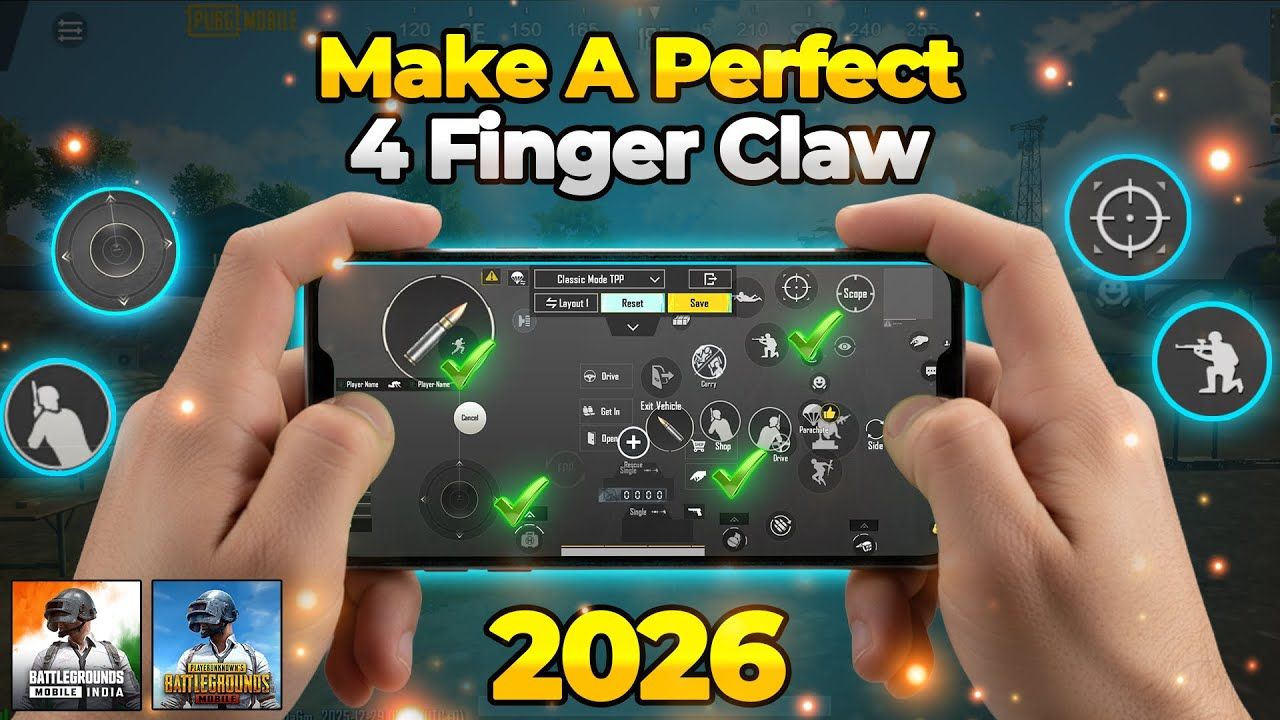
Here is how to map your screen:
- Left Thumb: Movement Joystick only. Keep this zone isolated on the bottom-left of your screen. Restricting this thumb solely to movement eliminates accidental aim disruption.
- Left Index Finger: Top-left of the display. Dedicate this zone to your main Left Fire Button. This finger pulls the trigger independently of your aim tracking.
- Right Index Finger: Top-right of the display. Map your Scope In (ADS), Jump, Crouch, and Prone buttons here for immediate stance transitions.
- Right Thumb: Bottom-right of the display. Use this region exclusively for Camera look, manual ADS drag, reloading, and weapon switching.
ADS activation also matters: Tap mode works for jumping playstyles, but Hold to ADS provides faster target transitions in competitive lobbies. Releasing your index finger snaps the optic shut instantly, cutting target acquisition delay.
If you plan to run custom tournament lobbies to practice your claw layout, stocking up on discounted Knives Out Vouchers gives you direct access to battle passes, room creation cards, and custom lobby features.
Adapting to a claw grip takes roughly 7 to 14 days. Split your daily 30-minute training across three drills: 10 minutes on recoil control, 10 on target flicking, and 10 practicing cover peeks.
Device Optimization: Android vs iOS and Display Refresh Rates
A sensitivity profile tuned on an iPad or iPhone will feel sluggish or erratic on an Android device because each operating system processes touch polling and hardware scaling differently.
iOS processes touch input with minimal delay, so Apple users generally run 5% to 15% lower camera and gyroscope numbers than Android players for the exact same physical rotation speed. An Android player might need 150% on no-scope camera speed where an iOS player needs only 120% to 135%.
Display refresh rates further shift the math. High-refresh panels at 120Hz register swipes quicker, requiring a 5% to 8% sensitivity reduction to prevent over-aiming. On budget hardware capped at 60Hz with 4GB RAM, frame drops can cause stutter-induced overcompensation—lowering camera sensitivity by 5 to 10 points smooths out these combat frame drops.
| Hardware Configuration | Camera Sensitivity Adjustment | Gyroscope Sensitivity Baseline | Practical Aim Effect | | :--- | :--- | :--- | | High-End iOS (120Hz+, 8GB+ RAM) | Baseline -8% (110% – 120%) | 280% – 290% Max | Crisp tracking; eliminates overshooting caused by ultra-responsive touch sampling. | | Mid/High Android (90Hz–120Hz) | Standard Baseline (130% – 135%) | 300% Max | High responsiveness required to bridge Android sensor input curves. | | Budget Device (60Hz, 4GB RAM) | Baseline -10 Points (100% – 110%) | 180% – 200% Cap | Dampens crosshair jitter caused by frame rate drops during firefights. |
Always tune your sliders based on your display's actual refresh rate rather than copying values from players on different hardware.
Step-by-Step Sensitivity Calibration and Training Routine
Never copy a pro's slider values and jump directly into ranked matches. Aim consistency depends on your screen size, glass friction, and thumb reach. Dial in your setup using this calibration routine:
- Strip Your Profile to Zero: Head to the training range with an unmodded assault rifle. Turn off dynamic aim acceleration.
- Calibrate Camera 180-Turn: Stand still, place your right thumb in the middle of your screen, and swipe right. Adjust your Third-Person Camera slider until one full, comfortable swipe turns your character exactly 180 degrees. If you under-rotate, increase the slider by 5 points. If you over-rotate, reduce it by 5 points.
- Dial In Red Dot ADS Recoil: Equip a Red Dot sight without attachments. Fire a full 30-round magazine at a target 25 meters away while dragging down your thumb. If the barrel climbs upward, increase ADS sensitivity by 5% increments. If the crosshair pulls down into the dirt, decrease ADS by 5%.
- Tune Gyroscope Tilt: Enable Gyroscope on "Scope On" or "Always On." Fire at a 50-meter target using only wrist tilt to control vertical recoil. Increase gyro sensitivity until your spray stays flat without requiring thumb assistance.
- Test High Magnification Snapping: Equip a 4x and an 8x scope. Alternate single-tap shots between targets at 100m, 150m, and 200m. If your reticle shakes or overshoots the target silhouette, drop your sensitivity by 2 to 5 points.
- Lock in Muscle Memory: Run daily 30-minute practice routines (10 minutes spray, 10 minutes flicking, 10 minutes peeking) for 7 to 14 days without altering your sliders.
Before taking your new control setup into competitive matchmaking, secure your Knives Out Vouchers to keep your seasonal battle pass rewards and account progression moving forward.
FAQ
What is the difference between Camera Sensitivity and ADS Sensitivity?
Camera sensitivity controls view rotation speed when swiping your finger across the display without firing your weapon. ADS sensitivity specifically controls aim speed and recoil pull-down resistance while shooting down sights.
Why should ADS sensitivity be lower than Camera sensitivity?
Keeping ADS lower prevents over-correction and crosshair jitter while managing full-auto sprays. Higher camera sensitivity is reserved for fast scanning, flanking checks, and initial target acquisition.
How does screen refresh rate affect sensitivity setup?
Higher refresh rate displays running at 120Hz respond faster to swipes and generally require a 5% to 8% sensitivity reduction. Lower-end 60Hz screens need more conservative settings to prevent stutter-induced over-aiming.
Should beginners enable Gyroscope aiming immediately?
Enabling gyroscope on 'Scope On' first helps players master downward tilt recoil control without disrupting standard movement mechanics. Once comfortable, switching to 'Always On' allows complete wrist-based tracking and micro-adjustments.
How long does it take to get used to a 4-finger claw layout?
Most players adapt to a 4-finger claw layout within 7 to 14 days of regular practice. Initial hand fatigue and miss-clicks typically resolve after the first week of structured drills.
What should I do if my weapon spray climbs too high?
Increase your ADS sensitivity or Gyroscope sensitivity for that specific scope by 5% increments. A higher value allows your downward thumb swipe or wrist tilt to pull the crosshair down faster.
Final Setup Verdict for Ranked Dominance
Aim consistency in Knives Out relies on eliminating input friction and cementing muscle memory. Default two-thumb controls create a hard mechanical ceiling. Switching to a dedicated 4-finger claw layout separates firing, movement, and target tracking into independent actions.
Combine that layout with a balanced sensitivity curve: 120% to 130% on third-person camera look, a stepped ADS curve from 50% on red dots down to 10% on 8x scopes, and active gyroscope compensation. Stick with these numbers for two weeks without tweaking sliders mid-game. Once your muscle memory sets in, recoil control becomes automatic.

Community
Comments