

Farming Microsoft Rewards points for Xbox gift cards requires executing a structured daily circuit across Bing search, the Xbox mobile app, and the console Rewards Hub while pacing your activity around platform caps. Search queries are restricted to earning points on only three searches per 15-minute window, meaning the fastest routine spaces out search batches alongside a mandatory 15-minute continuous gaming session to satisfy daily play quests. Accumulated points redeem directly into your account balance at verified tiers such as 7,550 points or 11,000 points, where deposited promotional credits must be spent within 90 days.
Xbox Live Gift Card (US)
- -50%
Xbox Live Gift Card 5 USD US
Buy NowUSD 4.99
USD 7.49
- -50%
Xbox Live Gift Card 10 USD US
Buy NowUSD 9.99
USD 14.98
- -50%
Xbox Live Gift Card 15 USD US
Buy NowUSD 14.98
USD 22.47
- -50%
Xbox Live Gift Card 20 USD US
Buy NowUSD 19.98
USD 29.97
- -50%
Xbox Live Gift Card 25 USD US
Buy NowUSD 24.97
USD 37.46
- -50%
Xbox Live Gift Card 50 USD US
Buy NowUSD 49.94
USD 74.92
- -50%
Xbox Live Gift Card 100 USD US
Buy NowUSD 99.89
USD 149.83
The Search Cooldown: Adapting to the 15-Minute Window
Older point-farming methods relied on spamming dozen-tab bookmarks or running automated browser scripts across desktop and mobile browsers. Those techniques no longer function under Microsoft Rewards policies.
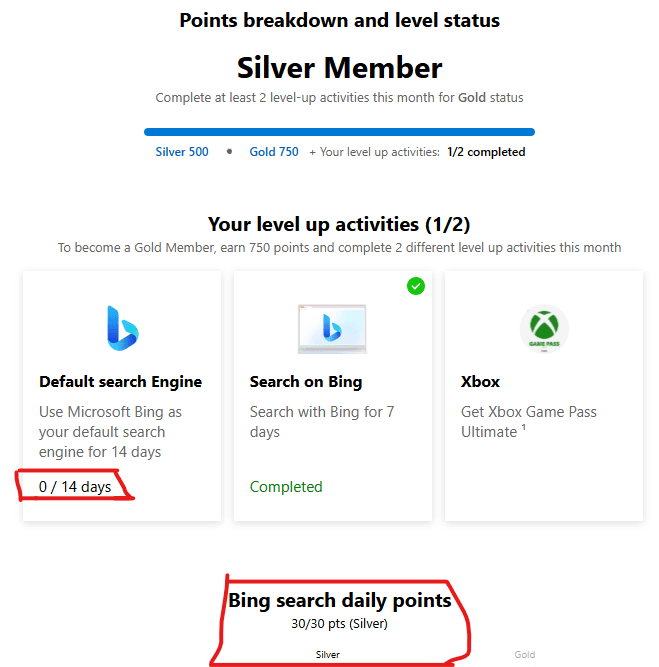
As confirmed in reporting on the platform update, Microsoft enforces an intentional search cooldown that restricts accrual to three searches every 15 minutes across both desktop and mobile Bing queries. Rapidly entering multiple queries back-to-back will cause the system to ignore any search past the third input until the next 15-minute interval opens.
To clear your daily search caps without wasting time watching a timer, pair searches with natural breaks throughout your day:
- Run three desktop searches in the morning before starting school or work.
- Run three mobile searches via the Bing app during a morning break.
- Complete another trio during lunch.
- Finish remaining desktop queries in the evening while browsing your Xbox console dashboard.
Pacing your searches naturally throughout the day prevents wasted clicks while keeping your account in clear compliance with platform velocity monitoring.
The Console and PC Quest Route: Meeting the 15-Minute Play Rule
The console Rewards Hub and the Xbox app present daily and weekly play quests that award direct point deposits. Rushing through games to trigger these quests will cause tracking issues.
Official Microsoft community support confirms that gaming quests require at least 15 minutes of continuous gameplay in a supported Xbox or Game Pass title for the system to validate the session. Launching a game and quitting after two minutes does not register your completion.
To ensure your gameplay tracks accurately every single day:
- Launch from the official app: Open the Xbox app on PC or boot directly from the console dashboard.
- Avoid rapid switching: Stick to a single eligible title for the entire 15-minute block. Hopping between three games within ten minutes frequently causes tracking failures.
- Align your credentials: Ensure your active gamertag, Microsoft Store login, and console profile use identical Microsoft account credentials.
- Disable proxies: Turn off any VPN software prior to launching the title. Proxy networks trigger regional security flags and disable quest logging.
Setting a 15-minute timer during an idle pause menu or casual single-player session ensures you capture these gameplay points without second-guessing quest status.
Point Redemption Values and Balance Expiration
Points accumulated through your daily farm can be traded for promotional balances applied directly to your account. Microsoft does not generate physical cards or manual alphanumeric codes during standard reward processing; the balance is added via direct deposit.
| Reward Option | Point Cost | Redemption Rules | Source |
|---|---|---|---|
| Microsoft Gift Card Direct Deposit | 7,550 points | Applied directly to Microsoft account; 90-day spending window | rewards.bing.com |
| Xbox Gift Card Direct Deposit | 11,000 points | Direct deposit to US Microsoft account; expires after 90 days | rewards.bing.com |
| Baseline Catalog Value | ~5,000 points baseline | General standard redemption threshold across reward tiers | support.microsoft.com |
Redeemed balances are classified as promotional credits. Official redemption terms state that promotional credits must be spent within 90 days of deposit. If you redeem an 11,000-point card and fail to buy a game, add-on, or service within three months, those funds are forfeit.
If you plan to gift digital balances to friends or need non-expiring credit for a future sale, third-party code options like an Xbox Live Gift Card (US) provide traditional activation codes that function outside the 90-day promotional expiration clock.
Store Purchase Rules: Monthly Caps and Exclusions
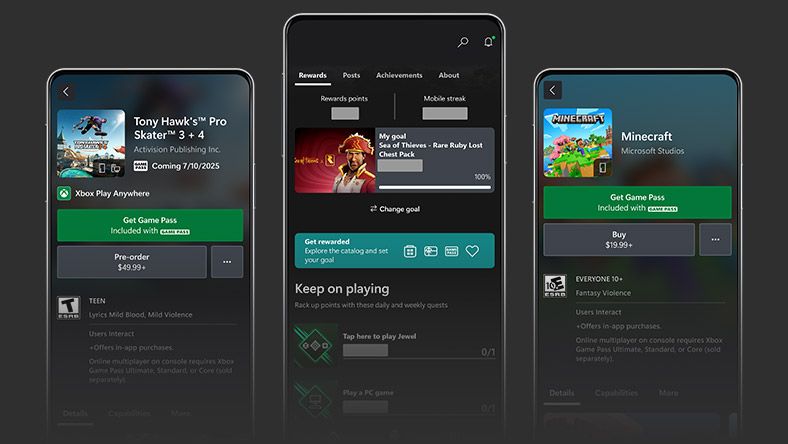
Buying games through the Microsoft Store earns reward points, but treating general purchases as an uncapped point farm will lead to disappointment.
Official store terms set a hard limit where users earn up to 20,000 points per month on qualifying purchases, which resets on the first day of each calendar month. Beyond this hard ceiling, specific transaction categories are completely excluded:
- Subscriptions are ineligible: Recurring membership renewals do not grant purchase reward points.
- Gift card purchases award zero points: Buying digital balance cards yields no reward point accrual.
- No stacking on offers: If a game purchase is already tied to a specific promotional reward punch card, you only receive the points designated for that specific featured offer.
Rely on the daily free search and gameplay routine for consistent point growth rather than trying to power-level your balance via store transactions.
Account Verification and Inactivity Guardrails
Protecting your accumulated balance requires following strict account rules. Attempting to speed up redemptions across multiple household profiles can lock your balance entirely.
When ordering a reward, the system prompts you for SMS or phone verification. The Microsoft Services Agreement prohibits virtual numbers. According to official redemption guidelines:
- No VoIP allowed: Google Voice, Skype, and other virtual internet phone services will be rejected automatically.
- Six-account ceiling: A single valid landline or mobile carrier phone number can be linked to a maximum of six accounts per household.
- The 48-hour penalty: Multiple failed telephone verification checks or repeated invalid SMS requests trigger an automatic 48-hour cooldown lockout where all redemptions are paused.
Unredeemed points sitting in your account balance do not last forever. Microsoft terms state that points expire if there are no earning activities within 12 months. Completing a single search query or daily quest once per calendar year resets this inactivity timer.
Daily Farm Execution Route
Follow this linear order every day to capture maximum points with minimal idle time:
- Morning Console/PC Check: Boot up your primary device, launch a Game Pass or owned title, and keep it active for at least 15 minutes while completing initial daily dashboard clicks.
- First Search Block: Run your first three Bing searches on desktop browser before or after the 15-minute gameplay period.
- Midday Mobile Block: Open the Bing mobile app on your smartphone and submit three searches during an afternoon break.
- Evening App Clear: Check the Xbox mobile app on your phone to turn in daily check-in tasks and verify that your earlier 15-minute play quest tracked successfully.
- Night Search Wrap-up: Run your final batches of three searches, spacing each trio at least 15 minutes apart while browsing or watching media.
Executing this cadence keeps your inputs within platform cooldown parameters, avoids tracking bugs, and builds toward your next gift card tier consistently.

Community
Comments