

When your App Store crashes when redeeming gift card vouchers on iPhone, the culprit is almost always the integrated camera scanner failing to initialize or an authentication session hang. You can immediately circumvent the native scanner fault by tapping "Enter Code Manually" to type the 16-digit voucher sequence, bypassing the app entirely through a web browser at apple.com/redeem, or processing the balance using the iOS Wallet app.

Apple Gift Card (DE)
- -20%
Apple Gift Card 2 EURO DE
Buy NowUSD 2.49
USD 2.99
- -20%
Apple Gift Card 5 EURO DE
Buy NowUSD 6.26
USD 7.51
- -20%
Apple Gift Card 10 EURO DE
Buy NowUSD 12.54
USD 15.05
- -20%
Apple Gift Card 20 EURO DE
Buy NowUSD 25.03
USD 30.03
- -20%
Apple Gift Card 50 EURO DE
Buy NowUSD 62.49
USD 74.99
- -20%
Apple Gift Card 100 EURO DE
Buy NowUSD 124.89
USD 149.87
- -20%
Apple Gift Card 200 EURO DE
Buy NowUSD 240.32
USD 288.38
- -20%
Apple Gift Card 250 EURO DE
Buy NowUSD 300.39
USD 360.47
Quick Diagnostics: Choose Your Redemption Route
App Store crashes on iOS during code entry generally split into three distinct failure points: the app abruptly force-closes the second you tap "Redeem Gift Card or Code," the camera scanner locks up into a black screen, or the interface hangs right after you submit the code.
Before spending hours reinstalling iOS, compare your direct recovery options across different system surfaces.
| Redemption Method | Navigation Path | Best For | Visual Reference |
|---|---|---|---|
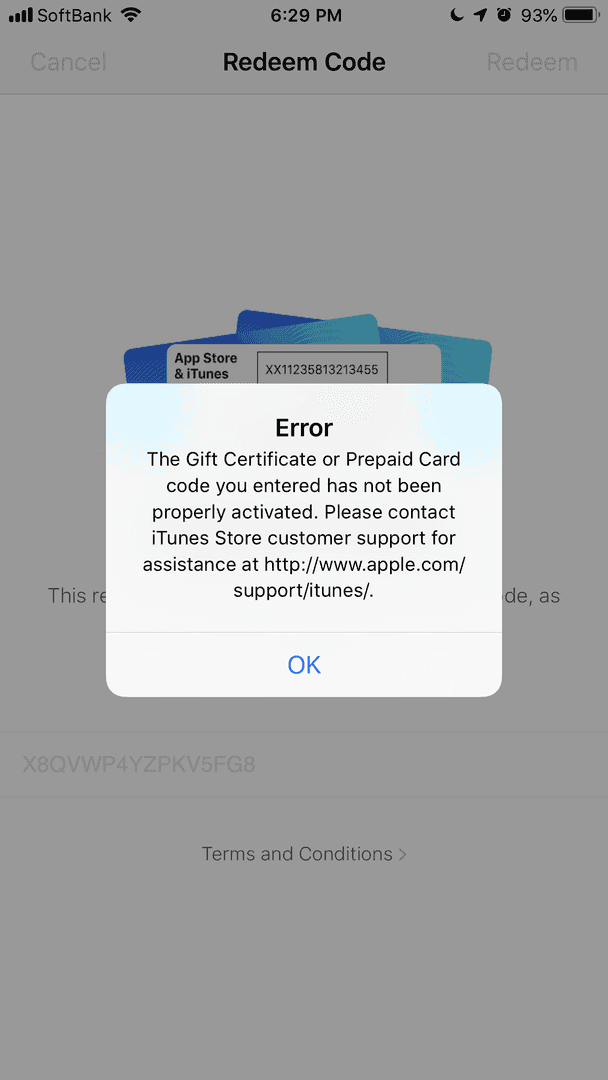
| Manual In-App Entry | App Store > Profile Icon > Redeem Gift Card or Code > Enter Code Manually | Camera initialization crashes, optical scanner hangs, physical voucher read errors | 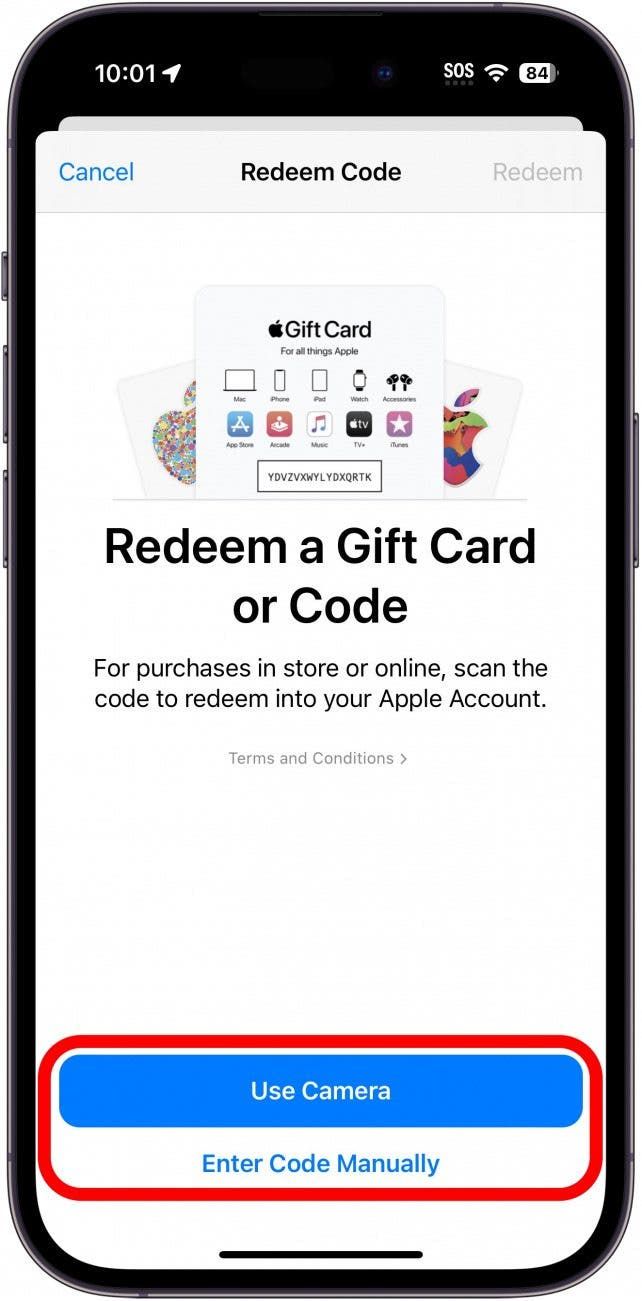 |
| Web Browser Bypass | apple.com/redeem or apps.apple.com/redeem via Safari or desktop | Persistent native App Store crashes, blank white screens, broken iOS store cache | 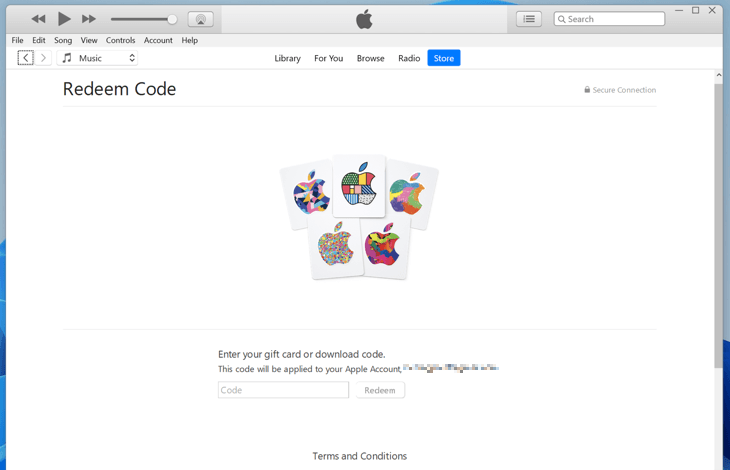 |
| iOS Wallet Flow | Wallet App > Apple Account Card > More (...) > Redeem | Memory crashes in the App Store app when Apple Account card is already saved | 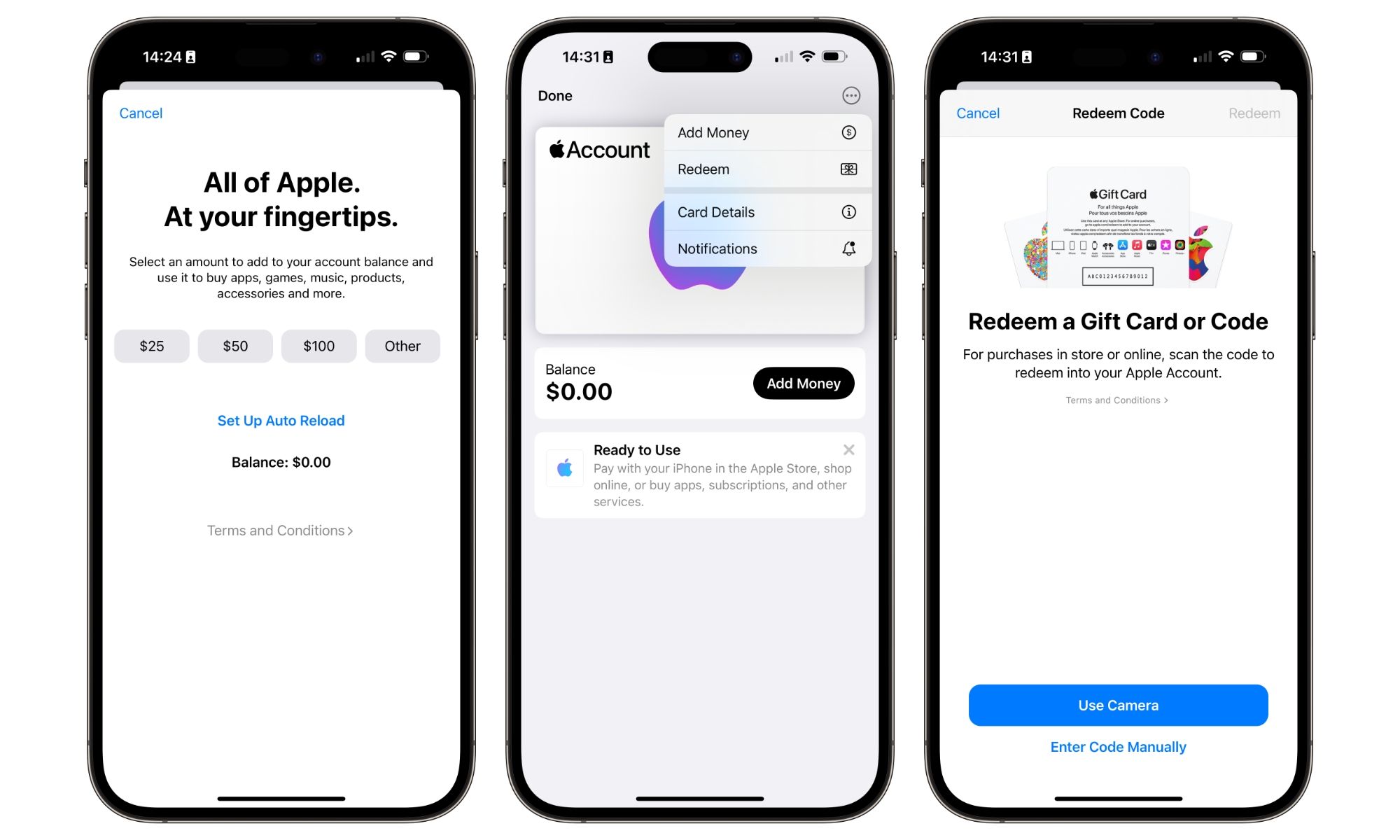 |
| Secondary Device Route | Mac App Store sidebar or Windows PC via Apple Music, Apple TV, or iTunes | Account session bugs tied locally to an iPhone or broken mobile profile | 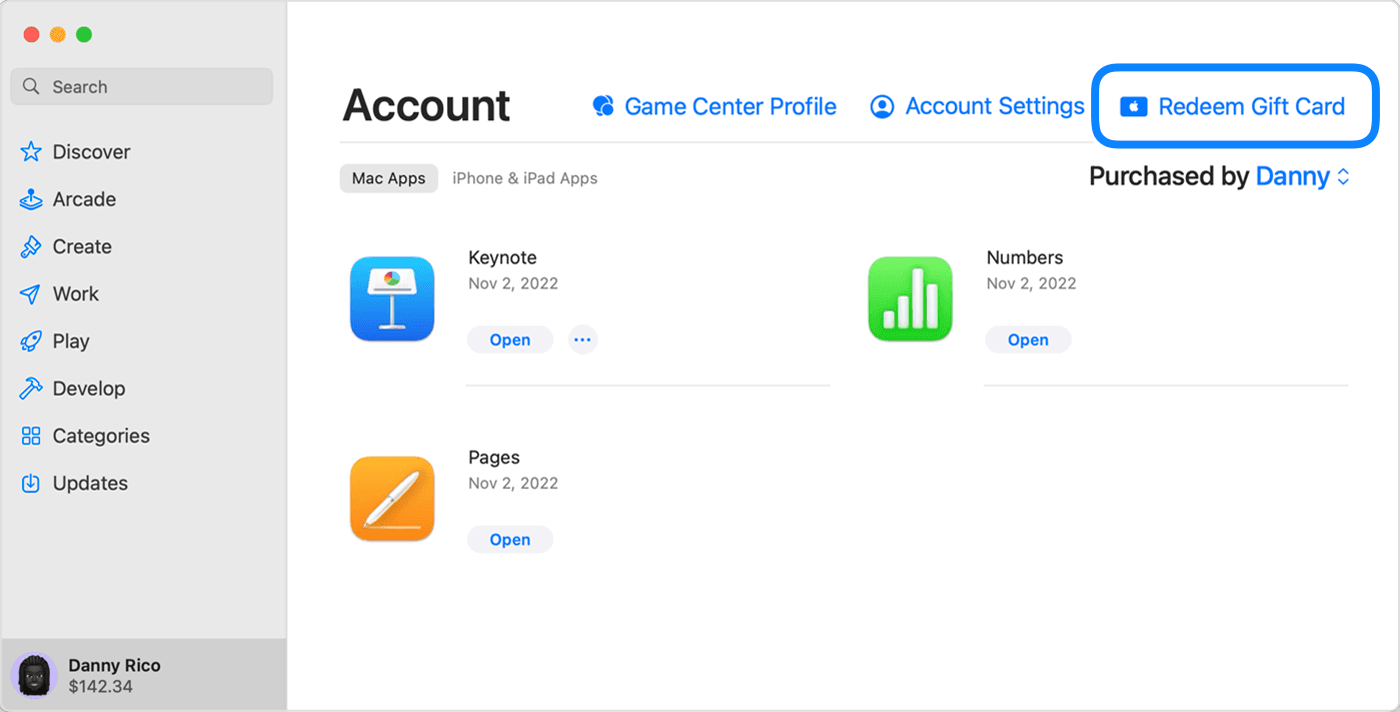 |
Tapping "Use Camera" forces iOS to request memory buffers and spin up optical character recognition in real time. If iOS hits a memory constraint or a hardware permission bug, the App Store app keeps closing without warning.
Here is the immediate workaround:
- Launch the App Store on your iPhone.
- Tap your Profile Icon in the top-right corner of the display.
- Tap Redeem Gift Card or Code.
- Avoid the camera prompt. Tap Enter Code Manually near the bottom of the prompt.
- Carefully input the 16-digit alphanumeric code printed on the back of your voucher.
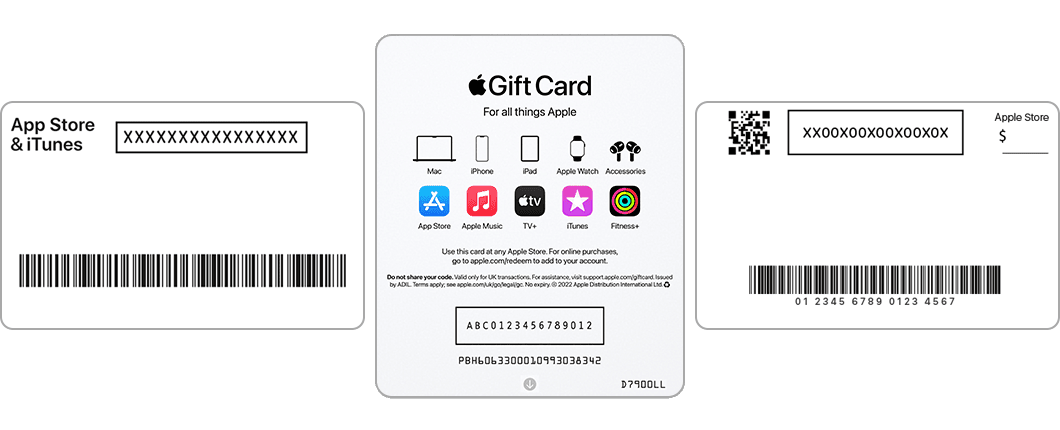
According to Apple Support documentation, physical gift card redemption codes consist of 16 characters that frequently begin with an "X". Bypassing the camera scanner entirely eliminates the software bridge that triggers App Store redeem code camera crash loops.
Step 2: Remove Magnetic Accessories and Clear Camera Hangs
What if your App Store blank screen redeem gift card bug occurs the moment the camera view tries to load? If the camera view remains pitch black or locks the phone entirely, hardware-level interference might be interfering with your lens sensors.
Apple's hardware troubleshooting guide points out that accessories utilizing magnets or metallic components can disrupt camera focus and optical subsystems. If an accessory causes the camera framework to freeze, third-party software querying the camera API can terminate unexpectedly.
Take these physical checks in order: * Strip off heavy protective cases, magnetic car mounts, wallet attachments, or third-party lens extenders. * Open the native Camera app and verify you can take a standard photo. * If the native camera app also hesitates or hangs, perform a basic restart on your iPhone. * Relaunch the App Store and retry code redemption once the system reboots.
Step 3: Bypass the Native App Store Entirely via Safari
If the Apple Gift Card redemption screen frozen iOS error prevents you from even reaching the manual code entry box, do not fight the App Store application. Cut it out of the loop.
You do not need the App Store app to credit funds to your Apple Account balance. Opening a web browser bypasses localized app cache bugs and UI layout crashes.
- Open Safari or any preferred web browser on your iPhone, iPad, or computer.
- Direct your browser to
apple.com/redeem(orapps.apple.com/redeem). - Sign in using the exact Apple Account credentials you use on your iPhone.
- Enter your 16-digit voucher code into the web field and confirm.
As detailed by MyGiftCardSupply's redemption documentation, this web portal serves as a platform-agnostic fallback. It injects the value straight to your account balance server-side without invoking your iPhone's local App Store layout engine.
When you finally reach the manual entry field, input parsing glitches can cause the App Store interface to spin endlessly or lock up if a character is misread. Apple voucher formatting relies on strict alphanumeric standards: they exclude spaces and do not use lowercase letters.
| Character on Card | Common Entry Mistake | Visual Difference & Check |
|---|---|---|
| B | 8 | Look for flat top edges versus rounded dual loops |
| D | O | Check for a hard vertical left stem versus a continuous oval |
| E | 3 | Ensure horizontal bars are present rather than open curved arcs |
| G | 6 | Watch the inner horizontal spur versus an enclosed lower circle |
| O | Q | Confirm whether an angled descender tail crosses the lower ring |
| O | 0 | Standard letters tend to be wider; check for slash or narrow frames |
| S | 5 | Verify curved continuous bends versus sharp horizontal top headers |
| U | V | Check for a rounded base versus a sharp, angled point |
| Z | 2 | Look for sharp diagonal center lines versus a rounded upper curve |
If the interface freezes on validation, re-read the code under direct light. Confusing a "G" for a "6" or an "8" for a "B" can cause repeated failed checks, resulting in timed-out network validation loops in older iOS releases.
Step 5: Resolve the "Card Has Already Been Redeemed" Crash Loop
A particularly frustrating scenario unfolds when the App Store crashes on redeem code tap right as you hit "Redeem." The screen goes black, you find yourself back on the iOS Home Screen, and reopening the App Store shows your previous balance unchanged. When you re-type the code, Apple returns an error: "This card has already been redeemed."
Do not panic: your money has not vanished. The crash happened after the transaction reached Apple's servers, but before your phone could render the success dialogue.
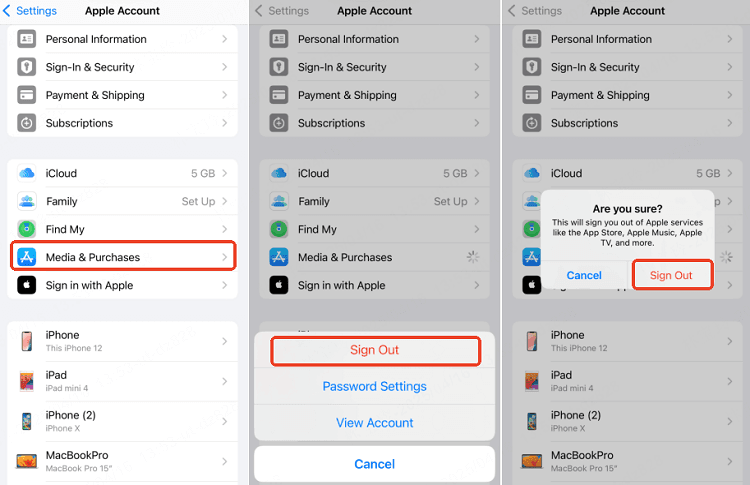
According to Apple's recovery guidance, follow this sequence to force your local client to update: 1. Open your iPhone Settings. 2. Tap your Apple Account Name at the very top. 3. Select Media & Purchases, then choose Sign Out. 4. Restart your iPhone. 5. Return to Media & Purchases and sign back in with your Apple Account.
Signing out flushes your device's cached store ledger. When you reconnect, your iPhone queries the server afresh and loads the updated balance.
Storefront Region Checks: The German Voucher Rule
Storefront region mismatches represent an under-the-radar cause of store freezes. If you purchased an Apple Gift Card (DE), the voucher is hard-locked to the German storefront.
| Attribute | Apple Gift Card (DE) Specification | Verification Requirement |
|---|---|---|
| Country Region | Germany (DE) storefront only | Apple Account must be registered to the German region (NXPGame) |
| Balance Application | Digital storefronts (App Store, Music, TV) | Subject to regional merchant limitations (NXPGame) |
As stated in the NXPGame product specifications, German Apple Gift Cards are strictly region-locked. If your iPhone is signed in to an Apple Account registered in the United States, the United Kingdom, or elsewhere, attempting to redeem a German voucher triggers store-level rejections. Under unstable network conditions, this region conflict can hang the store's validation script instead of cleanly presenting an error dialogue.
Double-check that your Apple Account's billing address and region align with the country of the card before troubleshooting deeper system faults.
Editor's Take
Native app bugs are annoying, but an App Store crash does not destroy the funds stored on an unredeemed card. When iOS hangs, stop banging your head against the camera scanner. Head straight to apple.com/redeem in Safari or complete the transaction via the Apple Wallet app. You will credit your balance in under two minutes without waiting on an iOS patch.
Follow NXPGame for more Apple Gift Card (DE) news~

Community
Comments