

Learn how to complete an ExitLag top up, redeem prepaid voucher keys, and fix ping spikes across your favorite PC and mobile games in under two minutes.
High ping ruins competitive matches faster than bad matchmaking. If your packets drop during a CS2 clutch or your abilities desync in Valorant, your ISP is likely routing your connection through congested public nodes. ExitLag reroutes that traffic directly through optimized server paths.
Activating subscription time is simple, but tier differences and region locks can trip up new buyers. Here is how to complete an exitlag top up, apply prepaid voucher codes, evaluate subscription pricing, and verify your balance without billing snags.

ExitLag
What an ExitLag Top Up Actually Does for Your Connection
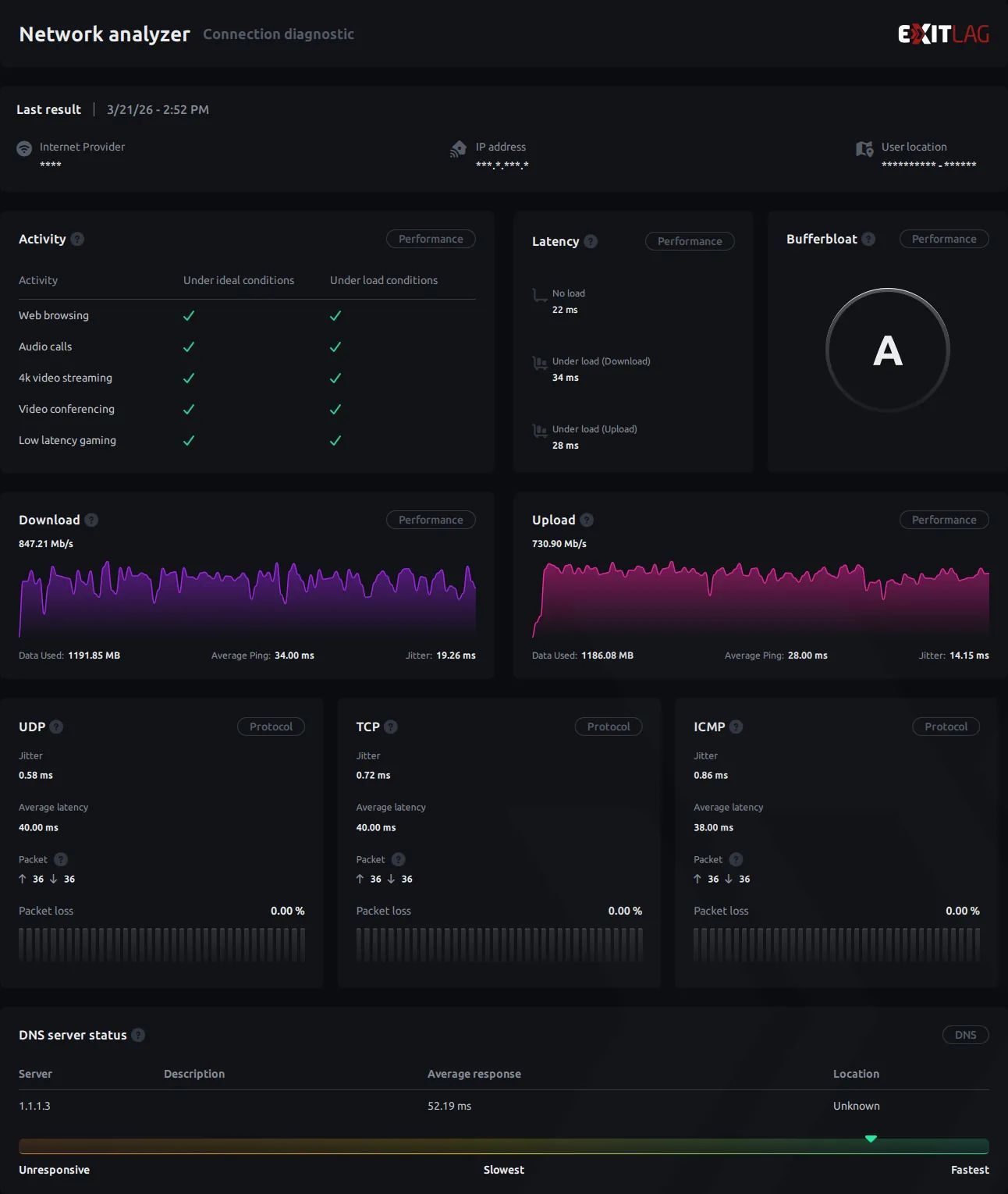
ExitLag is not a standard VPN. While typical VPNs encrypt entire network adapters and route all background traffic through a single server—often adding latency—ExitLag isolates game traffic through dedicated multi-path routing.
Your browser, Discord calls, and streams stay on your default connection. When a supported game launches, ExitLag sends identical data packets simultaneously across separate physical routes. If one path drops packets or encounters jitter, the game server accepts whichever copy arrives first. This multi-path routing cuts latency by 20–50ms on congested or international routes.
The desktop client also includes secondary utilities. You get a built-in FPS Boost tool and an automated RAM Cleaner to free memory before launching heavy titles. Because the software operates at the network transport layer without modifying game binaries or memory addresses, it does not trigger anti-cheat bans.
Note that ExitLag runs exclusively on PC and mobile operating systems. It does not provide console apps or router-level firmware for PlayStation 5 or Xbox.
Step-by-Step: How to Redeem ExitLag Prepaid Code and Keys
Prepaid keys let you top up active game time without saving a credit card on file. Digital codes come in 1-month, 3-month, and 12-month durations. Follow these steps to apply your code:
- Acquire your prepaid key: Purchase a valid license code from a reputable digital storefront. When you secure an ExitLag subscription recharge, you receive an alphanumeric key matching your selected duration.
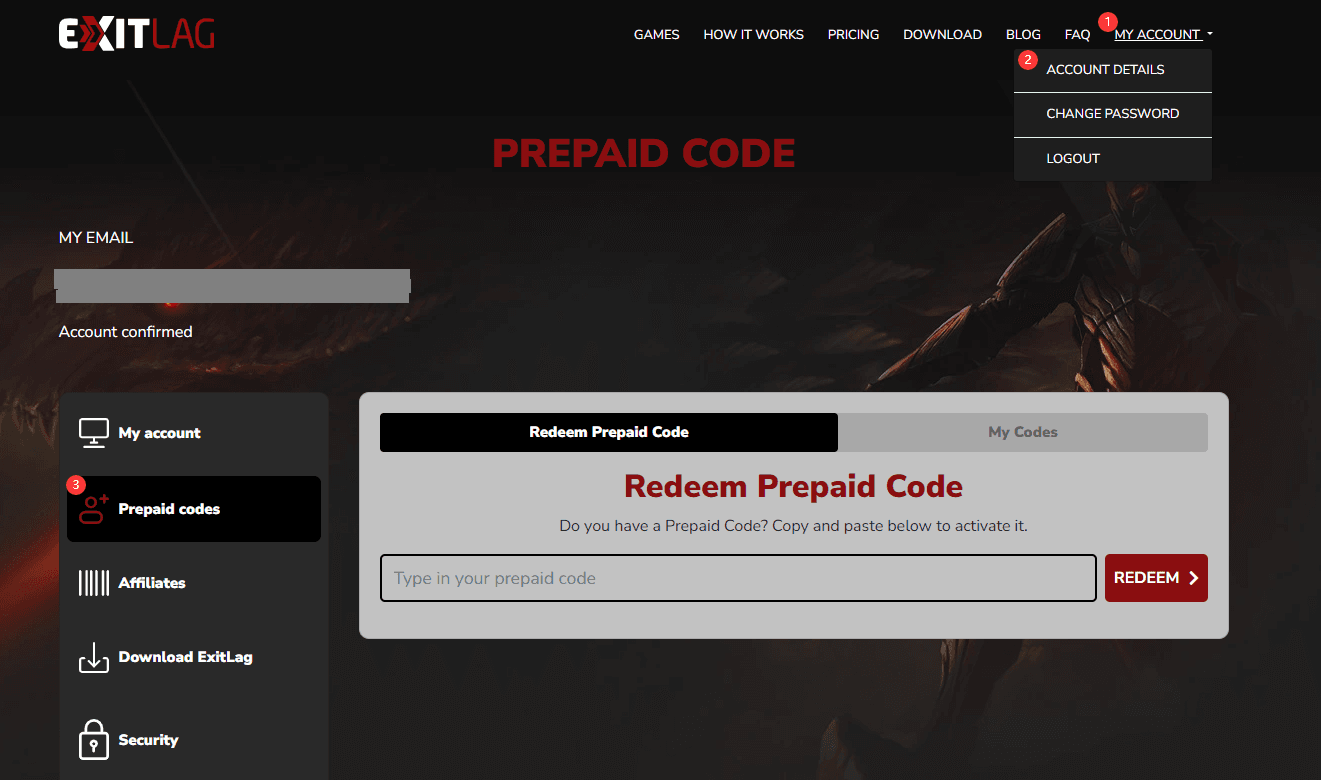
- Log into your account: Head to the official ExitLag web portal and sign in with your email and password.
- Locate the redemption field: Open your profile dashboard and select the "Redeem Code" or "Prepaid Code" tab.
- Enter your voucher code: Paste your alphanumeric voucher key into the input box. Ensure there are no accidental spaces.
- Confirm activation: Click submit to apply the license. The system validates the code instantly and updates your active time.
- Verify in the desktop client: Launch or restart the desktop app on your PC to confirm your client reflects the new expiration date.
+-------------------------------------------------------------+
|                   EXITLAG TOP UP WORKFLOW                   |
+-------------------------------------------------------------+
| 1. Acquire Key  -> 1, 3, or 12-Month Prepaid Code           |
| 2. Web Portal   -> Log into official account profile        |
| 3. Redeem Tab   -> Paste alphanumeric code in voucher box   |
| 4. Validation   -> Instant activation of prepaid days       |
| 5. Client Sync  -> Restart PC client to confirm active time |
+-------------------------------------------------------------+
Plan Breakdown: Solo, Duo, and Squad Tiers Compared
Pricing scales down as you increase group size or commitment length. ExitLag offers Solo, Duo, and Squad tiers, with lower monthly rates on extended billing terms.
The table below outlines standard subscription plans, billing cycles, and approximate per-user costs.
| Plan Tier | Commitment Duration | Price / Monthly Equivalent | Target Player Profile |
|---|---|---|---|
| ExitLag Solo (Monthly) | 1 Month | $6.50 / month | Single players testing route stability month-to-month |
| ExitLag Solo (Quarterly) | 3 Months | $6.17 - $6.25 / month | Regular players wanting seasonal ranked coverage |
| ExitLag Solo (Annual) | 12 Months | $6.25 / month ($75.00 total) | Dedicated solo grinders seeking the lowest individual rate |
| ExitLag Duo (Annual) | 12 Months | ~$3.12 / month per person | Two gaming partners or roommates in the same country |
| ExitLag Squad (Annual) | 12 Months | ~$2.35 / month per person | Fixed team or household split across 4 to 5 members |
Multi-user plans require all participating accounts to reside in the exact same country.
Listing sources vary slightly on Squad capacity: technical documentation lists 1 primary user plus 4 guests (5 total users), while pricing summaries often calculate rates across 4 users at ~$13.00 monthly. In either case, splitting an annual Squad tier with local teammates reduces individual costs to roughly $2.35 per month.
If you prefer manual renewals, you can buy exitlag prepaid key vouchers in 1-month, 3-month, or 12-month increments to maintain complete control over renewal timing.
Free Trial vs. Paid Subscription Top-Up
You do not need to pay upfront to test routing on your specific ISP. ExitLag provides automated free trials that require zero payment information during signup.
Compare trial features against paid plans below:
| Feature Parameter | Desktop Free Trial | Mobile Free Trial | Paid Subscription / Top-Up |
|---|---|---|---|
| Trial Duration | 3 consecutive days | 7 consecutive days | 1, 3, or 12 months |
| Payment Details Required | No | No | Yes (via card, prepaid code, or store) |
| Cross-Platform Transfer | Desktop only | Mobile only (no PC transfer) | Full access across selected plan scope |
| Performance Tools | FPS Boost & RAM Cleaner | Mobile optimization engine | Full suite of client optimization tools |
| Game Library Access | 2,000+ PC titles | 240+ Mobile titles | Full catalog (PC and Mobile) |
| Multi-User Sharing | Single user only | Single user only | Solo, Duo (2 users), or Squad (4-5 users) |
Free trial periods begin immediately upon account creation and do not pause during inactive hours.
Mobile trial time does not transfer to PC. Activating a 7-day mobile trial on your phone will not optimize desktop games. Desktop users receive a standalone 3-day consecutive trial upon registration.
When using promo discount coupons on direct billing, apply the code on the pricing checkout page before completing payment. Promo codes discount the entire initial billing period, so a percentage coupon applied to an annual plan reduces the full 12-month total rather than just one month.
Regional Tiers and Activation Rules
Voucher codes operate on strict regional tier classifications set by the publisher: Tier 1 Global/Premium, Tier 2 Mid-Range, and Tier 3 Value.
Match the voucher region to your account country settings before redeeming. A region-locked Tier 3 voucher will fail on a Tier 1 North American or European account.
Multi-user plans like Duo and Squad also enforce geographic boundaries. While Duo supports 2 accounts and Squad supports up to 5, all members must live in the same country. You cannot share a Duo or Squad subscription across international borders.
Game Coverage and Performance Benchmarks
ExitLag maintains preconfigured route profiles for over 2,000 PC games and 240 mobile titles. The routing engine applies distinct protocols depending on whether a game uses centralized dedicated servers or regional matchmaking clusters.
The table below shows how the client manages traffic across competitive genres:
| Game Title | Platform | Network Architecture | Optimization Features Applied |
|---|---|---|---|
| Valorant | PC | Riot Direct / Dedicated | Multipath packet routing, jitter dampening, FPS boost |
| CS2 | PC | Valve Dedicated Servers | Multi-route failover, sub-tick packet stabilization |
| League of Legends | PC | Regional Game Clusters | Packet loss mitigation, RAM cleaning extras |
| Apex Legends | PC | EA Dedicated Servers | Congested node bypass, 20–50ms ping reduction |
| Fortnite | PC | Regional Cloud Clusters | Multi-server rerouting, frame stability optimization |
| World of Warcraft | PC | MMO Server Infrastructure | Long-distance transatlantic route stabilization |
| Roblox | PC / Mobile | Community Server Clusters | Mobile packet optimization, route switching |
Unlisted games can be submitted directly through the client's in-app route request feature.
For tactical shooters like CS2 and Valorant, the main advantage is eliminating ping spikes. Multipath packet duplication ensures minor ISP packet drops do not interrupt your match.

Budget Tiers: Which Plan Should You Purchase?
Match your plan to how often and with whom you play:
The Free Trial Tester (F2P)
If you have never used network tunneling, start with the 3-day desktop trial. Test your games during peak evening hours (7 PM to 10 PM) when local network congestion peaks. If ping and packet loss drop, your ISP route was the bottleneck.
The Mid-Tier Solo Grinder
If you play solo competitive titles regularly, bypass the $6.50 monthly plan. Opting for a 3-month block ($6.17–$6.25/month) or an annual Solo subscription at $75.00 total brings down your effective monthly rate. Prepaid vouchers offer the same rates without linked payment methods.
The Heavy Competitive Squad
If you play with a regular ranked group, the Squad tier delivers the lowest cost per seat. Splitting an annual Squad plan among 4 or 5 local players brings the price to ~$2.35 per person monthly—less than half the cost of a Solo subscription.
Account Security: Official Codes vs Common Scams
Network utilities require administrative permissions in Windows, making the category a frequent target for fake key generators. Stick to standard precautions to protect your account.
What a Legitimate ExitLag Top Up Looks Like
- You purchase a digital prepaid key from a verified store or order your ExitLag subscription directly.
- You receive a clean alphanumeric code.
- You log into your own account on the official website and type the code into the voucher box.
- The system never asks for your email password or authenticator codes to apply a key.
What a Top-Up Scam Looks Like
- Credential Requests: Any seller asking for your ExitLag password or email login to apply a subscription is phishing for your data.
- Modified Executables: Third-party "cracked" clients and lifetime patches frequently carry credential-stealing trojans.
- Unrealistic Pricing: Sellers offering "lifetime ExitLag access" for $10 are distributing compromised keys or malicious files. Genuine subscriptions run strictly in 1, 3, or 12-month periods.
+-------------------------------------------------------------+
|                 ACCOUNT SAFETY CHECKLIST                    |
+-------------------------------------------------------------+
| [SAFE]   Entering a 16-24 digit key on the official portal  |
| [SAFE]   Checking active days inside the official client    |
| [DANGER] Handing your account password to a third party     |
| [DANGER] Downloading modified .exe files from Discord/forums|
| [DANGER] Buying "lifetime" cracked accounts                 |
+-------------------------------------------------------------+
Troubleshooting Activation Errors and Account Balance Checks
Redemption issues usually trace back to formatting errors or regional mismatches. Here is how to diagnose them:
Performing an ExitLag Account Balance Check (2026)
After redeeming a voucher, open your profile on the official web portal. Your dashboard shows your membership tier (Solo, Duo, or Squad) and exact expiration date. If your PC client does not display the new expiration date immediately, log out and back into the client to refresh local data.
Resolving "Invalid or Already Redeemed" Errors
If the redemption portal rejects your code: 1. Check for leading or trailing whitespace in the input field. 2. Verify that your account country matches the voucher's regional tier (Tier 1, Tier 2, or Tier 3). 3. Confirm the code was not already applied to a secondary account.
Understanding the 7-Day Refund Policy
ExitLag provides a 7-day refund window for first-time direct purchases. If the service does not improve your connection during your first week, you can submit a support ticket for a refund.
This policy excludes recurring renewals, expired terms, and non-refundable payment methods such as cryptocurrency or third-party gift cards. When using prepaid keys, test your connection during the 3-day trial before redeeming long-term codes.
Frequently Asked Questions
How do I activate an ExitLag prepaid code or key?
Log into your account on the official website and open your profile management page. Paste your alphanumeric code into the "Redeem Code" field and submit the form. The system updates your active subscription days instantly, which then syncs with your desktop and mobile applications.
Is there a free trial before paying for an ExitLag top up?
Yes, new accounts automatically receive a consecutive 3-day free trial on PC without entering any payment or credit card details. Mobile users receive a separate 7-day mobile trial. Mobile trial time cannot be transferred to or used on desktop computers.
Where do I apply promo discount codes on ExitLag?
Enter discount coupons directly into the designated promo code field on the pricing checkout page before completing payment. The discount applies to your initial billing term, so using a coupon on an annual plan discounts the entire 12-month total rather than just the first month.
Can using ExitLag result in an anti-cheat ban in online games?
No, the software operates strictly at the network transport layer to optimize route selection and duplicate packet delivery. It never modifies local game executables, memory addresses, or system binaries. It is widely used across major competitive titles like CS2, Valorant, and Apex Legends without anti-cheat penalties.
Can ExitLag subscription codes be used on consoles like PS5 or Xbox?
No, ExitLag is engineered specifically for Windows PC and mobile operating systems. The service does not offer native console applications or dedicated router firmware plugins for PlayStation or Xbox hardware.
What is the refund policy for ExitLag top-ups and subscriptions?
First-time direct subscription purchases include a 7-day cooling-off refund window if you are unsatisfied with performance. Recurring automatic renewals, past billing cycles, and third-party or cryptocurrency transactions are strictly non-refundable.
Final Verdict on ExitLag Top-Ups in 2026
For players dealing with ISP routing bottlenecks or packet loss, an exitlag top up offers a practical network fix. The service routes data across multi-path server infrastructure, reducing latency by 20–50ms on congested paths while leaving background programs untouched.
Start with the 3-day desktop trial to verify gains on your connection. From there, split an annual Squad tier at ~$2.35 monthly with friends or apply an annual Solo prepaid key to bypass recurring card billing. Verify regional compatibility before purchasing, redeem codes through the web dashboard, and restart the desktop client to lock in your optimized routes.

Community
Comments