

Learn how to buy a god of war steam key safely, verify your region, and activate the 2018 action-adventure hit on your Steam account without redemption errors.
Third-party CD keys let you purchase major PC releases below standard retail pricing. Santa Monica Studio's 2018 title arrived on Windows via PlayStation PC LLC in 2022, but buying an external digital license requires verification steps that direct cart checkouts skip.
Before picking up a cheap God of War Steam key, verify your hardware, regional locks, and key activation rules.


God of War (Steam)
God of War CD Key (Steam)
Buy NowUSD 44.51
Digital Keys Versus Direct Storefront Purchases
A digital key is an alphanumeric code issued by a publisher. Entering it into Steam validates the license and attaches the base game directly to your personal library.
Direct storefront checkouts charge your payment method and instantly deposit the game into your client. Third-party keys work differently: you purchase the code from an independent seller, receive the alphanumeric serial via email or web receipt, and register it manually. Key distributors run aggressive promotional discounts, cutting prices by up to 68% down to roughly $15.99.
Always verify the product format before purchase. You want an authentic Steam product key rather than shared credentials or a preloaded profile. Dedicated activation codes bind permanently to your personal Steam account.
Hardware and System Requirements for God of War PC
Confirm your PC meets the technical baseline before paying for a key. Santa Monica Studio released the Windows port on January 14, 2022, introducing visual upgrades over the original 2018 console release (note that some retail databases mislabeled the PC launch as November 10, 2021).
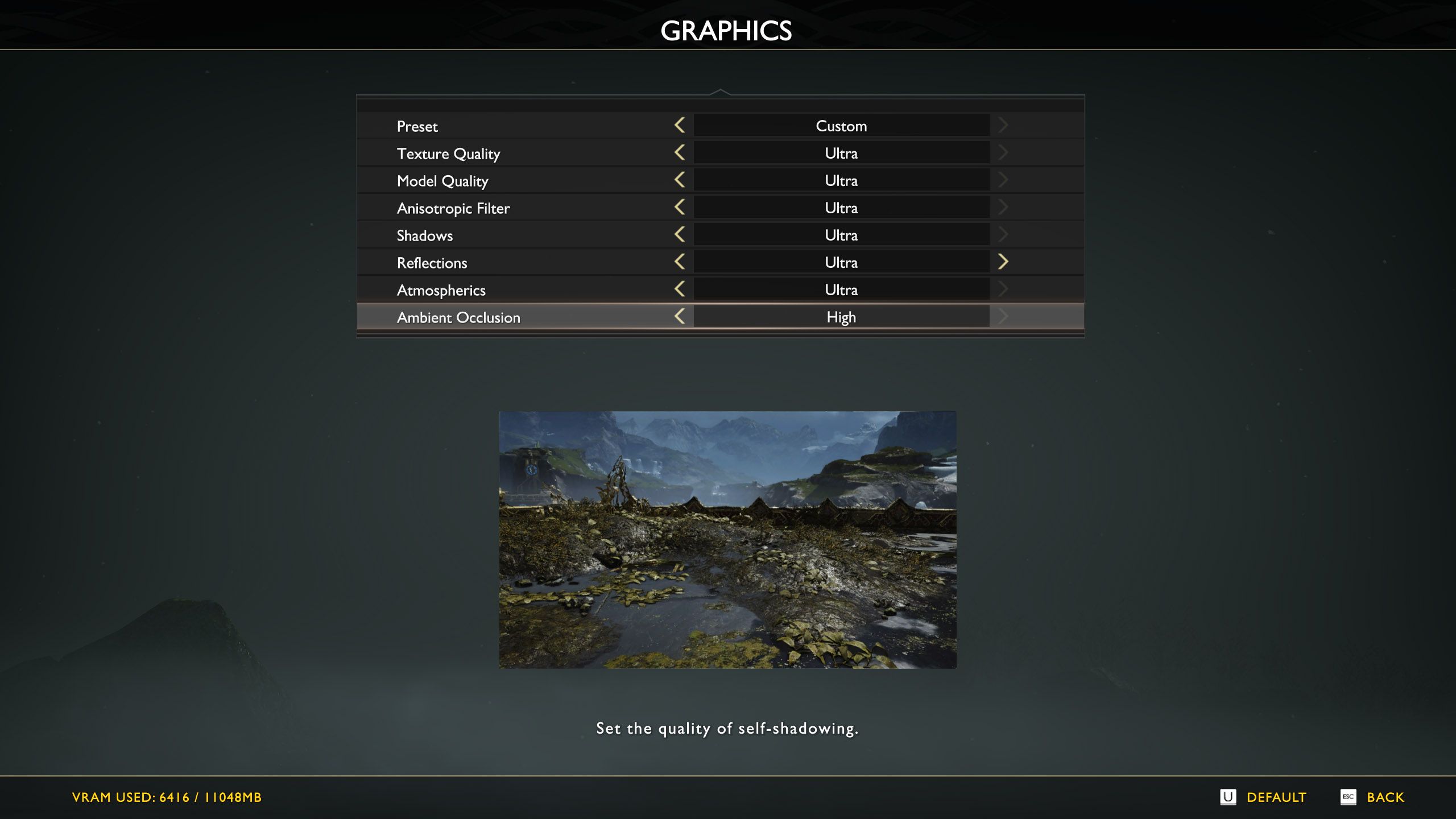
The PC edition adds uncapped framerates, native 4K output, 21:9 ultrawide support, GTAO and SSDO shadowing, plus NVIDIA DLSS and Reflex integration.
| Hardware Component | Minimum Requirement | Recommended Specification |
|---|---|---|
| Operating System | Windows 10 64-bit | Windows 10 64-bit |
| Processor (CPU) | Intel i5-2500k (3.3 GHz) / AMD Ryzen 3 1200 (3.1 GHz) | Intel i5-6600k (3.5 GHz) / AMD Ryzen 5 2400 G (3.6 GHz) |
| System Memory | 8 GB RAM | 8 GB RAM |
| Graphics Card (GPU) | NVIDIA GTX 960 (4 GB) / AMD R9 290X (4 GB) | NVIDIA GTX 1060 (6 GB) / AMD RX 570 (4 GB) |
| DirectX API | DirectX Version 11 | DirectX Version 11 |
| Storage Drive | 70 GB available space | 70 GB available space (SSD recommended) |
Takeaway: You need a 64-bit OS and at least 70 GB of disk space, with an SSD strongly advised to prevent asset streaming hitches during heavy combat.
Regional Restrictions and Key Compatibility
Regional locking represents the most common pitfall for digital buyers. Publishers set geographical boundaries on keys to maintain local pricing tiers and meet territorial trade regulations.
Sony previously applied strict region rules tied to platform account availability. While purchase locks were later rescinded across 100 to 177 countries, specific territories remain blocked from Sony PC title activations. Steam accounts registered in Cuba, Iran, North Korea, Russia, Syria, or Vietnam cannot activate a God of War key.
Key pricing reflects these geographical tiers:
| Key Region Designation | Sample Price Baseline | Account Activation Eligibility |
|---|---|---|
| Global / ROW | $17.04 – $18.51 | Valid globally (excluding explicitly restricted countries) |
| European Union (EU) | $14.16 – $16.10 | Restricted to accounts located within EU member states |
| Latin America (LATAM) | $9.52 – $17.57 | Restricted to Latin American Steam account regions |
| Turkey Region | Lower Regional Floor | Restricted strictly to Turkey-based Steam accounts |
Takeaway: Never buy a localized key (like LATAM or EU) hoping to use a VPN on a different home account; buy a Global key unless your Steam account country matches the specific region.
How to Redeem God of War Steam Key on PC
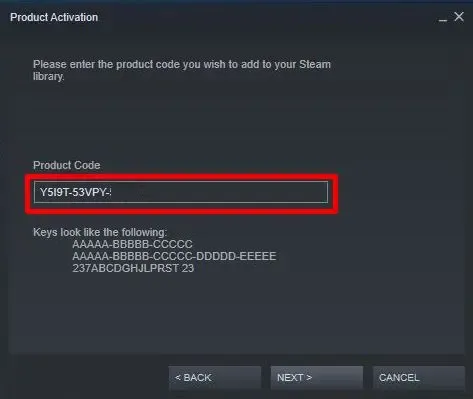
Ordering your God of War Steam code activation delivers the alphanumeric key immediately via web receipt or email. You can activate it using either the desktop client or Valve's web portal.
Method 1: Redeeming via the Steam Desktop Client
- Launch the Steam desktop application and log in.
- Click Games on the top menu bar, or select + Add a Game in the bottom-left corner.
- Choose Activate a Product on Steam... from the menu.
- Click Next, then click I Agree to accept the subscriber terms.
- Enter your God of War key into the Product Code box.
- Click Next to validate the key.
- Click Finish, then head to your Library to begin the 70 GB download.
Method 2: Redeeming via a Web Browser
You can claim codes remotely without opening the desktop client:
- Go to Steam's key registration portal (
store.steampowered.com/account/registerkey). - Log in with your Steam account credentials.
- Complete the two-factor authentication prompt if Steam Guard is enabled.
- Paste your product code into the field.
- Check the Steam agreement box and click Continue.
- The game links to your profile and appears ready for install in your desktop client.
Recommended Buying Strategies by Spender Profile
Match your purchasing approach to your budget and timing needs:
- The Budget Hunter: Monitor third-party sales until prices drop below $16 (roughly 68% off retail). Stick strictly to Global keys unless your Steam account is natively registered in a lower-priced region like LATAM.
- The Immediate Player: Pay the standard $17 to $18 baseline for a verified Global key. You bypass waiting for seasonal storefront discounts while saving substantially compared to the base $49.99 retail tag.
- The Ultra-High-End Enthusiast: Check key stock on the God of War Steam edition product page before checking out. The PC release provides uncapped framerates and ultrawide rendering that original console hardware cannot deliver.
Safe Purchasing Checklist: Legitimate Keys vs Account Traps
Third-party sellers are safe when you distinguish real activation keys from prohibited account reselling.
- What a legitimate store provides:
- An alphanumeric license key delivered via instant web receipt or automated email.
- Explicit region markings (such as "Global", "EU", or "US").
- A standard checkout that processes payment without asking for your gaming passwords.
- What an unsafe listing tries to do:
- Delivers a "Steam account username and password" instead of a product key.
- Asks you to turn on Steam Family Sharing to access the game.
- Advises you to use a proxy or VPN tool to bypass country restrictions during code activation.
- Demands access to your personal Steam Guard codes.
Avoid listings that sell preloaded accounts. Account transfers violate the Steam Subscriber Agreement, and original owners can reclaim sold credentials through Valve support at any time.
Frequently Asked Questions
How do I activate a God of War key on Steam?
Open your Steam client, click "Add a Game" in the lower-left corner, and select "Activate a Product on Steam." Paste your alphanumeric code into the field and confirm the prompt. The game permanently links to your account library for download.
Can I activate a God of War Steam key in any country?
No, because key activation depends on regional tags and Sony publisher restrictions. While restrictions were lifted across over 100 countries, accounts located in Cuba, Iran, North Korea, Russia, Syria, and Vietnam cannot activate Sony PC keys.
Do I need the Steam desktop client installed to register a key?
No, you can register keys using Valve's official web activation portal in any mobile or desktop browser. However, downloading the 70 GB game installation requires the desktop Steam client.
What happens if Steam Guard is active when redeeming a key in a browser?
Steam prompts you for a two-factor security code sent to your email or generated inside the Steam Mobile app. Once you approve the login, you can register your product code normally.
What should I do if my God of War key says it is invalid?
Double-check for common character typos, such as confusing the letter "O" with the number "0" or "I" with "1". If the code is entered accurately and still fails, contact the merchant's support desk with your invoice number to request a replacement.
Final Buying Verdict
Securing a digital Steam key for God of War provides significant discounts as long as you verify regional compatibility prior to purchase.
Confirm your PC meets the 70 GB storage and quad-core CPU specifications, ensure your Steam account is outside restricted territories (such as Russia or Vietnam), and choose a Global key. Once registered, the game stays in your library permanently.

Community
Comments