

Stuck with pure sniper gold not received after payment? Follow this step-by-step guide to verify transactions, force server updates, and claim your items.
You tap the purchase button. The payment notification pings on your banking app, and your funds are gone. You switch back to the game screen, waiting for your balance to jump, but the gold counter stays flat. Nothing arrives.
When a top-up stalls in Pure Sniper, panic sets in fast. Real money left your account, but the gold balance refuses to budge. You wonder if your cash vanished into a void or if you paid for nothing.
In almost every case, this is a temporary communication breakdown between your payment processor, the platform app store, and the game servers. The money is rarely lost permanently, but getting your items credited means understanding how the mobile billing chain works.
This guide covers why top-ups stall, client-side fixes to run immediately, how long to wait before escalating, and the exact records support needs to credit your account.
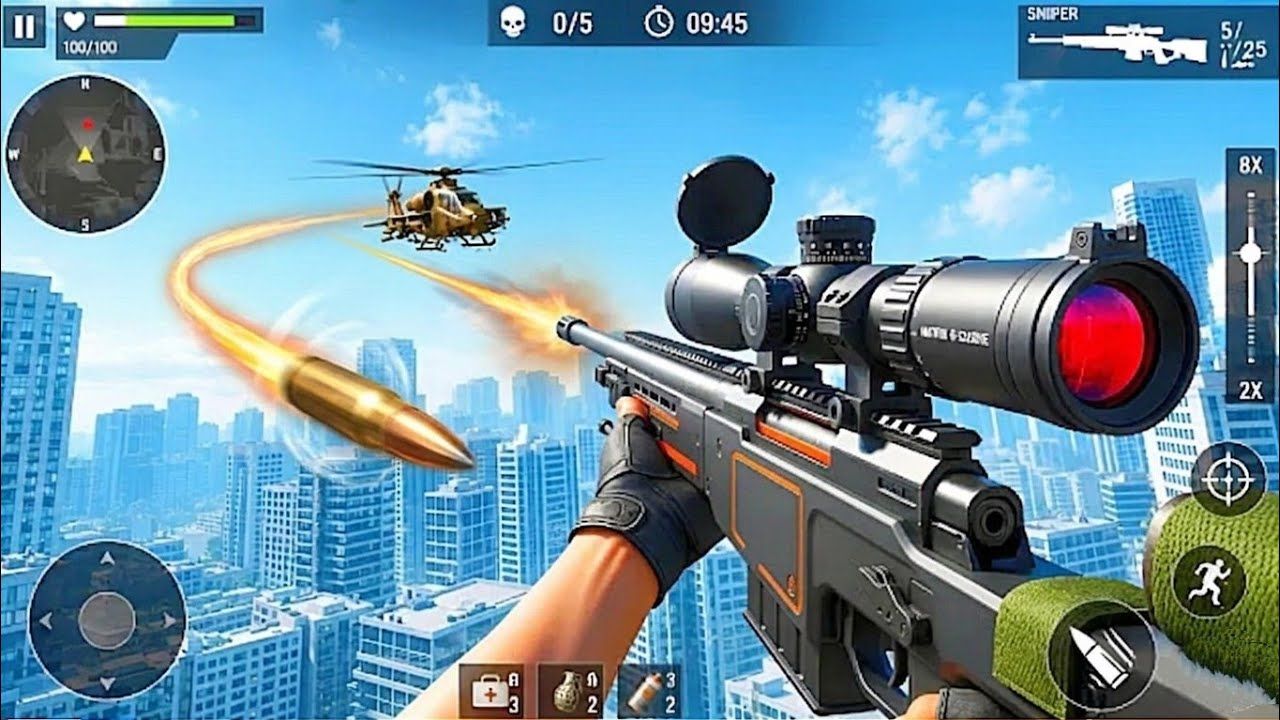

Pure Sniper (MY)
Why Mobile Purchases Stall Between Billing and Delivery
Buying a bundle in Pure Sniper involves a three-way technical handshake rather than a direct developer payment.
First, you authorize the charge on your device. Second, your mobile store platform processes the transaction through your card, bank, or digital wallet. Third, the store generates an encrypted digital purchase token. That token passes to your game client, which relays it to the game's backend servers. The developer's server verifies the token against the store's database and credits the gold to your account.
A failure at any single point stalls the whole delivery:
- Network Timeouts: If your connection drops for even a second while transmitting the token, the billing system logs payment but fails to trigger item delivery.
- Backend Verification Queues: Heavy server traffic during live events creates validation backlogs, leaving your token waiting in line.
- Pending Financial Clearances: Instant bank alerts often reflect temporary authorization holds. Some banking settlements require up to 10 business days to clear, delaying token validation.
- Local Cache Misalignment: Stale authentication data in your local app cache can block your client from polling the server for profile updates.
Consumable currencies like gold and gems follow different rules than permanent unlocks. Because they are spent immediately, they require real-time server-side ledger updates. If that validation token drops, the game will not register the purchase until you force a refresh or supply proof to support.
First Steps: Immediate In-Game Verification and Refresh
Run these basic client-side checks before submitting dispute forms. In many cases, the gold is already sitting on the server waiting for your device to refresh its profile.
1. Force Close and Restart the Game
Swipe the app completely out of your active app switcher rather than just minimizing it. Wait thirty seconds, confirm a stable network connection, and relaunch. A clean boot forces the client to re-authenticate with the game servers, which often pulls down stalled inventory payloads.
2. Check Your Network and Disconnect VPNs
Virtual Private Networks (VPNs) and proxy services frequently interrupt billing validations. If your IP address shifts mid-transaction or routes through another region, automated fraud filters on the app store or game backend can freeze the delivery. Turn off your VPN, switch from public Wi-Fi to a reliable private connection, and restart the game.
3. Clear Local App and Store Cache
Corrupted cache files can stop your device from registering new transactions. On Android, open Settings, go to Apps, select Pure Sniper, and tap "Clear Cache" (avoid "Clear Data" unless your login is backed up). Next, find your native app store in that same menu and clear its cache too. This resets the store's billing listener and prompts it to resynchronize receipts.
4. Understand Why "Restore Purchases" Will Not Work
Tapping "Restore Purchases" in the settings menu will not recover missing gold.
Mobile billing frameworks restrict client-side restore tools to non-consumable goods like permanent ad removals, campaign packs, or VIP subscriptions. Because gold is a consumable resource that can be spent, platform stores do not track gold balances locally. Only the developer's server can credit missing currency.
If you want to bypass platform storefront sync errors entirely for future resource needs, you can secure your supplies through a Pure Sniper MY top up to ensure clean delivery directly to your account.
Understanding the Standard Settlement and Resolution Timelines
Digital payment systems follow set processing windows. Knowing these standard timeframes helps you decide when to wait and when to take action.
The table below outlines standard resolution windows across mobile digital purchases.
| Process Step | Standard Timeframe | Operational Note |
|---|---|---|
| Direct Developer Ticket Escalation | Contact after 48 hours | Standard threshold before developer teams manually credit missing consumable balances |
| Platform In-App Refund Decision | 1 to 4 business days | Review duration when a direct refund request is submitted through the platform store |
| Bank Payment Settlement Window | Up to 10 business days | Duration a financial institution may hold a pending charge before final clearing |
| Unauthorized Charge Reporting | Within 120 days | Maximum window to flag unapproved payment activity on your registered billing method |
Reviewing these standard timelines shows that a brief delay is normal, but waiting beyond 48 hours requires active developer ticket intervention.
If your purchase has been missing for under two hours, server congestion or temporary bank holds are the likely causes. If 48 hours pass without delivery, the transaction will not fix itself. You need to escalate directly.
Why You Must Never Hit the Purchase Button Twice
When a top-up hangs, players often reopen the shop and tap the gold bundle again to force the transaction through.
Avoid doing this.
Mobile billing engines treat every tap as an independent order. They do not recognize a second attempt as a retry for an unfulfilled item. You will be billed a second time, and you risk getting both purchases stuck if the connection issue persists. Close the store menu immediately and keep off the purchase button until the original transaction is either delivered or refunded.
Gathering Your Proof of Purchase and In-Game Credentials
Customer support agents cannot view your credit card or bank details due to privacy regulations. They verify purchases using platform invoice receipts and your in-game User ID.
Collect the four records listed below before opening a ticket.
| Required Evidence | Where to Find It | Purpose for Support Verification |
|---|---|---|
| In-Game User ID | Game Settings / Profile Screen | Identifies your exact profile on the central game database |
| Platform Order Number | Online payment history portal | Proves payment was captured and registered by the platform store |
| Full Transaction Invoice | Email receipt or store account purchase history | Shows date, exact timestamp, currency amount, and package name |
| Bank Settlement Status | Online banking application / statement | Confirms whether funds cleared or remain an uncaptured pending hold |
Having these four specific records ready ensures customer support agents can locate your dropped transaction without multiple rounds of back-and-forth emails.
Locating Your In-Game User ID
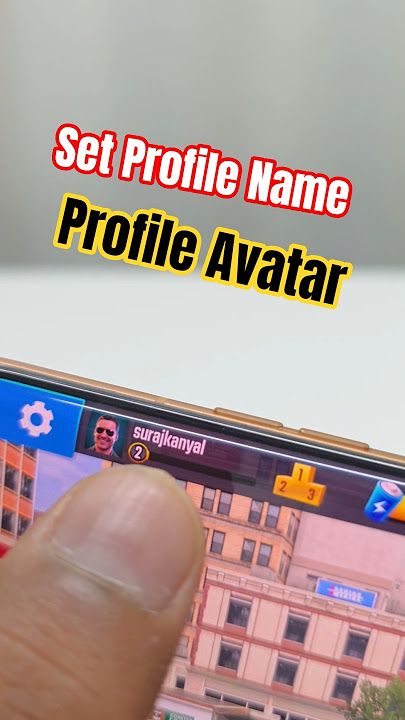
Open Pure Sniper and tap the gear icon to view Settings. Your alphanumeric User ID appears at the bottom of the screen or inside your Profile tab. Take a screenshot of this menu and copy the ID string exactly, including all letters and digits.
Finding Your Official Purchase Receipt
Support teams require the formal invoice from your mobile platform store rather than a basic SMS banking alert.
- On Android Devices: Open your platform's payment activity portal in a web browser. Head to "Other Purchase Activity" or "Budget & History." Click the transaction to take a screenshot showing the order number, date, and item description.
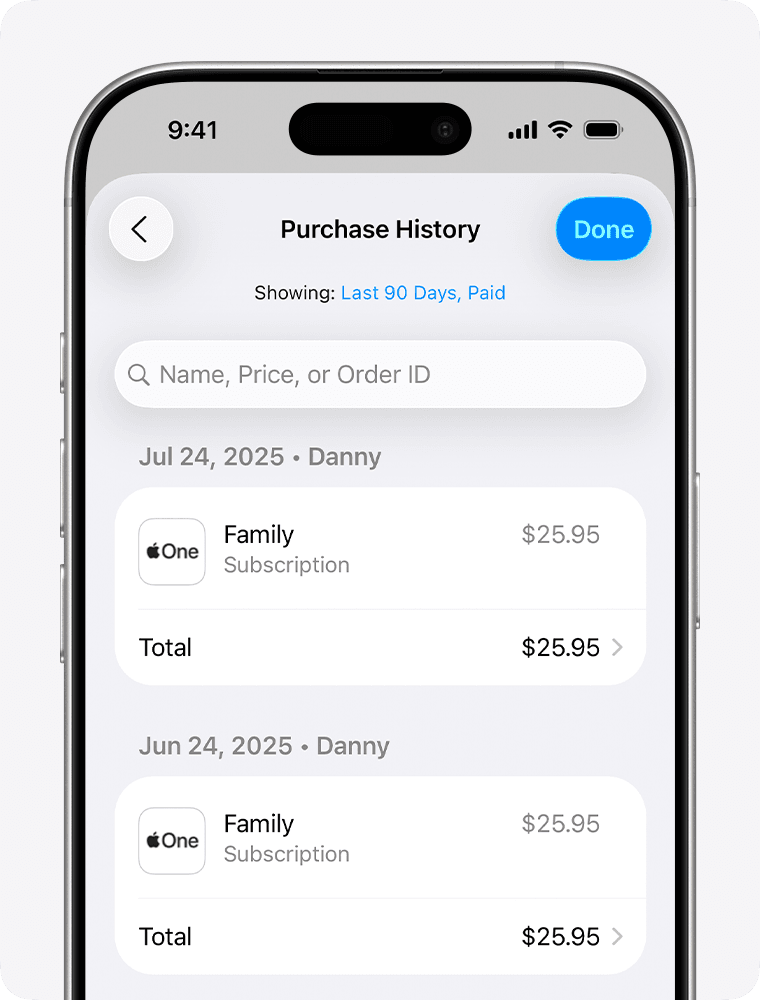
- On iOS Devices: Go to device Settings, select your account name, tap "Media & Purchases," and select "View Account." Scroll to "Purchase History," locate the Pure Sniper invoice, and capture a screenshot showing the Order ID, date, and total.
Root Causes of Failed Item Synchronization
Beyond connection drops, specific device and account configurations can trigger delivery failures behind the scenes.
The following technical triggers frequently interrupt item delivery to your inventory.
| Technical Trigger | Failure Mechanism | Resolution Path |
|---|---|---|
| Store Account Mismatch | Device is logged into a different platform store profile than the game's active profile | Log into the primary purchasing account across all system store settings |
| Regional Storefront Shift | Top-up initiated while store region does not match game installation region | Revert your platform store region to the territory where the game was downloaded |
| Cross-Platform OS Transfer | Attempting to access purchases made on an operating system of a different type | Access the account from the original operating system; items cannot bridge platforms |
| Framework Storage Desync | Local gaming service framework holds outdated profile authentication data | Clear storage data in your mobile gaming service app and re-authenticate |
Identifying the exact operational cause prevents repeat delivery failures on subsequent top-up attempts.
Regional store mismatches cause frequent issues. If you travel internationally or adjust your store region, your billing client may fail to match the currency SKU supplied by the game servers. Digital entitlements remain locked to the regional storefront where they were bought. Keep your store region aligned with your physical location and original game install territory before buying.
Operating system boundaries create another barrier. Purchases authorized on one mobile operating system cannot transfer to a device running a different operating system due to platform licensing restrictions.
When you need direct top-ups without regional operating system conflicts, you can get Pure Sniper packages safely and reliably through verified web channels.
Submitting an Escalation Ticket to Official Developer Support
Once 24 to 48 hours have passed with your payment cleared and cache refreshed, send a ticket to the game's publisher, Miniclip.
Storefront documentation often suggests seeking an immediate store refund within the first 48 hours. Game studio documentation, however, recommends contacting support directly so staff can verify the backend ledger and credit the gold manually.
If you want the gold in your account, contact developer support first. Requesting a store refund right away can take 1 to 4 business days to process and risks automated account balance adjustments if the system flags the charge reversal.
How to Format Your Support Request
Open Pure Sniper, navigate to Settings, and tap "Help" or "Customer Support." If the in-app chat widget is unavailable, use the official web support portal.
Keep the ticket concise and factual.
Use this structure:
- Subject: Missing In-Game Purchase – Pure Sniper Gold Pack
- User ID: [Insert your exact alphanumeric User ID here]
- Platform Transaction ID: [Insert the complete order number from your platform receipt]
- Date & Time of Purchase: [Insert timestamp and time zone]
- Item Purchased: [Exact bundle name, e.g., 500 Gold Coins]
- Amount Paid: [Exact price and currency billed]
- Issue Description: The payment was successfully processed and deducted from my payment method, but the items have not been delivered to my inventory after basic troubleshooting (cache cleared, device restarted).
- Attachments: [Attach clear screenshots of your platform purchase receipt and your in-game User ID screen]
Save your automated ticket confirmation number once you submit. Support agents will inspect the transaction logs, locate the unfulfilled token on the server, and credit the missing gold directly to your profile.
Account Protection: Legitimate Top-Up Channels Versus Common Traps
Delivery stalls push some players toward risky third-party sources. Recognizing how verified services differ from scams protects your login security.
- What Legitimate Top-Up Services Require: Authorized recharge platforms only need your public player details, such as your User ID and server region. They credit accounts externally through official billing APIs and will never ask for your account password.
- What Phishing and Scam Sites Demand: Fraudulent platforms ask for account passwords, social media logins, or two-factor security codes under the claim of "synchronizing" purchases. Any site offering free gold or resource generators is an account theft scheme.
Never give passwords, PINs, or security codes to anyone claiming to be support staff or a top-up provider. Official support teams will never ask for your password to credit missing gold.
For verified, secure transactions that safeguard your player credentials, always rely on reliable Pure Sniper gold deals from trusted, legitimate platforms.
Strategic Purchasing Advice by Spender Tier
How you respond to a delayed purchase depends on how critical those resources are to your immediate gameplay schedule.
Free-to-Play and Low Spenders
If you only purchase occasional starter packs or small gold bundles, an uncredited top-up is a minor delay rather than a competitive problem. * My Advice: Stop spending while you wait. File a developer support ticket with your receipt attached and keep playing with your current inventory. Let the queue resolve your case naturally. Never file a bank chargeback, as payment disputes can trigger automatic account bans.
Mid-Tier Spenders and Event Grinders
Mid-tier spenders buy gold to upgrade sniper rifles for active tournaments and clan events. A stalled delivery risks your leaderboard placement. * My Advice: Screenshot your active event timers alongside your receipt. Mention in your ticket that the bundle was intended for a time-sensitive tournament. While support cannot always expedite tickets, providing event context sometimes results in courtesy compensation (like energy or booster crates) alongside your missing gold.
Heavy Spenders and Clan Leaders
High spenders regularly buy top-tier bundles to maintain squad rankings and max out premium gear. * My Advice: Maintain a clear folder of all digital receipts. If a large package stalls, stop buying immediately rather than attempting multiple purchases in a row. Resolving the initial stalled transaction through support is safer than opening four separate ticket investigations.
FAQ
Why did my Pure Sniper gold not show up after payment was deducted?
Delivery delays happen due to verification latencies between your payment provider, your device's platform billing framework, and the game servers. Consumable items like gold cannot be restored using standard client-side buttons and require successful server-side token validation.
Can I get my missing gold back using the Restore Purchases button in settings?
No, the in-game restore purchases button is designed strictly for non-consumable items and recurring subscriptions. Consumable currencies like gold or gems are consumed upon receipt and must be validated and credited directly by the game developer's server.
What proof do I need to send to customer support for missing gold?
You must provide your exact in-game User ID along with an official screenshot of your platform purchase receipt. The receipt must clearly show the platform order number, the date and time of purchase, the exact bundle name, and the amount billed.
Should I try repurchasing the gold pack to fix the delivery issue?
No, you should never attempt to purchase the pack a second time to trigger delivery. Tapping the buy button again initiates an entirely new transaction that will bill your payment method a second time without resolving the initial stalled order.
How long should I wait before requesting a refund for undelivered gold?
You should wait at least 24 to 48 hours for server processing and support ticket handling before pursuing a refund. Platform in-app refund decisions take between 1 and 4 business days to process once submitted through official platform store channels.
What basic troubleshooting steps can resolve a missing top-up delivery?
Force close and restart the game, ensure you are on a stable internet connection without a VPN, and clear the app cache for both the game and your platform store. Also, confirm that your device is logged into the exact platform account used to authorize the transaction.
Can I transfer my purchased gold from an Android device to an iOS device?
No, digital purchases and app content are strictly non-transferable across different operating systems due to platform licensing rules. Purchases made on one mobile operating system cannot be migrated to an account on a competing platform.
Final Action Plan for Missing Game Currencies
Missing gold in Pure Sniper is frustrating, but the currency is almost always recoverable with the right steps.
Stay calm, avoid tapping the buy button again, and skip the "Restore Purchases" button. Force close the app, clear your local cache, and verify your network.
If the gold still does not arrive within 24 to 48 hours, find your official receipt, copy your alphanumeric User ID, and submit a clear ticket to customer support. Digital transactions leave precise records, and support will credit your missing gold once you provide proof of payment.

Community
Comments