

Master Quark Cloud offline download in 2026 without stalled transfers. Fix magnet errors, bypass client limits, and manage your cloud quota cleanly.
Quark Cloud Drive (夸克网盘), operated by Alibaba, caches torrents and magnet links directly on remote infrastructure. Offloading transfers to cloud servers eliminates local bandwidth consumption and continuous disk writes on your hardware, routing finished archives directly into cloud storage.
Running offline tasks in 2026 presents distinct operational hurdles. Accounts face hard monthly attempt quotas, uninformative parsing failures, and transfers stalled at 0% on dead swarms. The standard web browser dashboard also lacks an offline download module entirely.
Running stable offline jobs requires dedicated client software, active seeder verification, and careful tier balance management.

Quark Cloud Member Top up (CN)
夸克网盘超级会员年卡
Buy NowUSD 35.39
The Desktop and Mobile Offline Download Workflow
The web browser dashboard does not support offline magnet or BT parsing. To queue offline tasks, install either the official desktop client (Windows/macOS) or the mobile application (Android/iOS).
On desktop, open the client and log in. Select the Offline Download button on the left navigation bar to launch the submission window. Paste a raw magnet URI or upload a local .torrent metadata file, then track transfer progress under the Downloading tab.
[Desktop Client] -> [Offline Download Button] -> [Paste Magnet / Upload .torrent] -> [Monitor in Downloading Queue]
Mobile task submission requires navigating through the storage pane:
- Open the Quark mobile app and select Quark Cloud Drive on the bottom navigation bar.
- Tap the blue Plus (+) icon in the lower-right corner.
- Tap Magnet Link or BT Task in the action sheet.
- Paste the magnet hash or select a locally stored
.torrentfile. - Choose your destination folder and confirm the task.
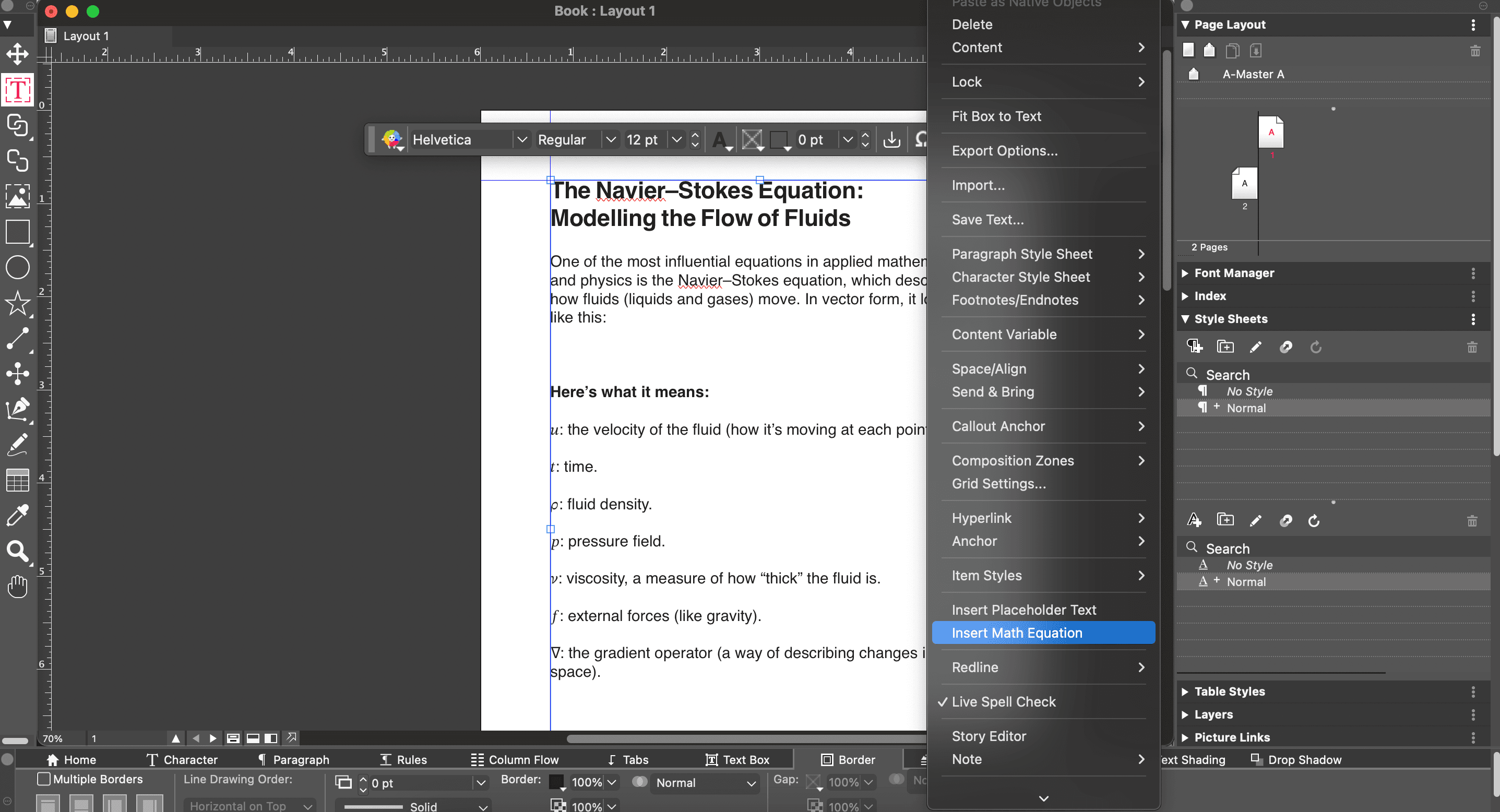
The mobile client resolves tracker metadata through your active device connection before handing the job to Alibaba's remote servers. If your mobile connection drops during this initial handshake, the task fails before queuing on the server.
Understanding Task Limits Across Membership Tiers
Quark Cloud meters offline tasks on an attempt basis. If a task fails because of an invalid magnet link or empty swarm, that submission still consumes one task from your monthly quota.
Free accounts receive 10 offline download attempts per month. Submitting broken hashes exhausts this allowance within minutes. SVIP accounts receive 100 attempts per month, providing the necessary volume for archiving multi-part series and disc images.
| Tier Level | Monthly Offline Task Quota | Total Storage Space | Peak Download Bandwidth | Deleted File Recovery Window |
|---|---|---|---|---|
| Free Tier | 10 attempts / month | 10 GB (Expandable to 1 TB for 30 days) | ~10 MB/s | None |
| VIP Tier | Promotional / Variable | 3 TB | Up to 50 MB/s | Standard |
| SVIP Tier | 100 attempts / month | Up to 6 TB | Up to 50 MB/s | 7 Days |
Free accounts face strict monthly attempt caps and reduced storage capacity, while SVIP accounts unlock high-volume task queues and expanded storage headroom.
Burning through 10 free slots on unverified links halts all offline caching until the next monthly reset. For consistent multi-file queues, a secure Quark Cloud Member Top up (CN) package supplies the 100-attempt monthly ceiling needed to run ongoing jobs.
Why Your Magnet Task Fails or Freezes at 0%
A quark drive offline download failed alert or a progress bar frozen at 0% points to one of two root causes: zero active seeders or hash-level content filtering.
                    [User Submits Magnet Hash]
                                |
                                v
                 [BitTorrent Swarm Inspection]
                                |
             +------------------+------------------+
             |                                     |
    [Active Seeders Found]                [Zero Active Seeders]
             |                                     |
             v                                     v
   [Content Filter Check]                 [Task Freezes at 0%]
             |                                     |
     +-------+-------+                             v
     |               |                      [Task Times Out]
 [Clean]       [Blacklisted]
     |               |
     v               v
[Server Cache]  [Parsing Error / Halted]
Quark Cloud remote servers act as standard BitTorrent peers during uncached transfers. The server queries the distributed hash table (DHT) and specified trackers to pull payload chunks from seeders. If the swarm has no seeders online, the server cannot assemble metadata or file blocks. The transfer stays at 0% until the queue times out.
Alibaba also maintains automated compliance filters on server-side intake. If a hash points to restricted, copyrighted, or blacklisted data, the parsing engine halts immediately. The client displays a generic failure code rather than a detailed compliance notice.
Test questionable magnet links in a local client first. If a local client finds zero peers after two minutes, cancel the task in Quark to protect your monthly quota.
Resolving Torrent Parsing Errors and Corrupted Hashes
A quark cloud torrent parsing error occurs during the initial hash inspection phase before server-side caching starts. This means the client could not read the tracker list, hash structure, or file tree.
To clear parsing errors, apply these fixes:
- Clean the Magnet URI: Remove tracking suffixes and redirect wrappers. A clean URI starts with
magnet:?xt=urn:btih:followed by the 40-character hex hash or 32-character Base32 string. Strip secondary&tr=tracker parameters if the parser rejects the string. - Convert Magnet to Local .torrent: Load the magnet in a local desktop torrent client, allow metadata to load, export a physical
.torrentfile, and upload that file directly via the Quark desktop client. - Inspect Directory Encodings: Non-standard Unicode characters, illegal symbols, or deeply nested folder trees inside the torrent structure can crash the extraction engine.
- Check Folder Paths: Ensure your target cloud directory is not full or marked read-only. Point tasks to a clean root-level directory.
If a verified, healthy magnet still triggers an immediate parsing failure on submission, the hash has been blacklisted by automated server filters. Client-side adjustments cannot override a server-level hash ban.
Storage Allocation Rules and the 30-Day Expiration Trap
Quark Cloud rejects incoming offline tasks if the uncompressed file size exceeds your available storage balance. The system does not support partial task caching when storage is full.
New free accounts often activate a promotional 1 TB storage allowance by claiming a promotional link within 30 days of registration. This 1 TB allocation is temporary: it expires after exactly 30 days.
| Feature Parameter | Standard Free Tier | Promotional New User Tier | SVIP Premium Tier |
|---|---|---|---|
| Baseline Capacity | 10 GB – 50 GB | 1 TB (Promotional) | Up to 6 TB |
| Capacity Validity | Permanent | 30 Days strictly | Active Subscription Duration |
| Offline Task Ceiling | 10 attempts / month | 10 attempts / month | 100 attempts / month |
| Trash Bin Recovery | None | None | 7-Day File Restoration Window |
| Oversize Task Action | Task Blocked | Task Blocked | Auto-Allocates within 6 TB |
Promotional storage grants temporary capacity, but sustained offline caching requires managing your balance against permanent account tier thresholds.
When that 30-day window closes, un-upgraded accounts drop back to the standard base capacity (10 GB to 50 GB depending on registration terms). Files stored during the promotion remain safe, but new uploads and offline tasks are blocked until you clear space below the baseline or upgrade.
Deleted file recovery also varies by tier. Free accounts purge deleted files immediately. SVIP accounts retain deleted items in a 7-day trash recovery buffer, protecting files if you delete the wrong directory while clearing space.
Third-party listings sometimes advertise SVIP with 2 TB of storage. That 2 TB tier corresponds to discounted legacy VIP plans; official SVIP plans scale to 6 TB.
If your promotional storage has lapsed down to 10 GB, a Quark Cloud Member Top up (CN) voucher upgrades your storage ceiling up to 6 TB to remove space bottlenecks.
Bandwidth Benchmarks: Discrepancies and Real Download Speeds
After Quark finishes caching a torrent on its remote servers, retrieving those files to your local drive depends on account-level speed throttling.
Free tier accounts download cached files under strict server-side throttling, typically capping around 10 MB/s. SVIP accounts access priority content delivery networks (CDNs) with multi-threaded chunking enabled.
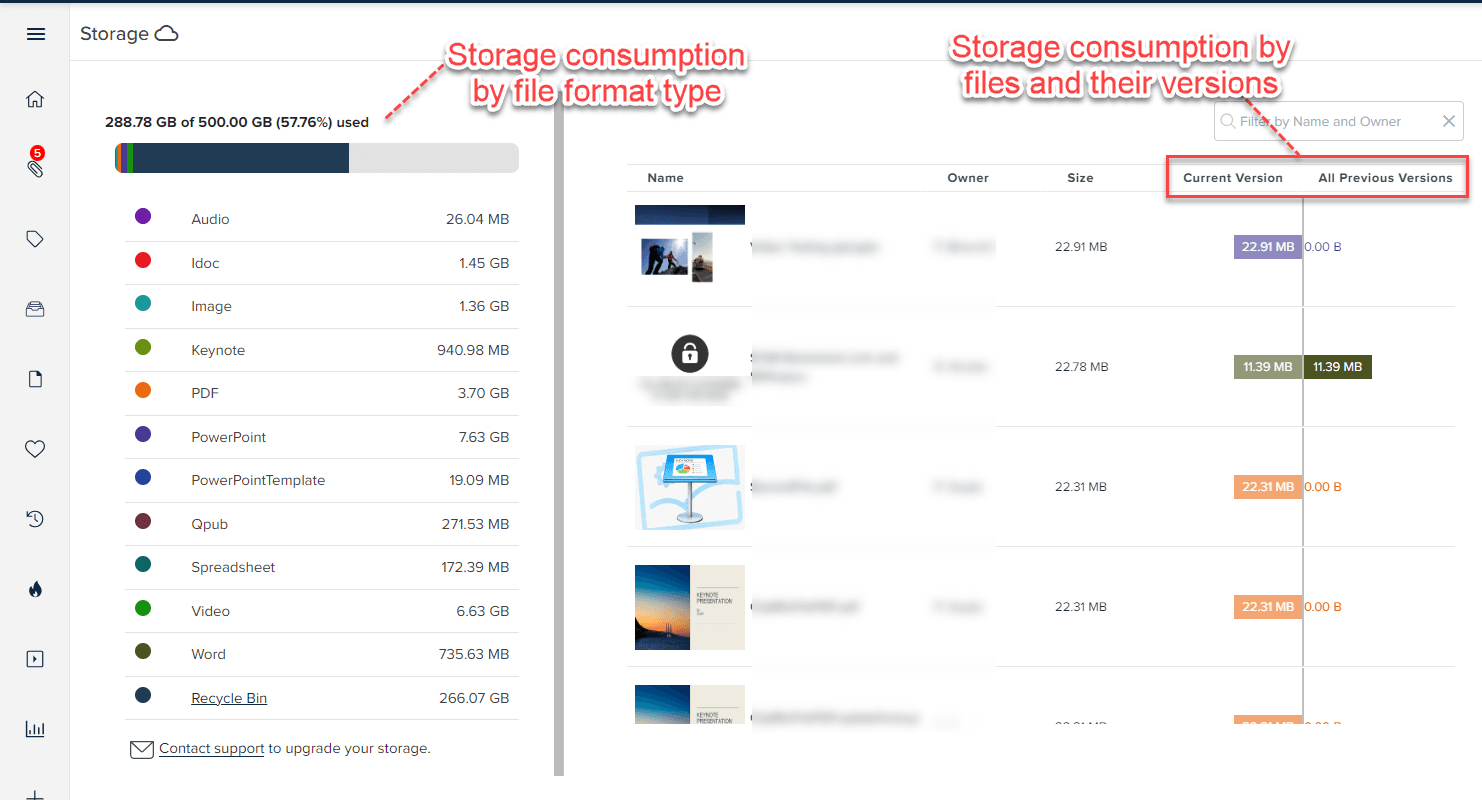
Public benchmarks show conflicting SVIP download data. Some tests indicate caps near 50 Mbps (~6.25 MB/s), while platform benchmark data records transfer speeds up to 50 MB/s (~400 Mbps). The 50 Mbps figure reflects single-threaded routing during high server congestion, while 50 MB/s represents actual multi-threaded throughput on optimized CDN routes.
| Account Tier | Cloud Server Offline Caching Speed | Local Retrieval Bandwidth Cap | Multi-Threaded Chunking | Priority CDN Routing |
|---|---|---|---|---|
| Free User | Standard Server Speed | Capped at ~10 MB/s | Restricted | No |
| VIP User | High-Speed Cache | Up to 50 MB/s | Enabled | Standard VIP |
| SVIP User | Maximum Priority Cache | Up to 50 MB/s (400 Mbps equivalent) | Full Acceleration | Dedicated SVIP Network |
SVIP members receive high-priority server caching alongside accelerated multi-threaded local download pipelines.
On large 50 GB archives, the difference between throttled 10 MB/s downloads and accelerated 50 MB/s SVIP retrieval saves multiple hours of transfer time.
Managing Account Restrictions and International Verification
Quark Cloud relies entirely on Alibaba's domestic Chinese service infrastructure, introducing specific constraints for international users.
Direct registration requires an SMS verification code sent to a mainland Chinese mobile number (+86). Furthermore, upgrading memberships directly inside the application requires a verified Alipay or WeChat Pay account linked to a mainland Chinese bank card or national ID.
[Unverified Reseller Vouchers]  --> [Risk of Fraud Flags / Account Bans]
[Direct In-App Upgrade]        --> [Requires Mainland Chinese ID / Bank Card]
[Verified External Storefront] --> [Direct Credential Recharge / Zero Ban Risk]
Unverified resale channels and gray-market voucher codes frequently trigger fraud flags, leading to payment reversals or permanent account locks.
Without mainland payment credentials, a verified Quark Cloud Member Top up (CN) solution allows you to recharge an existing account without a domestic Chinese bank card.
Step-by-Step Troubleshooting Checklist for Stuck Transfers
Work through this sequence when an offline download freezes or fails:
                       [Stuck Offline Task]
                                |
                                v
                 [1. Test Magnet in Local Client]
                                |
             +------------------+------------------+
             |                                     |
     [Zero Active Seeds]                   [Peers Found & Active]
             |                                     |
             v                                     v
   [Abandon Stale Hash]                   [2. Check Quark Quota]
                                                   |
                               +-------------------+-------------------+
                               |                                       |
                      [Quota Exhausted]                         [Quota Available]
                               |                                       |
                               v                                       v
                     [Wait / Upgrade Tier]                    [3. Verify Storage Space]
                                                                       |
                                               +-----------------------+-----------------------+
                                               |                                               |
                                      [Under Free Limit]                              [Storage Available]
                                               |                                               |
                                               v                                               v
                                      [Purge Old Files]                               [4. Re-add via Desktop]
                                                                                               |
                                                                               +---------------+---------------+
                                                                               |
                                                                       [Parsing Error]                 [Task Succeeds]
                                                                               |
                                                                               v                               v
                                                                    [5. Hash Filtered / Dead]          [Archive Saved]
- Verify Swarm Viability Locally: Test the magnet link in a local BitTorrent client. If it discovers zero peers within two minutes, the swarm is dead. Do not burn a Quark attempt credit on it.
- Check Monthly Quotas: Free accounts receive 10 attempts per monthly cycle. Submissions made after hitting 10 attempts fail immediately.
- Inspect Storage Headroom: Confirm your available storage space exceeds the uncompressed archive size, accounting for the drop to 10 GB if your 30-day promotional space has ended.
- Switch to Desktop Client: The mobile app can drop tracker connections during initial metadata handshakes. Load the desktop client and upload a raw
.torrentfile directly. - Check Filename Encodings: If the torrent uses unusual character sets or deeply nested paths, use a torrent editor to clean the internal directory name before uploading.
- Check Content Blacklists: If a healthy, seeded torrent fails instantly with a server parsing code, the hash is blacklisted on Alibaba's compliance filters. You must locate an alternate release.
FAQ
Why does my Quark Cloud offline download fail to start on the web version?
Quark Cloud does not support offline downloading inside web browsers. You must install and initiate your magnet or BT downloads through the official PC client or mobile application.
How many offline download tasks can I run per month on Quark Cloud?
Free users receive 10 offline download attempts per month, while SVIP subscribers receive 100 attempts. Once your quota is exhausted, you must upgrade your tier or wait for the monthly cycle to reset.
Why is my magnet download stuck at 0% parsing in Quark Cloud?
Your download is likely stalled because the torrent lacks active seeders or the file has been blocked by Quark's content filter. Try testing the magnet in a local client or choosing an alternative torrent with more seeders.
Can I use Quark Cloud offline download if I live outside mainland China?
Native registration requires a verified mainland Chinese phone number for SMS authentication. In-app payment also mandates Chinese payment methods, though international users can maintain active subscriptions through verified external top-up services.
What happens to the 1TB free storage bonus after 30 days?
The promotional 1TB storage bonus expires automatically after 30 days unless you maintain an active SVIP subscription. Existing files exceeding standard free quota will remain stored, but new uploads and offline tasks will be blocked.
How can I resolve content parsing errors when adding a magnet link to Quark Cloud?
Ensure the magnet link string is complete and does not contain illegal characters or spaces. If the error persists, test the file in a local client to verify swarm health, as blacklisted or dead hashes will fail automatically.
The Strategic Assessment for Power Users
Quark Cloud Drive provides rapid remote caching across Chinese server nodes, provided you operate within its technical parameters. Using it as an unmetered seedbox leads to exhausted attempt quotas and stalled queues.
For occasional small files, the free tier works if you verify tracker health beforehand. However, the 10-attempt monthly cap, 10 MB/s bandwidth ceiling, and reduction from 1 TB to 10 GB after 30 days limit its utility for large media collections.
For continuous archiving in 2026, an SVIP tier provides the required headroom: 100 monthly tasks, 50 MB/s priority retrieval, 6 TB storage, and a 7-day trash recovery buffer.

Community
Comments