

To configure The Walking Dead Survivors notification settings for rally alerts without resource spam, tap your avatar to open Survivor's Info, enter Settings, and select Notification Settings beside Redeem and Language (EarlyGame). Pairing those in-game toggles with an "Unrestricted" Android battery setting and OS notification channel rules ensures urgent clan rallies and incoming attacks ping immediately while muting low-priority base tasks.

The Walking Dead: Survivors Gold Bars
Setting up in-game alert channels and audio
Notification bloat ruins response times. When your phone buzzes every time a lumber mill fills or a scout marches home, you end up ignoring the device entirely. Then an enemy clan rallies your settlement, wipes your wall defense, and burns your depot.
Clans unlock once you reach Town Hall level 8 (TWDS Wiki). From that moment, participation in coordinated group attacks against Whisperers and rival settlements relies on fast reactions. If your alerts do not sound instantly, you miss the rally window.
Accessing the in-game control panel takes three taps:
- Tap your player avatar in the top-left corner to bring up Survivor's Info.
- Tap the Settings gear icon on the profile screen.
- Open Notification Settings, positioned directly between Redeem and Language (EarlyGame).
Inside this menu, disable routine notifications (such as resource gathering completions and passive building reminders). Keep combat, scout warnings, and clan rally alarms active. This stops non-critical events from triggering push delivery before the signal reaches your phone's operating system.
| Alert Level (Android Importance) | Visual & Audio Output | Menu Configuration | Source Attribution & Reference | Preview |
|---|---|---|---|---|
| Urgent (IMPORTANCE_HIGH) | Makes a sound and appears as a heads-up pop-up banner | Set for Clan Rallies, Enemy Marches, and Settlement Defense | Android Developers | |
| High (IMPORTANCE_DEFAULT) | Makes a sound, no heads-up banner | Set for Clan Chat mentions and Clan War phase transitions | Android Developers | |
| Medium (IMPORTANCE_LOW) | Makes no sound, posts to notification shade | Set for Building and Research completion timers | Android Developers |  |
| Low (IMPORTANCE_MIN) | Makes no sound, omits status bar icon | Set for Resource collection and routine gathering returns | Android Developers |  |
| None (IMPORTANCE_NONE) | Blocked entirely from sound, status bar, and shade | Set for Promotional pop-ups and marketing notices | Android Developers |
Troops lost and damaged structures from unexpected attacks can be replenished and repaired quickly using The Walking Dead: Survivors Rubies for speedups across building, research, training, and hospital healing. Third-party storefront listings sometimes refer to this currency as "Gold Bars, also known as Rubies," while game code trackers and official guides label the premium currency strictly as Rubies.
Stop Android from delaying combat push notifications
In-game toggles handle alert filtering, but the mobile OS dictates delivery speed. If Android throttles background data or defers sync packets to conserve battery, incoming combat alerts arrive minutes after your settlement defenses have already been breached.
Starting with Android 8.0 (API level 26), apps categorize notifications into distinct channels (Android Developers). You can customize ringtones, vibrate patterns, and priority levels for battle alerts while muting gathering reminders.
[Game Profile Settings] -> Turn off gathering / Keep combat ON
         │
         ▼
[Android OS Notification Channels] -> Set Rallies to IMPORTANCE_HIGH
         │
         ▼
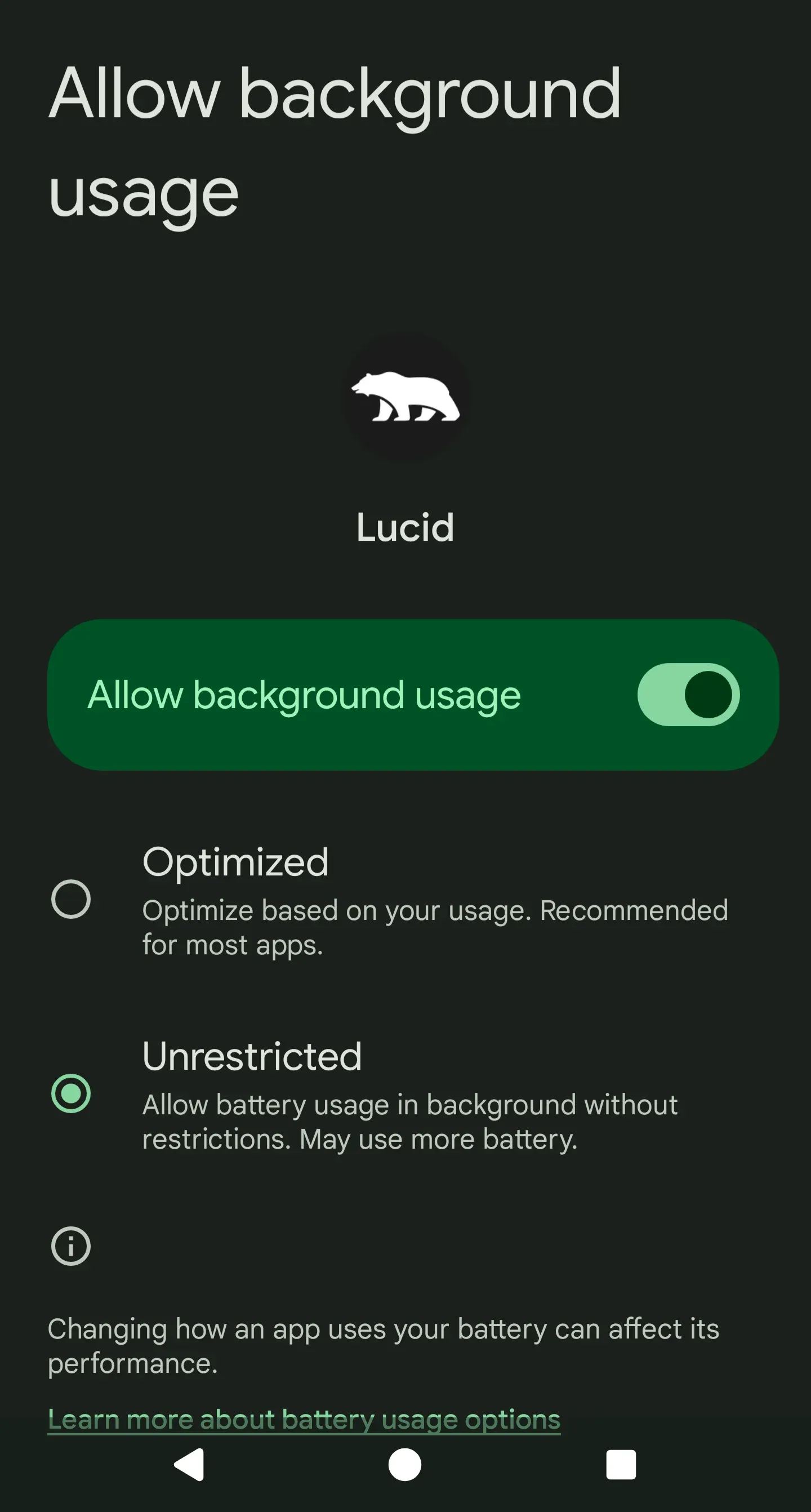
[Battery Management] -> Change from "Optimized" to "Unrestricted"
Default device settings work directly against time-sensitive survival games. Android assigns apps to "Optimized" battery profiles, which defer background synchronization while your screen is dark (How-To Geek).
| Setting Location | Default Status | Required Adjustment | Reason for Adjustment | Sourced Verification |
|---|---|---|---|---|
| Settings > Apps > [Game] > Battery usage | Optimized | Unrestricted | Prevents OS throttling of background data and network sync | How-To Geek |
| Settings > Apps > [Game] | Pause if unused (ON) | Toggle OFF | Stops Android 12 from killing alerts if unopened for 3 months | How-To Geek |
| Settings > Notifications > General | Notification Cooldown (ON) | Toggle OFF | Prevents device muting sound during clustered rally callouts | Google Support |
| Settings > Apps > [Game] > Notifications | Respect DND | Override Do Not Disturb | Forces critical rally sirens to sound through scheduled sleep blocks | Google Support |
To disable throttling, open system settings, navigate to Apps > See all apps > The Walking Dead: Survivors > Battery usage, and select Unrestricted (How-To Geek).
Android 12 introduced "Pause app activity if unused." This feature puts an application into hibernation, strips permissions, and wipes push delivery if you do not launch it for 3 months (How-To Geek). Turn this toggle off on the app info page to prevent sudden silence.
Android's Notification cooldown setting under Notifications > General automatically lowers alert volumes and suppresses heads-up banners when multiple notifications arrive in rapid succession (Google Support). During active clan warfare, leaders often call back-to-back strikes within seconds; leaving this feature enabled can cause your phone to silence subsequent rally warnings after the first ping. Switch it off to ensure every incoming callout rings at full volume.
Device-specific power saving pitfalls
Manufacturer skins often apply aggressive task killers that override standard Android behavior. Samsung Galaxy devices running One UI are particularly strict with background network packets.
| Device / Skin | Setting to Check | Action Required | Failure Symptom if Ignored | Sourced Documentation |
|---|---|---|---|---|
| Samsung One UI | Settings > Battery > Power saving | Turn OFF | Cuts off background sync entirely; rally pings fail until launch | Samsung Support |
| Samsung One UI | Settings > Connections > Data usage > Data saver | Turn OFF | Drops background cellular communication when game is minimized | Samsung Support |
| Standard Android | Settings > Sound & vibration > Do Not Disturb | Add Game as Exception | DND suppresses combat audio alarms during night attacks | Google Support |
On Samsung hardware, Power saving mode stops apps from syncing in the background, preventing push notifications from reaching your device (Samsung Support). Data saver causes a similar issue by restricting background network usage on mobile data. Both must be turned off to guarantee that alerts arrive while you are away from Wi-Fi.
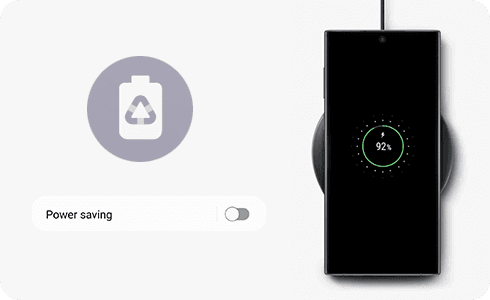
To make sure rally alerts wake you up during nighttime attacks, set up an exclusion for Do Not Disturb. Go to your phone's Settings > Apps & notifications > The Walking Dead: Survivors > App notifications, then enable Override Do Not Disturb (Google Support). Alternatively, add the game directly to your phone's Allowed Apps list under DND settings.
To verify your setup, have a clanmate start a Whisperer rally or launch a scout march against an outpost while your screen is locked. Confirm that your phone sounds a heads-up audio alert immediately with Do Not Disturb active.

Community
Comments