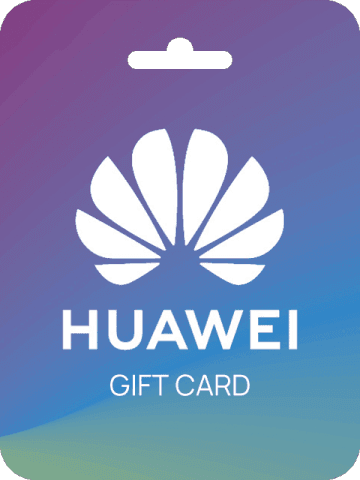


What is HUAWEI Gift Card (AE)?
HUAWEI Gift Card (AE) is a prepaid code for Huawei IDs registered in the United Arab Emirates. When you buy HUAWEI Gift Card (AE) and redeem it, the value is added to your Huawei Wallet / AppGallery balance in AED. You can then use the credit to buy apps, games, in-app purchases, themes, Huawei Video, Huawei Music and Huawei Cloud storage without linking a credit card. It is the official way to top up and recharge your Huawei account for the UAE region.
This gift card is region-locked and can only be redeemed on a Huawei account with country/region set to United Arab Emirates. It cannot be used on accounts from other regions and the balance is credited in AED.
Why Buy HUAWEI Gift Card (AE) on NXPGame?
Looking to buy HUAWEI Gift Card (AE) online quickly and safely? NXPGame is a trusted global store for game top-ups and gift cards:
- Fast Delivery: Get your HUAWEI Gift Card (AE) code delivered quickly after payment is confirmed, so you can recharge and use it right away.
- Secure Payment: Checkout with globally trusted, secure payment methods and encrypted processing to protect your transaction.
- 24/7 Customer Support: Our support team is available around the clock to help with purchase, delivery or redemption questions.
- Genuine Codes: All HUAWEI Gift Card (AE) codes are sourced from official channels and are valid for UAE Huawei accounts.
- Convenient Top Up: No need to bind a bank card to your Huawei ID - just buy, redeem and top up your balance.
How to Buy and Redeem HUAWEI Gift Card (AE)
How to Buy on NXPGame
- Select the denomination of HUAWEI Gift Card (AE) you want to buy.
- Click Buy Now and enter your email address to receive the code.
- Complete payment with your preferred secure payment method.
- Receive your gift card code quickly via email and on your NXPGame order page after payment confirmation.
- Redeem the code on your UAE Huawei account to top up your balance instantly.
How to Redeem on Huawei AppGallery
- Log in to your Huawei ID registered in the United Arab Emirates on your Huawei device.
- Open AppGallery and go to Me > Gift cards / Redeem or open Huawei Wallet.
- Select Redeem gift card and enter the code you purchased from NXPGame.
- Confirm to add the credit to your account. Your new balance can now be used for AppGallery and other Huawei services.
Who Should Buy HUAWEI Gift Card (AE)?
HUAWEI Gift Card (AE) is ideal for anyone using Huawei Mobile Services (HMS) in the UAE:
- Huawei Smartphone and Tablet Users who want to buy paid apps, games, themes and wallpapers on AppGallery.
- Mobile Gamers who need to top up for in-game currency, items and packs in games available on AppGallery and GameCenter.
- Huawei Cloud Users who want to pay for additional cloud storage and premium services.
- Gift Givers looking for a practical gift for friends or family with a UAE Huawei ID.
- Users Without Credit Cards who prefer a safe, prepaid way to recharge Huawei services.
FAQ About HUAWEI Gift Card (AE)
Is HUAWEI Gift Card (AE) region locked?
Yes. It can only be redeemed on Huawei IDs with country/region set to United Arab Emirates. The balance will be credited in AED and cannot be used on accounts from other regions.
What can I buy with my HUAWEI Gift Card (AE) balance?
You can use the balance for apps and games on Huawei AppGallery, in-app purchases, GameCenter top-ups, themes, Huawei Video, Huawei Music, and Huawei Cloud storage upgrades.
How long does delivery take after I buy on NXPGame?
After payment is confirmed, NXPGame delivers your code quickly. In most cases you will receive it within minutes via email and on the order page.
Do I need a Huawei ID to use this card?
Yes, you need a Huawei ID registered in the United Arab Emirates. You can create one on your Huawei device or on the official Huawei website before redeeming.
What should I do if my code shows as invalid or already redeemed?
Double-check that your Huawei ID region is set to United Arab Emirates and that you entered the code correctly without spaces. If the issue continues, contact NXPGame 24/7 support with your order number and a screenshot for assistance.