

Learn how to link guest account in Heroic Uncle Kim without data loss. Bind your profile to Google or Apple ID and switch saves cleanly across devices.
Playing on a guest profile is convenient right up until you lose your save. Heroic Uncle Kim lets you start playing without entering credentials, but that convenience carries real risk: an OS storage sweep, a routine system update, or an accidental tap on "Log Out" can erase weeks of grinding instantly.
I have seen too many players accidentally overwrite an active guest save by attempting to bind it to a social profile that already holds an abandoned level 1 character. Once the game client syncs with an existing remote record, your local progress is gone. Securing your save requires a specific sequence of actions. Follow this breakdown to link your guest account cleanly, avoid account binding errors, and manage multiple profiles without risking your progress.

Heroic Uncle Kim
- -40%
220 Gems + 20 Master Keys
Buy NowUSD 0.64
USD 0.89
- -40%
1200 Gems + 90 Master Keys
Buy NowUSD 3.10
USD 4.34
- -40%
2400 Gems + 150 Master Keys
Buy NowUSD 5.72
USD 8.01
- -40%
8500 Gems + 500 Master keys
Buy NowUSD 16.65
USD 23.31
- -40%
16000 Gems + 1000 Master Keys
Buy NowUSD 28.11
USD 39.35
- -40%
36000 Gems + 2000 Master Keys
Buy NowUSD 56.73
USD 79.42
- -40%
95 Demon Coins + 150 Master Keys
Buy NowUSD 2.05
USD 2.86
- -40%
150 Demon Coins + 300 Master Keys
Buy NowUSD 3.10
USD 4.34
- -40%
950 Dragon Orbs
Buy NowUSD 5.78
USD 8.09
- -40%
Ads Pass 30 Days + 240 Gems
Buy NowUSD 5.78
USD 8.09
The Technical Danger of Guest Profiles
Guest accounts rely exclusively on local device storage and are vulnerable to data loss. When you run the game as a guest, the client generates a local cryptographic token and stores your profile identifier inside the app's private sandbox folder. There is no permanent identity attached to a remote database entity under your name. If you wipe that sandbox, you destroy the local key.
Mobile operating systems do not notify game servers when an app is uninstalled. Neither iOS nor Android provides native deletion callbacks to remote endpoints. Because of this, backend services cannot tell whether a client was uninstalled or simply closed.
+-------------------------------------------------------------------------+
|                        LOCAL DEVICE STORAGE                             |
|  [Guest Save Sandbox]  ---> Uninstalls, OS cleanups, or cache wipes      |
|                                    |                                    |
|                                    v                                    |
|                          PERMANENT LOCAL LOSS                           |
+-------------------------------------------------------------------------+
                                     | (No OS deletion callback)
                                     v
+-------------------------------------------------------------------------+
|                        REMOTE GAME DATABASE                             |
|  [Orphaned Guest Data] ---> Retained indefinitely on server             |
|                             (Inaccessible without local key or Support) |
+-------------------------------------------------------------------------+
Behind the scenes, backend game servers retain guest accounts indefinitely unless pruned by custom database queries. The server holds your character records in database tables, but your local phone no longer holds the matching authorization token. Unless automated cron jobs or privacy-mandated deletion requests purge them, those records sit orphaned forever. You cannot log back into them simply by reinstalling the client. You must deliberately bind that local instance to an external credential to build a permanent link between your hardware and the game database.
Before spending money on gear or resources through Heroic Uncle Kim pack options, binding your profile should be your absolute top priority.
Step-by-Step Guide to Link Guest Account in Heroic Uncle Kim
Do not tap random authentication buttons in the settings menu hoping for the best. If you select a service already tied to another game profile, the client will ask if you want to load that remote data. Confirming that prompt will erase your current guest progress instantly. Complete these exact steps instead:
- Launch Heroic Uncle Kim on the device currently holding your guest save data.
- Tap the settings gear icon located in the upper-right corner of the main hub interface.
- Locate the Account Management or User Center sub-menu.
- Note down your temporary Guest User ID displayed at the bottom of the screen. Take a screenshot and save it outside your device.
- Select your desired binding target: Google, Apple ID, or direct email registration.
- Ensure the target account is completely fresh and has never been used to log into the game before.
- Authorize the permissions prompt. The game will display an Account Linked Successfully confirmation dialog.
- Restart the game client completely to verify that the title screen recognizes your new authentication status.
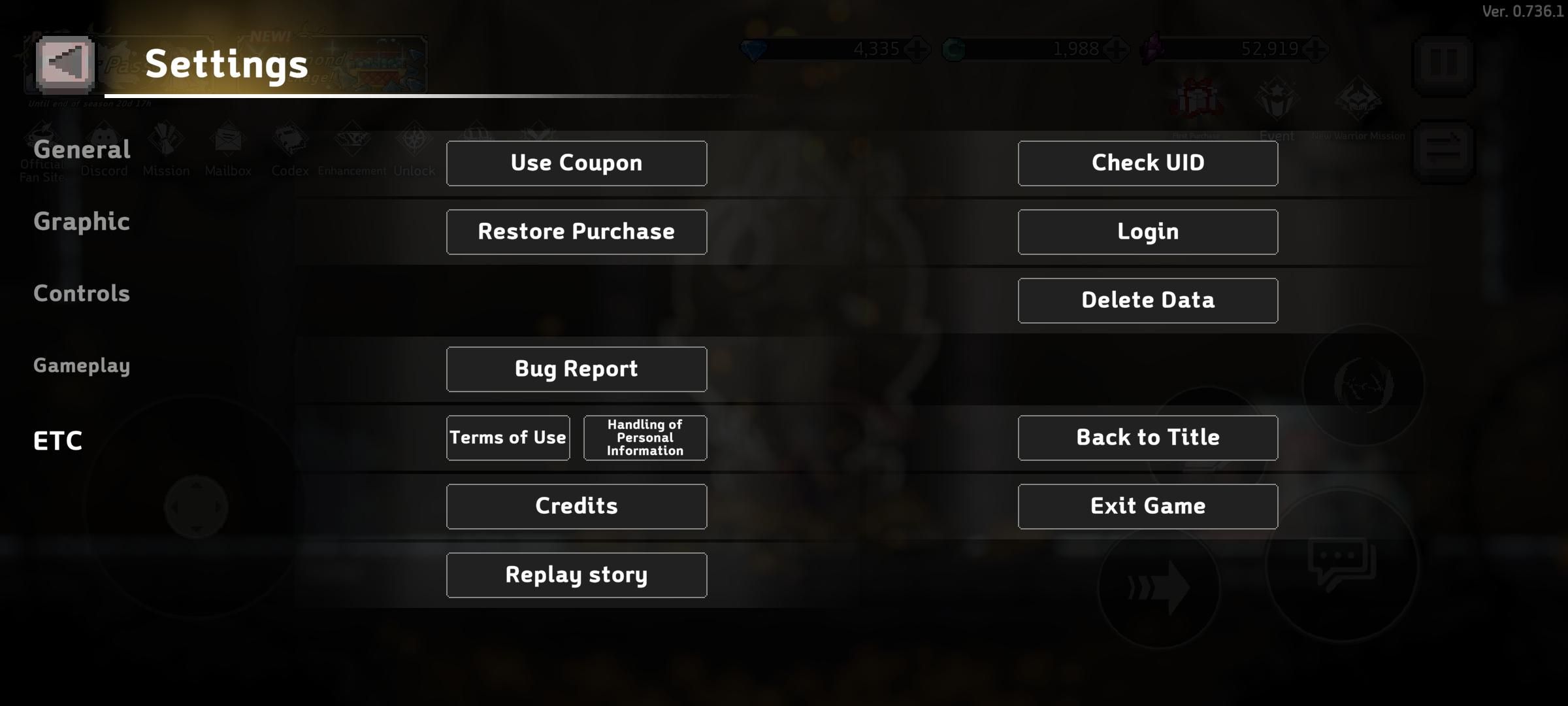
Binding your guest character to an email or phone number registers the save directly on the game server. Once linked, you can retrieve your character on any device, and future app uninstalls will not touch your server-side progress.
Resolving Heroic Uncle Kim Account Binding Error Prompts
When a binding attempt fails, the interface usually returns a generic error prompt. Understanding the backend cause saves you from corrupting your save files.
The most frequent issue is the "Account Already Bound" or "Third-Party Account Already Associated" conflict. This happens when you try to link your current guest session to a social account or email that you previously used during a reroll attempt or an old test run. The game server will reject the operation to prevent merging two divergent character IDs into one login credential. If you force the login rather than the bind, the game pulls the old profile from the cloud and overwrites your local guest data.
If you encounter a binding error, follow these isolation steps:
- Stop immediately. Do not log out of your current guest session.
- Open an external browser on your PC or mobile device.
- Create a brand-new, clean email address or secondary authentication profile dedicated strictly to your primary game progress.
- Return to the in-game Account Management screen and bind to that completely unused profile.
- If the game client hangs during authentication, force-close the app, clear the game's system cache (do NOT clear data/storage), and re-attempt the link.
Platform Architecture Differences: Android vs iOS
How your save behaves under the hood depends entirely on your device's operating system. Android and iOS handle app sandboxing, background cloud sync, and user profile separation through fundamentally different technical structures.
Android isolates app storage through individual user sandboxes. Files, accounts, and application data remain segregated between device owners, secondary profiles, and OS-level guest users. If you launch the game under an Android guest user, the client opens with an empty sandbox. Deleting that guest user from the phone wipes those files permanently.
Android devices manage multiple external authentication accounts in central settings. Samsung Galaxy and other Android devices handle Google, Samsung, and third-party login profiles through Settings > Accounts and backup > Manage accounts. If your device stores multiple accounts, the game might automatically query the wrong identity on startup.
Apple handles backup synchronization through device-level Apple Account storage caps. Free accounts include 5 GB of cloud storage before requiring a paid iCloud+ tier. Once that storage fills up, the OS silently stops syncing device state snapshots and keychain app tokens.
The table below outlines how Android, iOS, and direct publisher integration differ when handling guest accounts and profile security.
| Platform / Method | Sandbox Isolation Model | Storage & Sync Boundaries | Multi-Account Switching Location | Data Loss Risk Level |
|---|---|---|---|---|
| Android Sandbox | Isolated per-user Linux sandbox (UID separation) | Dependent on internal device flash; wipes on OS user deletion | External OS settings & Google Play Games app | High for unbound guests; zero once cloud-linked |
| Apple iOS | Encrypted app container; sandboxed keychain access | 5 GB free baseline storage; tier upgrades scale to 12 TB | Device Apple Account settings & Game Center profile | High on app deletion; low once Apple ID linked |
| Publisher Direct | Server-side relational database record mapping | Bound directly to custom email/phone on backend DB | In-game Account Management menu | Zero across devices once authentication token is active |
Platform architectural mechanics directly dictate where your profile authentication credentials reside and how system cleanups affect them.
Notice that publisher-level account linking bypasses operating system account switching steps entirely. Binding game progress to a proprietary publisher account allows players to switch active game profiles directly inside the in-game account management settings without external OS reconfiguration. If the game client offers a direct publisher registration option using an email and password, that is almost always more reliable than relying on mobile OS hooks.
For those running custom or modified test environments on iOS, keep in mind that sideloaded iOS personal signature installations expire after 7 days. Apps signed using a personal Apple ID certificate are restricted to 10 package installations within a 7-day window and expire after 7 days, which can abruptly block client access if you do not maintain an active bind.
Managing Cloud Storage and Backup Tiers for Game Data
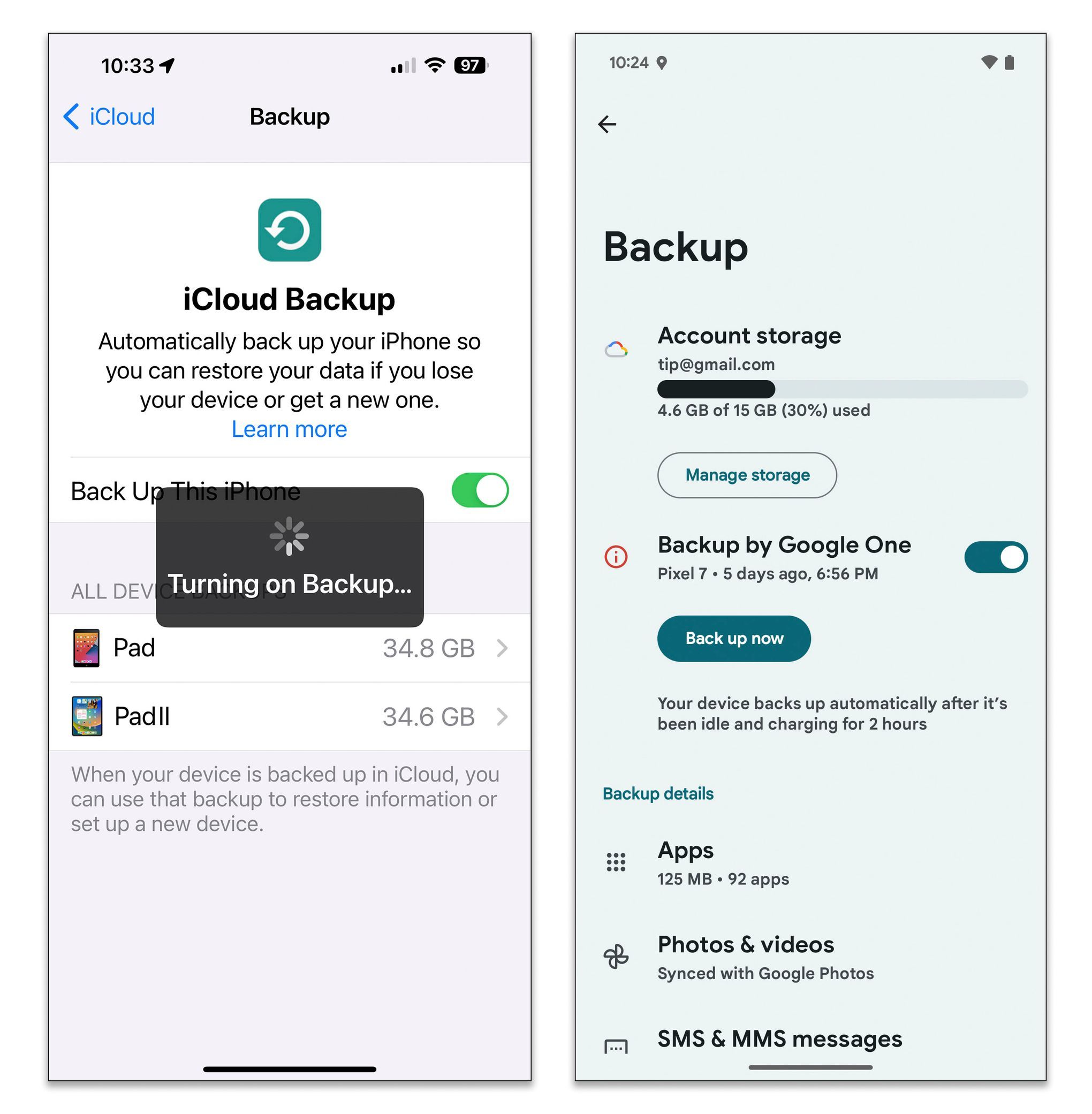
While save games rely on live game servers once bound, system-level application data and cloud backup states are tied to your platform account quotas. Many players who rely on system-wide device restoration to recover apps run into storage ceiling blocks on iOS.
Standard Apple Accounts allocate only 5 GB of baseline cloud storage. When this limit is hit, game settings, device state snapshots, and keychain synchronization halt silently. Upgrading storage ensures your device creates nightly images that include application configurations.
The table below breaks down the consumer cloud storage pricing tiers available for Apple Account users maintaining extensive mobile data libraries.
| Storage Tier | Monthly Cost (USD) | Included Services & Security Allocations |
|---|---|---|
| Complimentary | Free | 5 GB standard device sync and basic backup functionality |
| iCloud+ 50 GB | $0.99/month | Includes Private Relay, Hide My Email, and 1 HomeKit camera support |
| iCloud+ 200 GB | $2.99/month | Includes Private Relay, Hide My Email, and up to 5 HomeKit cameras support |
| iCloud+ 2 TB | $9.99/month | Includes Private Relay, Hide My Email, and unlimited HomeKit cameras support |
| iCloud+ 6 TB | $29.99/month | Expanded cloud backup tier shareable with Family Sharing |
| iCloud+ 12 TB | $59.99/month | Maximum consumer storage tier shareable with Family Sharing |
Platform cloud tier options provide expanded capacity for device backups, though in-game account binding remains the only true safeguard for live game progress.
Do not rely on full-device system backups to safeguard your progress. An in-game account bind to a live email or social ID registers your character directly to the developer's server infrastructure, bypassing OS storage limitations entirely.
If you need to update credentials or manage account access, Apple Account security rules enforce password complexity and security delays. Apple Account passwords require at least 8 characters with mixed case and numbers, and enabling Stolen Device Protection can impose a 1-hour delay before credential changes take effect. Keep these operational delays in mind if you are trying to reset an authentication password right before a time-limited game event.
How to Safely Switch Accounts in Heroic Uncle Kim
Switching between an alternate account (alt) and your main account requires extreme caution. If you attempt to log into another profile while an unbound guest account is active on your device, the incoming profile will overwrite your local guest state.
If your account is already bound, returning to the title screen and choosing your linked provider restores your character immediately. If your active session is an unbound guest, however, mounting another profile severs and discards that local progress without warning.
Google Play Games Profile Switching on Android
On Android, Google Play Games manages profile switching via dedicated app settings. Players switching between Google accounts must assign the active profile in Google Play Games under Settings > Your data > Change account for games before launching the game client.
Open Google Play Games App
  │
  └──> Tap Three Dots / Profile Icon
         │
         └──> Settings
                │
                └──> Your Data
                       │
                       └──> Change Account for Games
                              │
                              ├──> Select Heroic Uncle Kim
                              │      │
                              │      └──> Set to "Ask Each Time"
                              │
                              └──> Launch Game Client Safely
Setting Google Play Games to prompt upon every launch forces an explicit profile selection before the title screen loads. This prevents the client from automatically authenticating with the wrong linked Google address if you keep multiple accounts on one phone.
Safe Account Switching Checklist
Before switching accounts, run through this verification checklist:
- Confirm the account currently on screen is bound to an active credential.
- Verify the email address tied to the active account by checking the in-game User Center.
- If it says "Guest," STOP. Bind it immediately using a fresh email.
- Clear the active session by using the in-game "Log Out" or "Switch Account" button.
- Select your secondary authentication provider.
- Check your character name and server immediately upon loading in.
If you are setting up an optimized alt account to support your main roster, you can grab starter packages via Heroic Uncle Kim store items once the secondary profile is fully registered and secured.
Recovering a Lost Guest Account: What Support Needs
What happens if the worst occurs? You cleared your cache, your phone ran an aggressive storage optimization routine, and your guest profile disappeared. You open the game and see the opening cinematic.
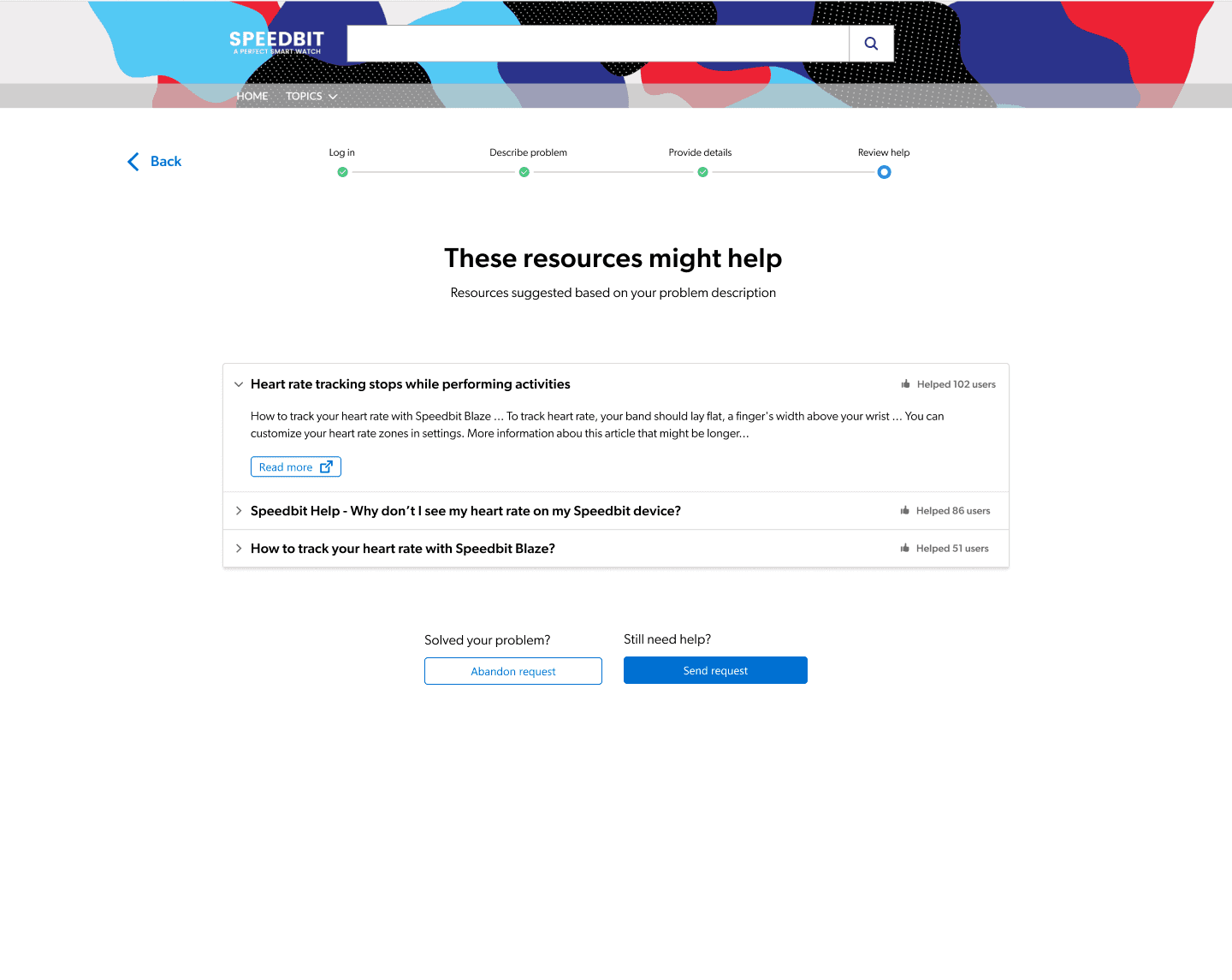
Support can trace an orphaned database entry, but only if you provide specific technical identifiers: your original server or region, character name, approximate level or power, recharge receipts, device model, and current temporary game ID.
Customer service cross-references these details against server transaction records and behavioral logs before re-attaching the orphaned character to a new, secure login credential.
The table below shows the verification hierarchy customer support teams typically require to validate account ownership.
| Verification Metric | Data Source / Format | Evidence Weight | Purpose in Recovery |
|---|---|---|---|
| Official Recharge Receipts | Transaction order IDs and digital invoices | Highest | Establishes definitive financial ownership of the account record |
| Historical Guest ID String | Screenshot of settings menu or temporary UID | High | Enables direct database querying of the orphaned table record |
| Device Specifications | Phone model, OS version, and network carrier | Medium | Corroborates client hardware logs stored on the backend |
| Character Metadata | Exact character name, server region, level, power | Medium | Narrows down matching database entries across regional clusters |
| Behavioral Logs | Recent stage clears, inventory composition, guild name | Low to Medium | Secondary validation if purchase history is unavailable |
Support recovery teams prioritize immutable financial and unique identifier records over easily spoofed surface-level character details.
If you never made a purchase and never recorded your Guest UID, recovery becomes an uphill battle. If you did make purchases, pull up your official receipts. The order number is an immutable key that customer service can cross-reference against payment gateway records to track down the exact orphaned character ID.
Step-by-Step Fix for Heroic Uncle Kim Login Failed Errors
If your game is bound but refuses to authenticate, throwing a "Login Failed," "Network Timeout," or "Token Expired" error, work through these numbered troubleshooting steps in sequence:
- Force close the application: Swipe the game out of your active app switcher to kill all background processes.
- Toggle network pathways: Switch from Wi-Fi to mobile data, or vice versa. Authentication servers often block specific IP subnets or DNS routes experiencing packet loss.
- Clear application cache: On Android, navigate to Settings > Apps > Heroic Uncle Kim > Storage > Clear Cache. Do not tap Clear Data or Clear Storage, as that wipes local tokens.
- Sync device time: Go to your phone's system settings and toggle Automatic Date & Time off and back on. An offset of even a few seconds will cause SSL/TLS handshake failures during authentication.
- Check platform app permissions: Ensure the Google Play Games app or Apple Game Center has active background permissions and is not set to deep sleep.
- Re-authorize external credentials: If bound to a social or email provider, open your device browser, log out of that provider, log back in, and then re-launch the game.
If these steps do not clear the error, the authentication gateway may be undergoing server-side maintenance. Wait thirty minutes before attempting further resets.
FAQ
What happens if I reinstall the game while playing on a guest account?
You will lose your guest save progress because guest accounts rely exclusively on local device storage. Reinstalling the game creates a fresh guest profile and severs the link to your previous local data. Always bind your account before deleting or updating the client.
How do I link a guest account without losing my current progress?
Navigate to the in-game Account Management menu while logged into your guest character and bind it to an unused email or platform account. Never select an existing linked credential that already contains an active save, or your local progress may be overwritten. Take a screenshot of your Guest UID before tapping any binding options.
How do I switch between different linked accounts on Android?
Open the Google Play Games app settings, locate the game under "Change account for games," and select your desired profile or choose "Ask each time." When launching the game, load the associated account through the in-game Account Management menu. This avoids automated logins that can cause account conflicts.
Can customer support recover a lost guest account?
Yes, customer support can often restore an unbound profile if you provide key verification details. You must submit your character name, server region, estimated level or power, original device model, and past purchase receipts. Official transaction invoices provide the strongest proof of account ownership.
Can game servers detect when I uninstall the game app?
No, mobile operating systems like iOS and Android do not notify game servers when an app is uninstalled. Your guest character data remains orphaned in the database until manual cleanup or account binding occurs. The server simply treats your client as inactive.
Will logging into an existing bound account overwrite my guest progress?
Yes, logging into an existing bound account on a device running an unbound guest profile will replace the active local save. You must bind your current guest progress to a new credential before logging into any other profile. Once replaced, the guest save cannot be restored locally.
What information best proves ownership of a lost guest account?
Official recharge receipts and transaction order numbers provide the strongest proof of account ownership. Support teams match order identifiers against backend transaction logs to verify identity and rebind your save. Screenshots of your raw Guest UID also significantly speed up the recovery process.
The Verdict on Guest Accounts
Playing on a guest profile in Heroic Uncle Kim is fine for your first thirty minutes of rerolling. Beyond that, it is an unnecessary gamble with your time and progress. Operating systems are designed to aggressively clean up local caches, and a single system glitch will obliterate an unbound save.
Do not wait until a corrupted update or an accidental logout forces you into an account recovery ticket. Take two minutes right now: open the Account Management menu, link your character to a fresh, dedicated email or platform ID, and save your Guest UID in a secure password manager. Once your progress is permanently anchored to the game servers, you can build your roster, upgrade your gear, and top up via the Heroic Uncle Kim selection with total peace of mind.

Community
Comments