

The Microsoft 365 update schedule operates across two distinct engines: client-side desktop application builds and tenant-level cloud service rollouts. For desktop applications, Current Channel receives feature releases two to three times per month as ready alongside monthly security fixes, while Monthly Enterprise Channel delivers a single, predictable bundle of features and security patches on the second Tuesday of every month (Patch Tuesday). Following the channel unification on July 14, 2026, Semi-Annual Enterprise Channel merged directly into Monthly Enterprise Channel starting with Version 2606, leaving Monthly Enterprise Channel and Current Channel as the primary servicing options for enterprise endpoints.
Microsoft 365 (SA)
2026 Patch Tuesday Calendar for Microsoft 365 Apps
Security updates and Monthly Enterprise Channel feature updates deploy on the second Tuesday of each month according to the standard Patch Tuesday release calendar. Both client security fixes and unified enterprise releases follow this exact monthly cadence.
| Release Date | Release Type | Channels Impacted | Servicing Notes |
|---|---|---|---|
| January 13, 2026 | Patch Tuesday | All Channels | Security updates; monthly features for Monthly Enterprise Channel. |
| February 10, 2026 | Patch Tuesday | All Channels | Security updates; monthly features for Monthly Enterprise Channel. |
| March 10, 2026 | Patch Tuesday | All Channels | Security updates; monthly features for Monthly Enterprise Channel. |
| April 14, 2026 | Patch Tuesday | All Channels | Security updates; monthly features for Monthly Enterprise Channel. |
| May 12, 2026 | Patch Tuesday | All Channels | Security updates; monthly features for Monthly Enterprise Channel. |
| June 9, 2026 | Patch Tuesday | All Channels | Security updates; monthly features for Monthly Enterprise Channel. |
| July 14, 2026 | Patch Tuesday & Unification | MEC & SAEC | Launch of Version 2606; begins automatic migration of SAEC devices to unified enterprise servicing. |
| August 11, 2026 | Patch Tuesday | All Channels | Standard monthly security and quality release. |
| September 8, 2026 | Patch Tuesday & Support Cutoff | SAEC 2508 | Final day of support for Semi-Annual Enterprise Channel Version 2508. |
| October 13, 2026 | Patch Tuesday | All Channels | Standard monthly security, quality, and MEC feature release. |
| November 10, 2026 | Patch Tuesday | All Channels | Standard monthly security, quality, and MEC feature release. |
| December 8, 2026 | Patch Tuesday | All Channels | Final scheduled monthly release window for calendar year 2026. |
All dates reflect scheduled releases documented by Think Technology Australia and official servicing schedules.
Client App Release Channels: Current vs. Monthly Enterprise
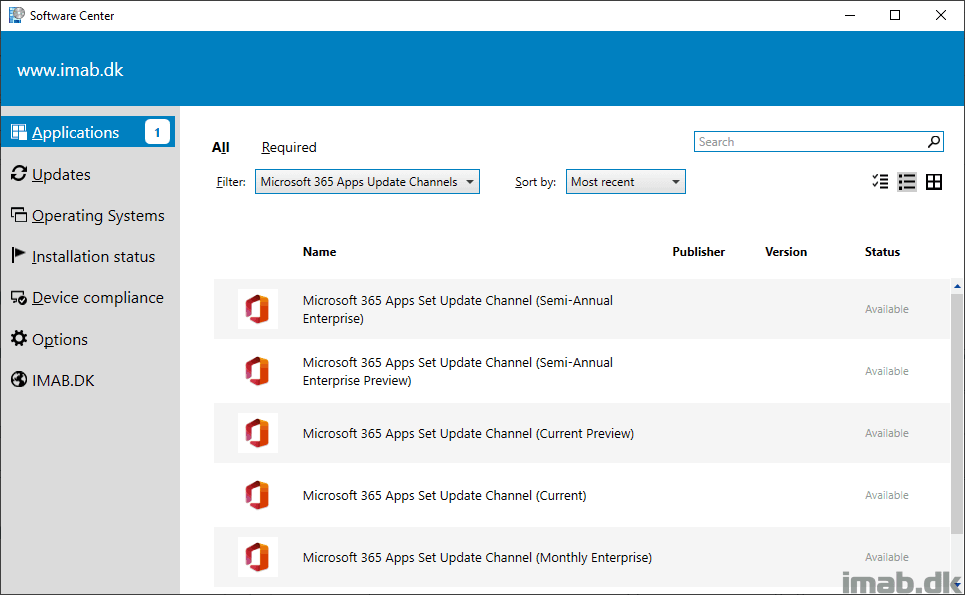
Desktop applications—Word, Excel, PowerPoint, and Outlook—follow client-side Click-to-Run (C2R) channels configured on each device or enforced by administrative policy.
Current Channel Update Dynamics
Current Channel acts as the default update channel for new tenant installations. It serves organizations and users who prefer immediate access to new tools as soon as engineering teams validate them.
- Feature Delivery: Features arrive without a rigid calendar cadence, deploying two or three times per month as builds pass quality thresholds.
- Security Fixes: Cumulative security patches deploy once a month on the second Tuesday.
- Rollout Controls: Custom rollout waves are not supported for Current Channel in Cloud Update profiles.
Users who manage standalone or regional accounts, including those subscribing through regional portals such as Microsoft 365 (SA), receive updates through these identical worldwide client channels based on their selected update path.
Monthly Enterprise Channel Mechanics
Monthly Enterprise Channel targets enterprise fleets requiring stability without long feature gaps. Instead of multiple unannounced drops, it groups feature rollouts, bug fixes, and security updates into a single release delivered on Patch Tuesday.
This predictable monthly release window gives IT teams time to validate line-of-business macros and internal add-ins against known build versions. It also supports progressive deployment waves, exclusion windows, pause functions, and version rollbacks.
The July 2026 Channel Unification: SAEC Retires
For years, enterprise environments relied on the Semi-Annual Enterprise Channel (SAEC) to lock application builds for six-month intervals, receiving feature updates only twice a year (January and July). Many legacy blogs and older IT guides still describe SAEC as an active semi-annual cadence. Official servicing documentation proves that architecture has changed.
According to Microsoft Learn's unified update documentation, Microsoft unified the Semi-Annual Enterprise Channel and Monthly Enterprise Channel into a single enterprise-focused servicing track beginning with Version 2606 on July 14, 2026.
Key operational facts regarding this transition include:
- Automatic Upgrade: Devices configured for SAEC automatically receive the Monthly Enterprise Channel release cadence once Version 2606 installs.
- Backstage Identification: In Microsoft 365 Apps under File > Account, the channel label updates to display "Monthly Enterprise Channel."
- Build Number Offsets: A minor offset remains in the build numbering between transitioned devices and existing MEC devices so Click-to-Run can track valid transition states.
- Network Payload: The initial transition from Version 2508 to Version 2606 requires a download payload of roughly 1.6 GB per device.
- Policy Continuity: Administrators do not need to rewrite deployment scripts or reconfigure policies. Click-to-Run applies the update over existing registry or Group Policy settings.
- Support Sunset: For fleets that suppressed Version 2606 using management tools, official support for Semi-Annual Enterprise Channel Version 2508 ended on September 8, 2026. Devices remaining on Version 2508 no longer receive security fixes.
Cloud Update Governance vs. Intune, MECM, and Group Policy
Controlling client-side updates across distributed enterprise fleets often creates conflicts between local policies and cloud-based management portals.
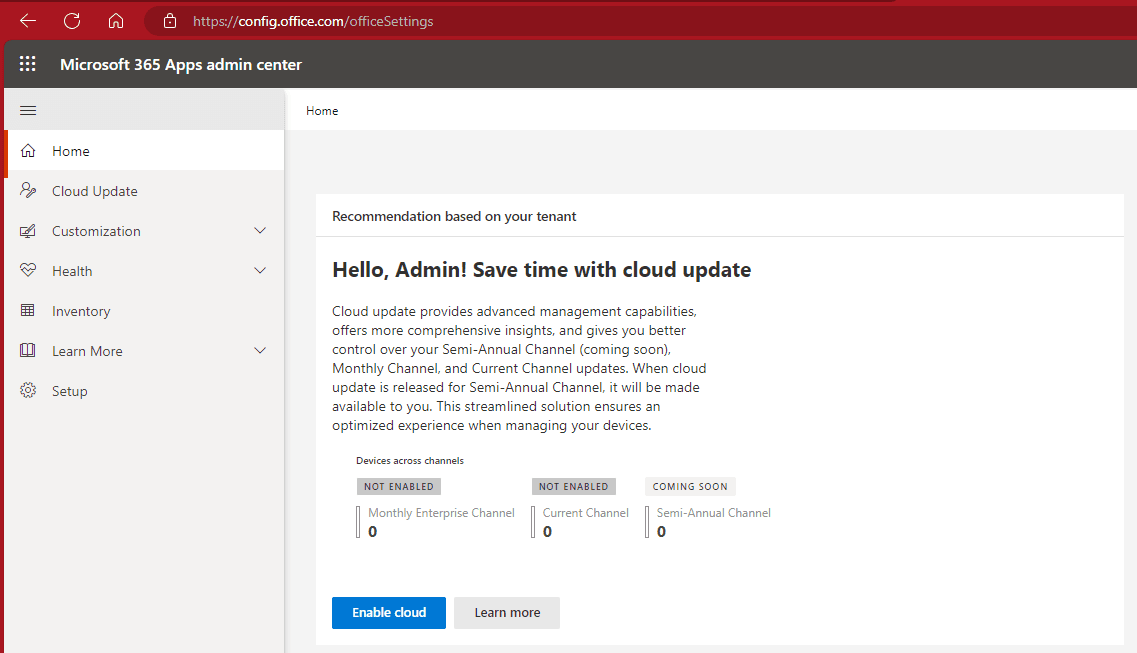
When administrators onboard endpoints into a Cloud Update profile inside the Microsoft 365 Apps admin center, Cloud Update takes operational precedence over conflicting settings defined in Microsoft Intune, Microsoft Endpoint Configuration Manager (MECM), or local Group Policy.
Cloud Update gives administrators specific tooling depending on the assigned channel:
| Administrative Capability | Current Channel | Monthly Enterprise Channel |
|---|---|---|
| Custom Rollout Waves | Not Supported | Supported |
| Automated Deadlines | Supported | Supported |
| Business Exclusion Windows | Supported | Supported |
| Targeted Release Pauses | Supported | Supported |
| Build Rollback | Supported | Supported |
Because Cloud Update overrides local Group Policy objects, administrators migrating to cloud management should review conflicting registry paths (HKLM\SOFTWARE\Policies\Microsoft\office\16.0\common\officeupdate) to prevent conflicting reporting metrics.
Cloud Feature Release Tracks: Frontier, Standard, and Deferred
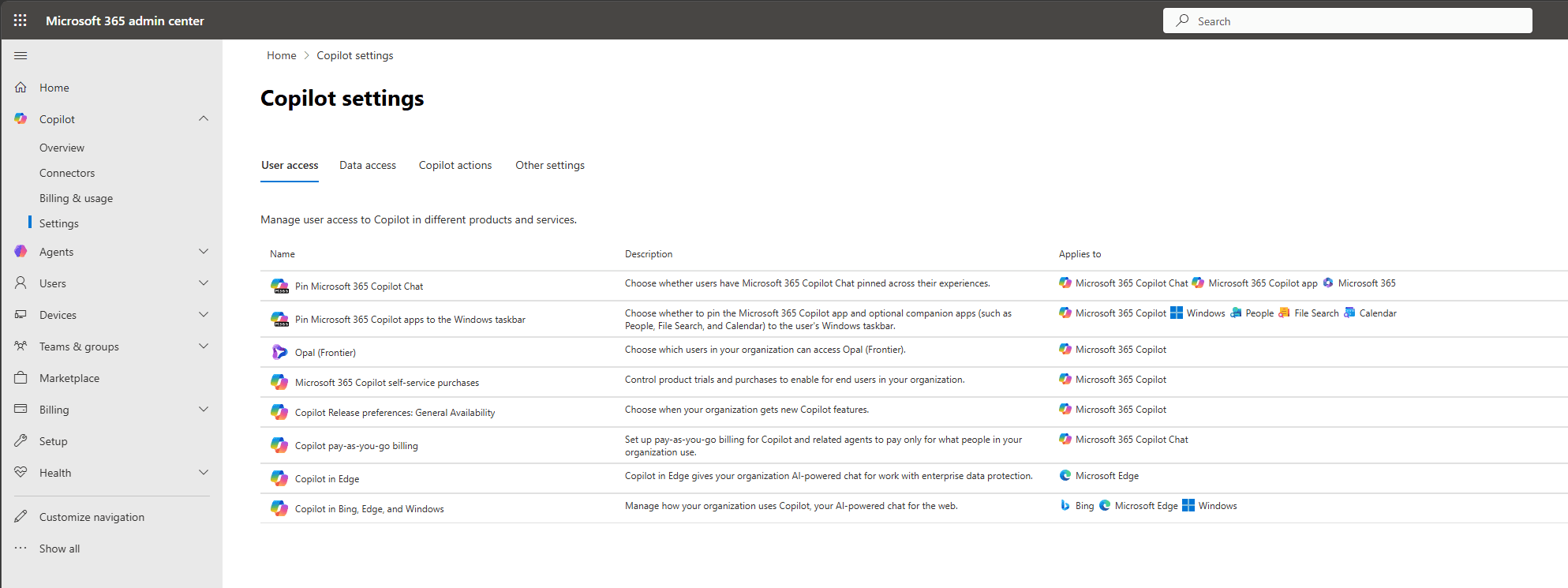
While desktop client builds run through Click-to-Run channels, server-side services and generative AI tools—including Microsoft Copilot—follow tenant-level cloud release tracks. As outlined by ChangePilot's release model breakdown, cloud feature deployments use a three-track model:
1. Frontier Track
Frontier serves as the early-access, pre-General Availability (pre-GA) track. It replaces the legacy Targeted Release naming for cloud services. IT administrators and pilot user groups opt into Frontier to evaluate cloud features before broad release, allowing organizations to update training materials and internal compliance reviews.
2. Standard Track
Standard is the worldwide default release setting for all production tenants. Cloud features arrive in this track upon reaching General Availability. Standard track features roll out progressively across global datacenters, so individual users within the same tenant may notice web-based UI adjustments at slightly different times.
3. Deferred Track
Designed for organizations requiring strict operational change windows, the Deferred track introduces a 30-day buffer after a feature reaches Standard General Availability. When a tenant is configured on Standard release, tenant administrators can assign the Deferred track to a maximum of 100 users. This track lets designated executive or mission-critical endpoints delay cloud-level workflow changes until initial deployment noise subsides.
How to Verify Your Active Channel and Build Version
To determine the exact channel, version, and build running on any local Windows machine:
- Open Word, Excel, or PowerPoint.
- Click File in the upper-left corner, then select Account.
- Locate the About [App Name] area under Product Information.
- Read the text block. It displays the version (e.g.,
Version 2606), the build number, and the active update channel.
If the machine displays Monthly Enterprise Channel following the July 2026 transition, it is receiving monthly feature bundles and security patches on Patch Tuesday.
Frequently Asked Questions
What happens to devices on Semi-Annual Enterprise Channel after July 14, 2026?
Starting with Version 2606 on July 14, 2026, devices configured for Semi-Annual Enterprise Channel automatically transition to the Monthly Enterprise Channel servicing cadence. The File > Account backstage view displays Monthly Enterprise Channel, as verified by Microsoft Learn's channel documentation.
Do administrators need to rebuild deployment policies for the channel unification?
No. Click-to-Run installs Version 2606 directly over existing configuration policies without administrative reinstallation. Moving from Version 2508 to 2606 downloads approximately 1.6 GB of payload data per device.
Can devices safely stay on Semi-Annual Enterprise Channel Version 2508?
Support for Version 2508 officially ended on September 8, 2026. Devices remaining on Version 2508 no longer receive security fixes and should upgrade to Version 2606 or newer immediately.
What are the remaining Patch Tuesday dates for 2026?
The remaining scheduled Patch Tuesday dates in 2026 are October 13, November 10, and December 8, 2026, according to published Patch Tuesday schedules.

Community
Comments