

Set up your EUR wallet correctly, avoid permanent region lock traps, and start earning Razer Silver points with this 2026 Razer Gold beginner guide.
Setting up Razer Gold looks straightforward until an obscure regional setting halts your transaction. If you register your profile under the wrong country or redeem a voucher issued in another currency, the system locks the reload on the spot.
European gamers routinely waste money on mismatched digital PINs by assuming Razer Gold functions like an open international prepaid card. It does not. Razer Gold operates as a regional prepaid credit system tied to specific partner titles, publisher shops, and digital platforms. Treating it like a strict regional payment rail saves hours of support tickets and locked funds.
Razer Gold Europe (EUR)
What Is Razer Gold and How Does the Ecosystem Function?
Razer Gold operates on a dual-currency track alongside Razer Silver: Gold is your spending balance, while Silver acts as the loyalty reward point system. Spend Gold on partner games to accumulate Silver points toward hardware discounts, game keys, and promotional gear.
Razer Gold is not a universal storefront checkout method. You cannot use it on PlayStation Network, Xbox Store, Nintendo eShop, or Steam. You cannot fund a Steam wallet with Gold at checkout. Instead, Gold connects directly to individual publisher web shops, direct top-up portals, and participating mobile gaming payment systems.
Your loaded Gold balance never expires. Promotional bonus Gold, however, usually expires after 30 days. Silver points expire 12 calendar months from the end of the month they hit your account. Leave rewards idle past that window and Razer wipes them from your vault.
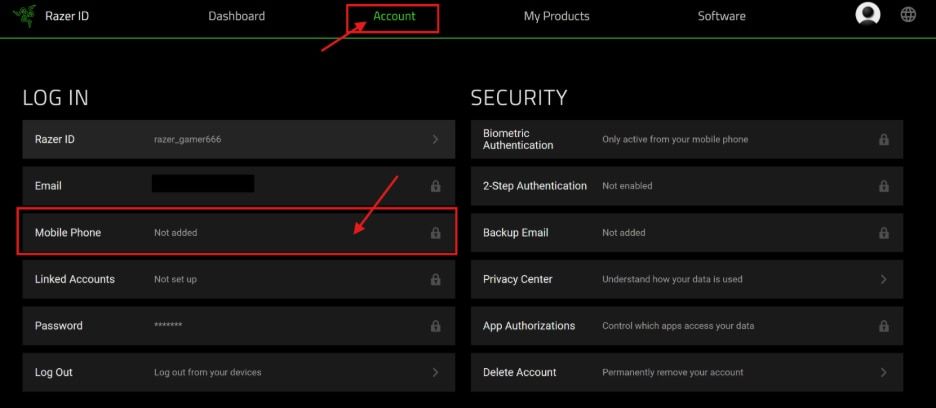
Regional Traps: Why Your EUR Wallet Currency Is Permanent
Your registration location permanently dictates your wallet's base currency. If your account is set up for Germany, France, or Spain, the wallet locks to EUR.
There is no self-serve edit toggle to swap currencies later. If you accidentally establish an account in USD or Turkish Lira (TRY), you cannot reassign it to Euros in your profile. Fixing a wrong region requires a support ticket, proof of residency, and manual review—and support agents often tell players to abandon the profile and start over.
This regional lock applies strictly to voucher redemption. Razer Gold wallets enforce region parity. Attempting to redeem a voucher issued in another currency—such as entering a USD code into a EUR wallet, or a US PIN into a non-European account—triggers immediate failure messages like "Failed to reload" or "Invalid PIN". The code is not broken; the system simply rejects cross-currency wallet loading.
Never use an active VPN or proxy during account setup or voucher redemption. Razer checks your IP address against the wallet's registered region during authentication and reload sequences. Routing your traffic through a proxy risks triggering fraud detection, failed two-factor prompts, or account suspension. Keep your connection on your real European ISP. When you top up Razer Gold Europe (EUR) for your account, you eliminate conversion penalties and bypass regional mismatch errors completely.
Creating Your Account and Securing 2FA Verification Tiers
Start account creation on the official registration page, selecting your genuine European country of residence on the very first screen. This forces your default currency directly to EUR.
[Registration] -> [Country: Europe / EUR] -> [Email Verification] -> [Mandatory 2FA Setup]
Verify your email, then set up two-factor authentication (2FA). Always select an authenticator app rather than SMS. Mobile carriers across Europe frequently delay SMS delivery, causing checkout and login security windows to time out before the code arrives.
Identity reviews can freeze your access for up to 7 business days if your profile triggers fraud filters. Razer requests formal identification documents when it detects disposable email addresses, mismatched IP addresses, or VOIP numbers. Stick to your primary email and verified residential IP to keep your wallet active.
European accounts also carry historical regulatory nuances. In European territories, regulatory transitions previously prompted Razer to modify its balance structures, converting certain balances into digital PIN formats while maintaining traditional wallet setups elsewhere. Sticking strictly to a standard EUR wallet profile ensures you remain aligned with current regional regulations.
PIN Codes vs Direct Reloads: Decoding Voucher Formats
Voucher receipts carry two distinct numbers: a redemption PIN and a serial tracking number. Mixing them up causes immediate reload errors.
A Razer Gold PIN consists of a 14-digit or 20-digit numeric sequence. That sequence holds the monetary balance. The serial number, running up to 19 digits, serves only as an inventory and transaction tracking string. On the official wallet reload page, enter only the 14-digit or 20-digit PIN. Only certain third-party publisher direct-pay portals request both values; standard wallet deposits require just the PIN.
Understanding the difference between reloading your wallet balance and executing a direct PIN checkout changes how you manage your gaming budget.
The following table outlines the mechanical differences between checkout methods and loyalty point generation:
| Reload Route | Crediting Mechanic | Key Account Impact |
|---|---|---|
| Direct PIN Checkout | One-time partner web redemption | Applied directly on partner top-up stores without entering your wallet balance. Unused fractions cannot be split or saved. |
| Wallet Balance Reload | Persistent virtual account balance | PIN loads directly into your EUR wallet. Unspent funds remain permanently available for future transactions. |
| Razer Silver Loyalty | Dual-currency reward system | Earned only when active Gold balance is spent (50 Silver per $1 spent). Expires after 12 months. |
Direct PIN checkout bypasses your main balance, whereas wallet reloads keep unspent funds intact for any catalog purchase.
Track every reload through Dashboard > Account > Transaction History on the official website. The portal displays all transaction records from the past 3 months, giving you clear verification if a reload ever fails to reflect in your total balance. Purchasing a verified EUR Razer Gold digital code ensures that your voucher matches your wallet parameters and records cleanly in your transaction log.
The Razer Silver Economy: Earning Rates, Expiration, and Limits
Razer Silver rewards active spending at a standard rate of 50 Silver per $1 spent (or the equivalent value in EUR at current system exchange rates). These points accumulate in your rewards vault, where you can redeem them for digital game keys, hardware discounts, and partner promotional items.
Crucially, redeeming a gift card or PIN to reload your Razer Gold wallet does not award Razer Silver. The reload step is treated as a currency transfer. Razer Silver is generated only when you actively spend your Gold balance on supported games and digital content. If you load €50 into your wallet, your Silver balance remains unchanged until you spend that €50 on an in-game purchase.
Silver points expire 12 calendar months from the end of the month in which they were credited. If you earn 2,500 Silver on September 15, 2026, those specific points will expire on September 30, 2027. You must monitor your rewards dashboard regularly to prevent hard-earned points from lapsing.
When you decide to redeem your points, choose your rewards deliberately. Under official program terms, all loyalty reward redemptions made with Razer Silver are strictly final and non-refundable. If you accidentally redeem a digital game key for a title you already own, support will not refund your Silver points or cancel the voucher code.
The following table outlines how different balances within the Razer ecosystem function, expire, and translate into value:
| Asset Type | Acquisition Source | Expiration Policy | Conversion Rate / Value |
|---|---|---|---|
| Core Razer Gold | Direct PIN / digital wallet reloads | Does not expire | 1:1 base spending value in registered currency |
| Promotional Bonus Gold | Special seasonal purchase events | Strictly 30 days from credit | Equivalent to standard Gold spending value |
| Razer Silver | Spending Gold or Cortex play | 12 months from end of award month | 50 Silver per $1 spent on partner titles |
| Voucher PINs | Prepaid digital card purchases | Retains value until claimed | Fixed denomination loaded into target wallet |
Managing your assets requires separating core permanent Gold funds from time-sensitive Silver points and promotional balances.
Maximizing Silver Rewards on PC and Mobile via Cortex
You do not have to rely solely on Gold purchases to accumulate Razer Silver. Razer provides companion software ecosystems on desktop and mobile that award points for routine gaming activity.
Starting a new profile often comes with an initial boost. New accounts can receive a welcome bonus of 1,000 Razer Silver upon signing up and finishing initial profile configuration. This initial injection gives you an immediate base in your rewards vault.
For mobile gamers, the Razer Cortex Games app on Android offers daily login rewards and play milestones. Logging into the app daily grants baseline Silver that scales over time. You earn 10 Silver per day on standard logins, with milestone spikes awarding 25 Silver on day 10, 50 Silver on day 50, and 100 Silver on day 100. In addition to check-in streaks, playing supported mobile games for at least 3 minutes per session generates supplemental daily Silver.
[Daily Login: 10 Silver] -> [Day 10: 25 Silver] -> [Day 50: 50 Silver] -> [Day 100: 100 Silver]
On the desktop side, Razer Cortex PC features a 'Paid to Play' program. Launching weekly featured PC titles through the desktop client grants 5 Silver per minute of active gameplay, up to a set daily ceiling. Even better, Razer frequently runs weekend promotional windows featuring a 2x multiplier, doubling your earning rate to 10 Silver per minute.
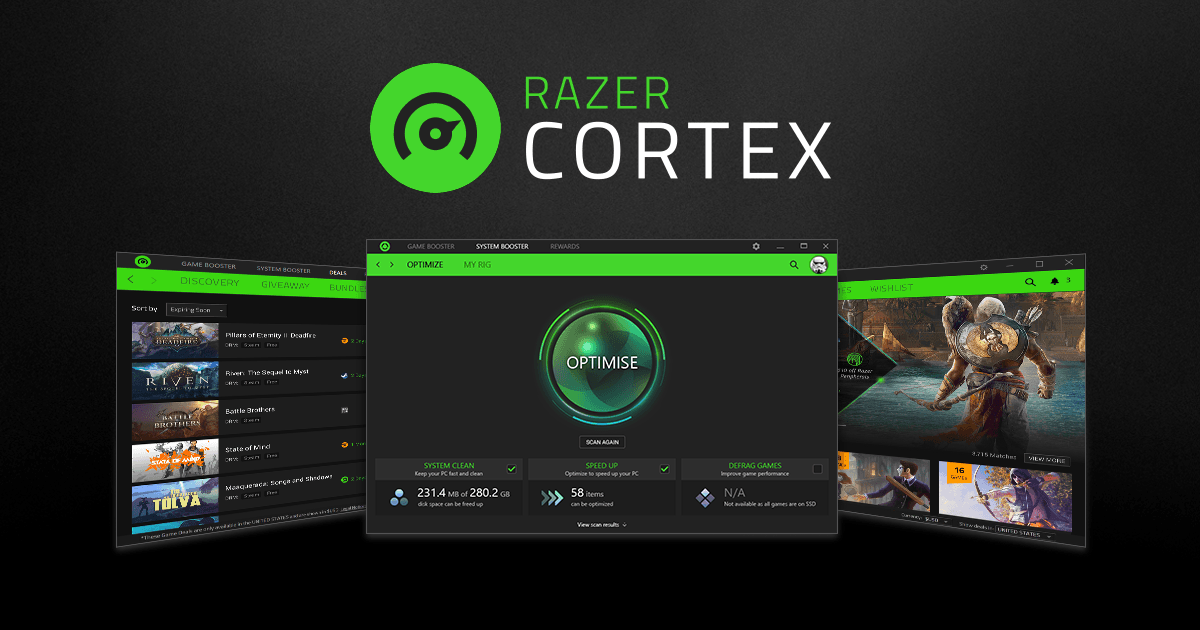
Here is my honest take: do not leave your gaming PC running 24/7 purely to farm Silver points. Given European electricity rates, burning 400 watts of system power to harvest a few hundred Silver points per week is economically inefficient. Use Cortex naturally when playing titles you already enjoy, capture the daily mobile logins, and let your Silver balance grow organically.
First-Week Playbook: Step-by-Step Wallet Initialization
To establish your account cleanly without running into fraud alerts or regional errors, follow this phased setup schedule over your first seven days:
Day 1: Account Creation and Currency Locking
Register your Razer ID using your primary European residential details without using a proxy or VPN. Confirm that your default currency displays as EUR on your main account settings page.Day 1: Security Hardening
Enable two-factor authentication using an authenticator application. Store your recovery backup keys securely offline to prevent lockouts if your phone changes.Day 2: Rewards Dashboard Setup and Welcome Claim
Log into the Razer Silver dashboard. Complete your profile onboarding steps to trigger your 1,000 Razer Silver welcome bonus credit.Day 3: Companion Software Installation
Download Razer Cortex on PC and Razer Cortex Games on Android. Link both applications to your unified Razer ID and collect your first daily login reward.Day 4: Initial Wallet Loading
Add funds to your account balance using a region-matched voucher. Securing your initial credit with a Razer Gold EUR recharge ensures that your PIN matches your European account region and eliminates redemption errors.Day 5: First Catalog Purchase
Spend your loaded Gold balance on a supported game title or in-game currency package. Verify that your Razer Silver dashboard updates with the standard 50 Silver per $1 spent ratio.Day 7: Audit Transaction Logs and Expiration Tracking
Navigate to Dashboard > Account > Transaction History. Confirm that all wallet reloads, spending deductions, and earned Silver points appear accurately in your 3-month activity log.
Common Pitfalls and Setup Mistakes to Ignore
Beginners often hit errors that feel catastrophic but stem from simple configuration mistakes. Knowing what these errors mean saves you from panic.
The following table provides a diagnostic breakdown of common errors, their causes, and how to resolve them:
| Error Displayed | Root Trigger | Immediate Resolution |
|---|---|---|
| "Failed to reload" | Currency mismatch between PIN and wallet | Confirm your PIN is denominated in EUR; verify your wallet account is set to Europe. |
| "Invalid PIN" | Typo or entering tracking serial code | Ensure you are typing the 14- or 20-digit PIN, not the 19-digit serial tracking number. |
| 2FA Verification Lockout | Active VPN or proxy routing | Disconnect VPN, clear browser cache, and re-authenticate using your local European IP. |
| Missing Silver on Reload | Misunderstanding earning mechanics | Silver is not granted on wallet reloads; spend your loaded Gold balance to trigger points. |
Most wallet errors are caused by regional mismatches or entering tracking numbers instead of redemption PINs.
The most frequent issue is mistaking the serial number for the PIN. If your voucher has two numbers—one 19 digits long and another 14 or 20 digits long—enter the 14- or 20-digit string. The 19-digit number is solely an inventory identifier.
Another mistake is assuming a failed transaction means your voucher code was stolen. If the page shows 'Failed to reload', check your network setup. If an active VPN routes through an American or Asian server, the system automatically blocks the transaction to prevent fraud. Turn off the proxy, wait 15 minutes for the security flag to clear, and re-enter the code on your native European connection.
Finally, ignore claims that you can bypass the regional currency lock by modifying your browser's language parameters. Currency locking is enforced at the database level on Razer's servers, not in your local browser code. Always buy vouchers matching your registered currency.
FAQ
Can I change the country or currency of my Razer Gold wallet after creation?
No, your wallet's country and currency are locked upon account creation. If you set the wrong region during registration, you must contact customer support to request an adjustment. In many cases, support will recommend creating a fresh account.
Why does my Razer Gold PIN show an "Invalid PIN" or region error?
Your voucher code was likely issued for a different currency region than your wallet account. It can also occur if you mistakenly entered the 19-digit tracking serial number instead of the actual 14-digit or 20-digit redemption PIN. Verify your code denomination and numeric formatting carefully.
Does Razer Gold balance or Razer Silver expire?
Your core Razer Gold wallet balance does not expire and remains permanently in your account. However, Razer Silver loyalty points automatically expire 12 calendar months after the end of the month in which they were awarded. Promotional bonus Gold funds also expire within 30 days.
Do I earn Razer Silver when I reload my Razer Gold wallet?
No, loading funds with a PIN or gift card does not award Razer Silver. Silver points are earned only when you actively spend your Gold balance on supported games and digital items. The baseline earning rate is 50 Silver per $1 spent.
How can I earn free Razer Silver without buying Razer Gold?
You can accumulate free Silver by logging in daily and playing supported titles on the Razer Cortex Games mobile app. PC players can also earn 5 Silver per minute playing featured titles through Razer Cortex PC, with 2x multipliers available on weekends. New accounts can also claim a 1,000 Silver welcome bonus.
Can I transfer Razer Gold or Silver to another account, or cash it out?
No, Razer Gold and Silver are non-transferable between accounts and cannot be converted into cash or fiat currency. In addition, all loyalty rewards claimed using accumulated Razer Silver are strictly final and non-refundable under official program terms.
Final Evaluation: Is Razer Gold Europe Worth Using?
Razer Gold is not an open debit card replacement, and anyone expecting it to work on Steam or direct console checkouts will be disappointed. The permanent regional currency lock is rigid, and the security checks are aggressive if you use privacy tools like VPNs.
However, if you frequently spend on major partner titles, mobile games, and independent publisher platforms, it is one of the most rewarding ecosystems available. You get a reliable digital wallet that protects your primary banking details, combined with a loyalty program that returns tangible value through Razer Silver. Make sure your account region is locked to EUR from day one, avoid proxy tools during checkouts, keep your 2FA active, and your digital gaming budget will run smoothly.

Community
Comments