

To redeem a Viu Premium voucher code in Malaysia while holding an existing subscription, you must cancel auto-renewal through your original billing provider (Apple ID, Google Play, or your mobile carrier) and wait for the remaining paid period to fully expire. Viu accounts tied to active third-party recurring billing reject voucher stacking, and mobile apps often omit promo input fields entirely. Once your current billing cycle concludes, logging into the official Viu web portal under Member > Redeem Code allows you to apply your digital voucher without resetting your viewing history.

Viu Premium Subscription Code (MY)
Why Active Subscriptions Block Viu Voucher Redemption
Viu processes recurring subscriptions and prepaid vouchers through separate billing systems. If your account holds an active auto-renewal agreement through Apple, Google, or a telco, the redemption portal blocks voucher inputs to prevent overlapping contracts.
The Stacking Policy Conflict
According to partner terms on SEAGM, Viu Premium codes cannot stack on top of an active subscription. Because voucher duration begins immediately upon entry rather than queuing behind existing paid time, Viu rejects the code until the active billing cycle finishes.
While some reseller listings claim a voucher works on both active and expired accounts, an active App Store, Google Play, or carrier profile consistently triggers an error. The recurring contract must expire first.
Preventing Concurrent Carrier Charges
Leaving a recurring plan active while applying another payment method risks duplicate billing. As CelcomDigi notes in its bundle FAQ, an active carrier subscription and a direct Viu plan will bill simultaneously if both remain open. Viu does not automatically pause carrier billing when an alternative method is introduced, meaning you must cancel the carrier-billed plan yourself.
Account Region Requirements
A digital Viu Premium Subscription Code (MY) functions strictly on accounts registered in Malaysia. These digital items are non-refundable and non-returnable once distributed. Attempting to redeem a Malaysian voucher on a profile created under another regional domain results in a redemption error regardless of subscription status.
Step 1: Cancel Recurring Billing on Your Existing Provider
Deleting the Viu app, signing out, or removing a user profile will not stop your subscription. As outlined by 19pine, recurring charges continue until you stop auto-renewal directly with the merchant that processes your billing.
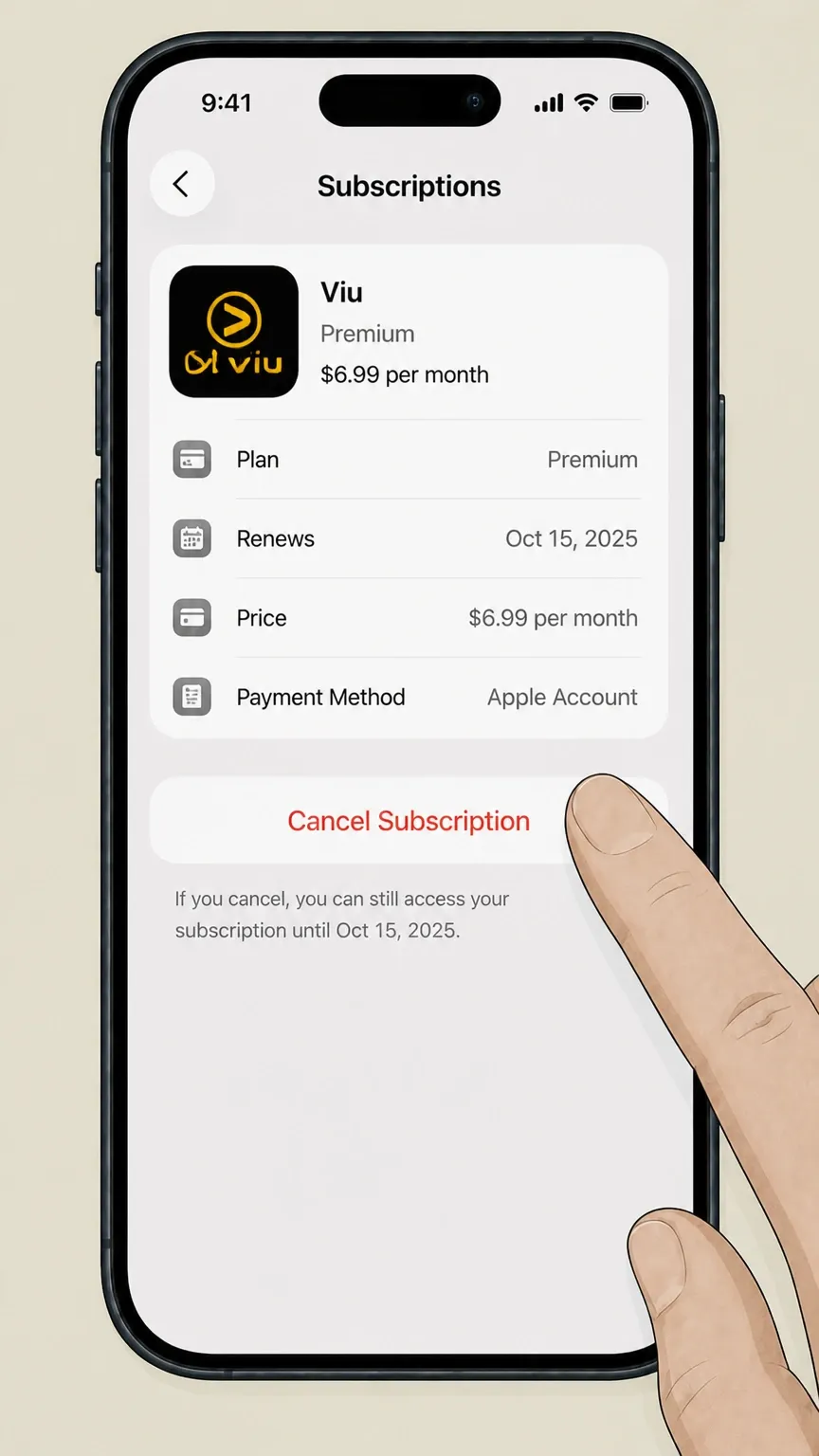
Review the documented cancellation paths below depending on how your existing membership was purchased:
| Billing Provider | Cancellation Steps | Post-Cancellation Access | Source |
|---|---|---|---|
| Apple App Store (iOS) | Open iOS Settings > tap Apple Account Name > Subscriptions > Viu > tap Cancel Subscription. Must cancel at least 24 hours before next billing date. | Premium remains active until the end of current cycle. Red text or a missing cancel button indicates auto-renewal is off. | Apple Support |
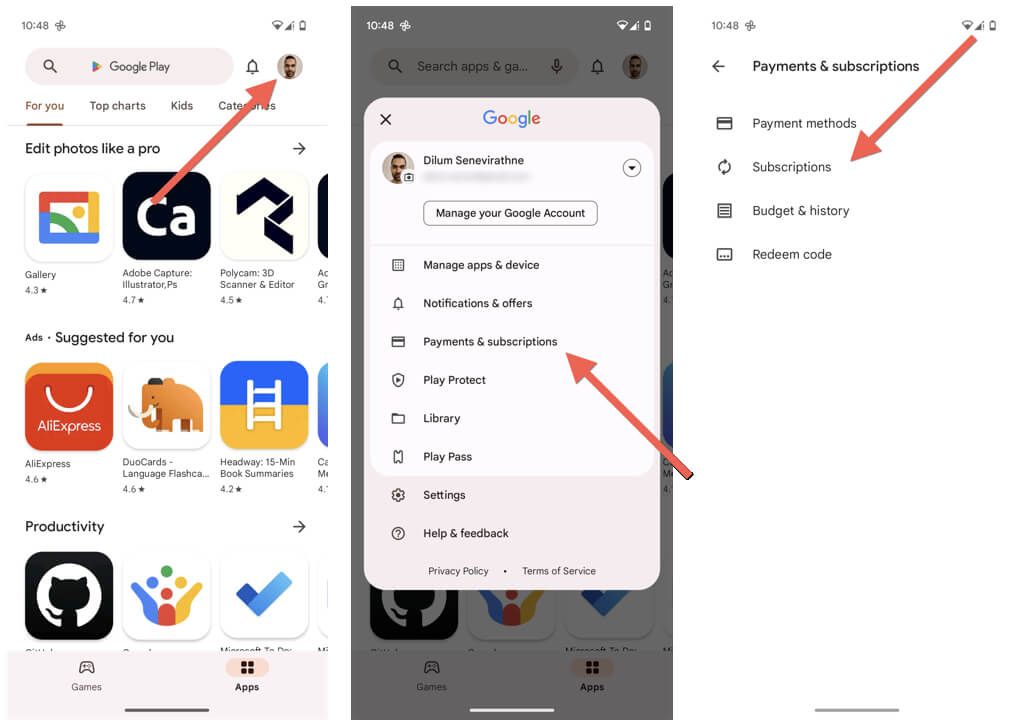
| Google Play Store (Android) | Open Google Play > tap Profile icon > Payments & subscriptions > Subscriptions > select Viu > tap Cancel subscription. | Access stays active for the remainder of the paid billing period before reverting to free tier. | Google Play Support |
| Mobile Telco (e.g., CelcomDigi) | Open your telco app (e.g., CelcomDigi App > Lifestyle > My Subscriptions > Viu) and confirm cancellation of auto-renew. | Service continues through the end of the standard 30-day billing cycle. | CelcomDigi FAQ |
| Web / Direct Billing | Visit Viu official website > log in > select My Subscription / My Account > turn off recurring renewal. | Access remains valid until current period expires. | 19pine |
Waiting Out the Expiry Period
After canceling auto-renewal, check your subscription page for the final expiration date. Both Google Play Support and Apple Support confirm that paid access continues through the end of the billing period. Wait until that date passes and your account drops back to the free tier before attempting redemption.
Step 2: Redeem Your Code via the Viu Malaysia Web Portal
Viu's mobile apps for iOS and Android do not include a voucher redemption field, largely due to app store billing rules. You must use a web browser instead.
Follow the official redemption procedure documented by SEAGM:
- Open a desktop or mobile browser and navigate to the official Viu Malaysia website.
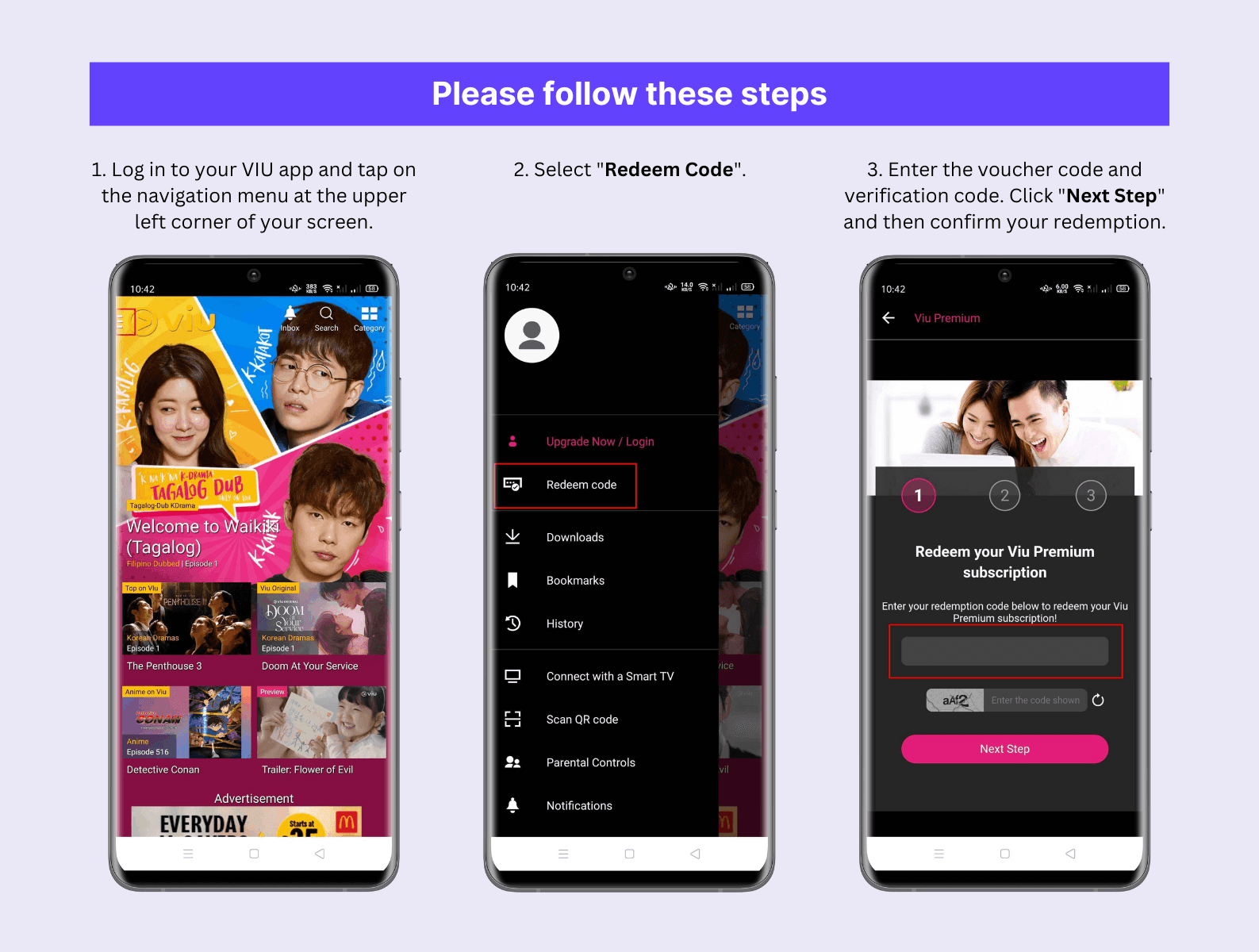
- Click Member and select Redeem Code.
- Sign in using the exact credentials (email, mobile number, or social login) tied to your existing Malaysian profile. Logging into your established account ensures your watchlist and watch progress remain intact.
- Type or paste your voucher character sequence into the redeem voucher box.
- Click Next to finalize the activation.
Once completed, the system updates your account tier immediately, restoring ad-free streaming and full catalog access under the prepaid voucher's duration.
Troubleshooting Common Viu Malaysia Code Errors
If the website refuses your voucher, verify these potential failure points:
- Active Subscription Detected: The most common trigger for a redemption failure is an active billing window. If your Apple, Google, or carrier billing cycle still has remaining days, the database will reject code activation. Wait until the subscription counter reaches zero.
- Regional Mismatch: A Viu Premium Subscription Code (MY) only validates on accounts registered inside Malaysia. If you set up your profile while connected to a foreign network or VPN, the portal will report an invalid code.
- Mobile App Redirection: Attempting to redeem through iOS settings or Android payment menus will fail. Voucher codes sold by third-party platforms are not Apple Gift Cards or Google Play Balance codes; they must be entered directly on the Viu website.
Frequently Asked Questions
Can I redeem my Viu Premium code immediately if I already have an active subscription?
No. Official terms specify that a Viu Premium voucher cannot be stacked with an active paid plan. Because voucher duration begins immediately upon redemption, you must wait until your current paid billing period expires before applying the code per SEAGM Terms.
Why is there no option to redeem a voucher code inside my Viu mobile app?
In-app interfaces connected to App Store or Google Play billing systems do not include direct voucher input fields. You must redeem your code by visiting the official Viu website in a web browser and selecting Redeem Code under the Member menu as outlined by SEAGM Support.
Will deleting the Viu app stop recurring charges on my telco or app store account?
No. Uninstalling the application or signing out of your profile does not terminate recurring billing agreements. You must cancel the auto-renewal through the service that handles your payments, such as Apple ID, Google Play, or your mobile carrier per 19pine.

Community
Comments