

Learn where to enter locker codes in NBA 2K PS4 menus without getting lost across MyTEAM and MyCAREER screens so you can claim rewards instantly.
![NBA2K [PS4]](https://pic.nxpgame.com/apiUpload/82e82c633f146abb70b4bbae57f075b8.png)
NBA2K [PS4]
75k+5k bonus VC SG
Buy NowUSD 13.20
75k+5k bonus VC ID
Buy NowUSD 13.20
75k+5k bonus VC SG
Buy NowUSD 13.20
75k+5k bonus VC ID
Buy NowUSD 13.20
75k+5k bonus VC SG
Buy NowUSD 13.20
75k+5k bonus VC ID
Buy NowUSD 13.20
75k+5k bonus VC SG
Buy NowUSD 13.20
75k+5k bonus VC ID
Buy NowUSD 13.20
75k+5k bonus VC SG
Buy NowUSD 13.20
75k+5k bonus VC ID
Buy NowUSD 13.20
75k+5k bonus VC SG
Buy NowUSD 13.20
75k+5k bonus VC ID
Buy NowUSD 13.20
The Exact Sub-Menu Path to Enter Locker Codes on PS4
Visual Concepts routinely shuffles menu positions between patches, burying redemption screens behind unrelated mode menus.
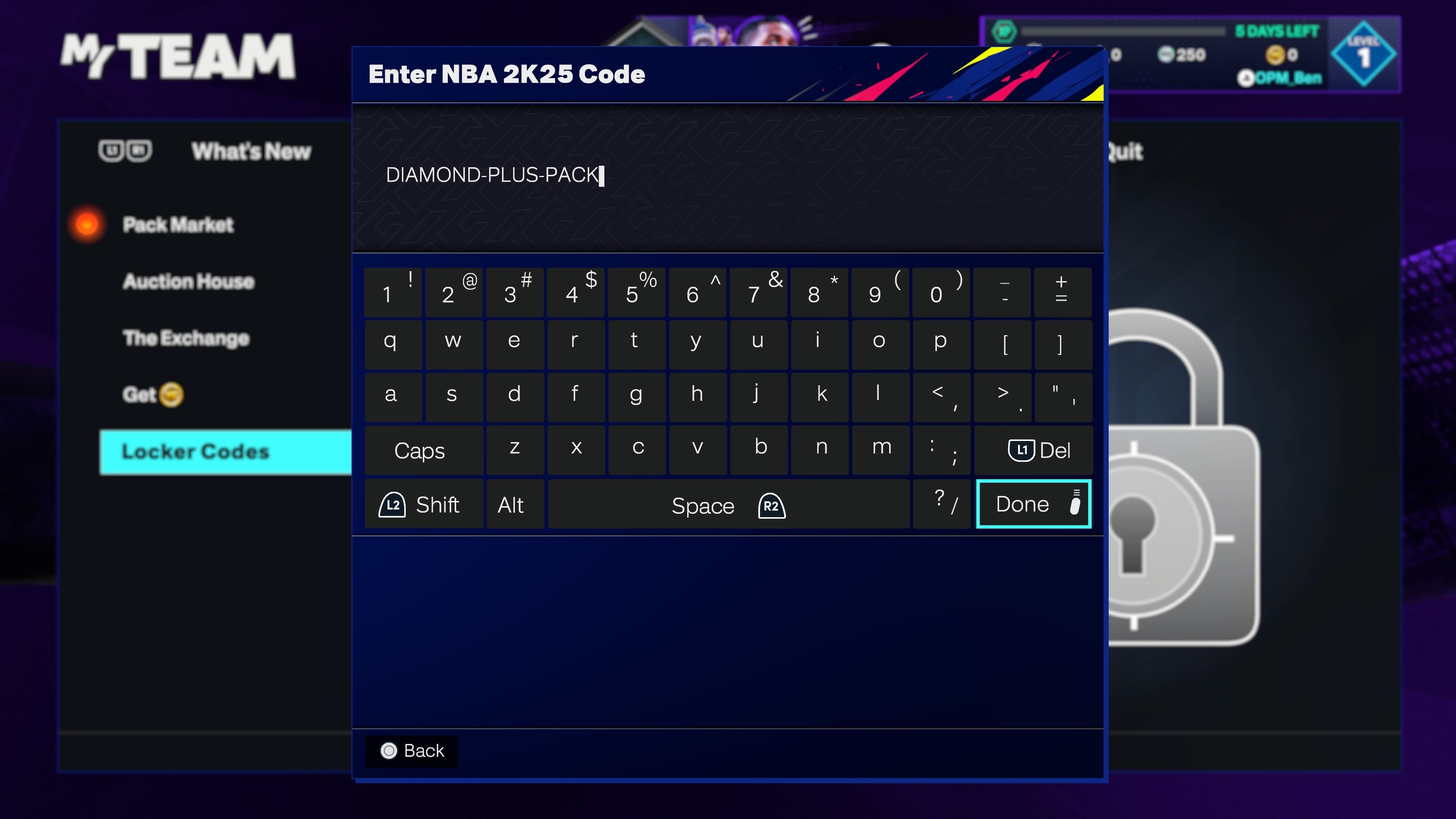
To redeem immediately, select your mode. The PS4 client houses two primary entry points in MyTEAM, alongside a dedicated menu inside career saves:
- MyTEAM Market Sub-Tab (Standard Route): From the main menu, boot into MyTEAM. Scroll right to the Market tab. Move the left stick down past the pack tiers to highlight Locker Codes. Press X to trigger the PS4 virtual keyboard.
- MyTEAM Community Hub (Alternate Route): On certain seasonal patches, developers relocate the redemption button to the Community Hub. Enter MyTEAM, select Community Hub, and choose Enter Locker Code.
- MyCAREER Pause Screen: For player apparel and consumable boosts, bypass MyTEAM entirely. Load into The City or The Neighborhood, press Options on the DualShock 4, scroll down the Options/Quit column, and select Locker Codes.
Enter the string and confirm. The system validates the entry on the spot.
Menu Paths Compared: Market vs Community Hub vs Career
Certain codes route items to specific mode inventories, and interface changes alter target tabs between seasons. The table below lists the current PS4 redemption locations.
| Redemption Method | Exact Menu String on PS4 | Primary Reward Destination |
|---|---|---|
| MyTEAM Market | MyTEAM > Market > Locker Codes | Pack Market Unopened Packs & Player Binders |
| MyTEAM Community Hub | MyTEAM > Community Hub > Locker Codes | MyTEAM Deck Management & Franchise Collections |
| MyCAREER Pause Menu | The City / Neighborhood > Options/Quit > Locker Codes | MyPLAYER Inventory, Gatorade Boosts, Skill Items |
| Remote Companion App | MyNBA2K App > Home Screen > Locker Code | Linked PlayStation Network Account Inventory |
Using the direct sub-menu path avoids backing out to the console dashboard during time-sensitive code drops.
For offline-focused players or those building specific rosters, checking NBA2K [PS4] provides currency and content routes when seasonal codes expire.
Formatting Rules: Hyphens, Letter Casing, and Controller Mistakes
Most failed redemptions stem from controller typos rather than expired server entries.
Hyphens Are Not Optional
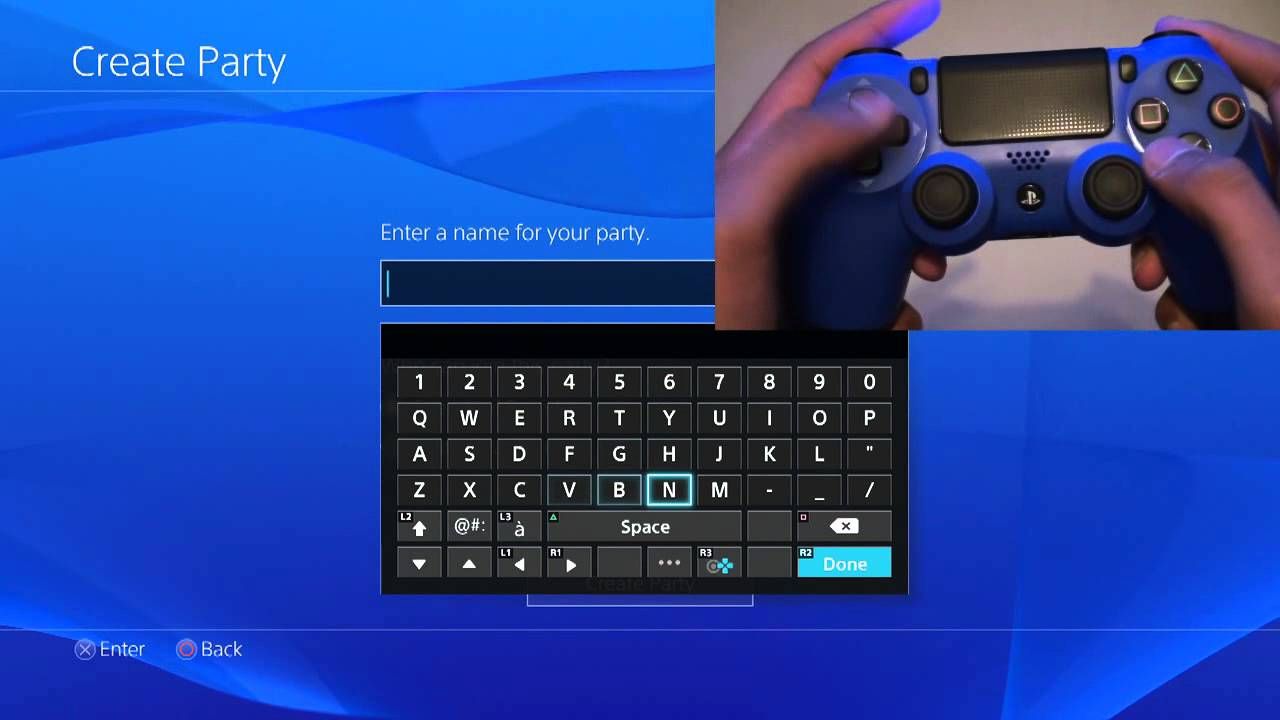
NBA 2K servers enforce rigid syntax. If a promotional drop is printed as COMMUNITY-HUB-2026, you must enter each dash. Omitting hyphens returns an immediate invalid code error, regardless of character accuracy. Open the symbols sub-panel on the PS4 virtual keyboard to place dashes precisely where shown.
Casing Does Not Matter on Console
Console clients do not distinguish between uppercase and lowercase letters. Do not waste time cycling Shift or L2 on the controller; LOCKER-CODE and locker-code evaluate identically on PSN.
This concession does not apply everywhere: the standalone NBA 2K Mobile client enforces strict case matching. Keep the two rule sets separate if switching devices.
Watch the Confusing Alphanumerics
Promotional banners and social graphics use condensed typography that turns standard characters into ambiguous shapes:
- Number
0versus capital letterO - Number
1versus lowercaselor capitalI - Number
8versus letterB - Letter
Vversus letterUon stylized flyers
Take two seconds to verify ambiguous characters before submitting.
Redemption Mechanics and Lifespans
Code longevity depends directly on backend distribution caps.
| Code Category | Lifespan / Availability Limit | Common Content Grants |
|---|---|---|
| Standard Community Drop | Roughly 7 days (1 week) | Player packs, shoe cards, badge packs |
| Flash Drop / High-Value VC | 25 to 50 total redemptions globally | 10,000 to 100,000 VC, rare player cards |
| Event / Twitch Drops | Broadcast window duration | Linked account cosmetic gear, consumable boosts |
| Mobile Exclusives | Platform-specific timer | Standalone mobile roster items (non-console) |
Flash drops lock the instant the redemption counter hits zero, making controller entry too slow against web bots.
Standard promo drops remain redeemable for a full week. You can claim them at a normal pace without rushing.
High-value drops behave differently. During major milestones like 2K Day, codes granting 25,000 to 100,000 VC cap out at 25 or 50 global redemptions. Those run out in under a minute. Typing these manually on a DualShock 4 rarely beats automated community trackers.
When flash drops sell out instantly, looking into NBA 2K PS4 balance options gives a predictable alternative for packs without monitoring social feeds.
Remote Entry via the MyNBA2K Companion App
If a drop happens while you are away from the TV, claim it via mobile:
- Install the official MyNBA2K companion app on iOS or Android.
- Sign in using your PlayStation Network (PSN) credentials.
- Verify that the logged-in profile matches your primary PS4 account.
- Tap the Locker Code button on the home dashboard.
- Paste the code into the text field and submit.
Because mobile keyboards support direct clipboard pasting, the companion app is substantially faster for limited-quantity releases. Items deposit straight into your PSN account, ready the next time you launch the game on console.
Troubleshooting Disappearing Inputs and Missing Content
Network timeouts and interface glitches can cause input errors or delayed drops.
Virtual Keyboard Fails to Launch
If pressing X on the redemption tile triggers an infinite loading spinner instead of the keyboard, the game client lost connection to the PS4 OS overlay. Return to the primary MyTEAM menu, power cycle your controller, and try again. If the prompt remains unresponsive, press the PS button, select Close Application, and relaunch NBA 2K.
Code Accepted but Nothing in Inventory
When the client accepts a code without displaying the grant, run through these checks:
- Check the Correct Mode: Rewards do not cross internal borders. MyTEAM packs only appear under MyTEAM > Unopened Packs, while Gatorade boosts sit strictly inside MyPLAYER data.
- Verify Client Patch Status: Missing a background hotfix disrupts inventory synchronization. Return to the PS4 home screen, press Options over the game tile, and select Check for Update.
- Restart the Game Application: Fully close the client to force a fresh server handshake, which flushes backed-up delivery queues.
Cross-Game Incompatibility and Scam Warnings
Each annual release operates on a disconnected database. A locker code issued for NBA 2K26 cannot be redeemed in NBA 2K27, and past-year codes never roll forward into current releases. Treat each year as a closed silo.
Trackers also disagree on legacy seasonal drops, such as Commissioner's Cup codes or cover-star promos. While community sheets sometimes flag these as permanent, most expire at the end of their respective seasons.
Avoid websites advertising unlimited VC code generators. 2K issues codes exclusively through its own verified accounts and partner broadcasts. Entering PlayStation account credentials into an unofficial generator risks losing the entire profile.
To build your squad securely, choose NBA 2K game editions and points from established vendors rather than third-party generator links.
PS4 vs Mobile Entry Rules
Console and mobile companion platforms handle text verification under different parameters:
| Feature / Condition | NBA 2K on PS4 | NBA 2K Mobile App | MyNBA2K Companion |
|---|---|---|---|
| Hyphens Mandatory? | Yes | Yes | Yes |
| Case-Sensitive Input? | No (Uppercase/Lowercase equal) | Yes (Strict case matching) | No (Matches console profile) |
| Primary Entry Point | Market / Community Hub / Pause | In-game Settings / Profile | Main Dashboard Button |
| Redeems To | PS4 Console Save | Standalone Mobile Account | Linked PSN Profile |
| One Claim Per Account? | Yes | Yes | Yes |
Capitalization rules vary between the console client and mobile versions, but hyphen formatting remains identical.
FAQ
Where do I find the locker code redemption box in NBA 2K on PS4?
Open MyTEAM, scroll to the Market tab, and select Locker Codes at the bottom of the list. If your seasonal layout has changed, check the Community Hub inside MyTEAM or open the Options/Quit menu inside MyCAREER.
Do I need to type hyphens when entering a locker code on PS4?
Yes, hyphens are mandatory on PlayStation 4. Leaving out the hyphens causes the system to reject the code as invalid immediately.
Are NBA 2K console locker codes case-sensitive?
No, console redemption fields ignore capitalization entirely. You can enter the entire string in lowercase or uppercase without causing any issues.
Can I enter a locker code without turning on my PS4?
Yes, you can use the official MyNBA2K companion app on iOS or Android. Log into your linked PlayStation Network account and enter the code directly on the home screen.
Why is my valid locker code saying it has already expired?
Most standard codes expire roughly 7 days after distribution, while limited VC drops run out within minutes once 25 or 50 players redeem them. Codes also fail if they belong to a different annual release.
Can I use NBA 2K26 locker codes in NBA 2K27 or vice versa?
No, every annual release runs on a separate database. Codes cannot be transferred across different game editions.
What should I do if my code was accepted but rewards didn't appear?
Completely close the NBA 2K application on your PS4, check the dashboard for any pending updates, and restart the game. Once reloaded, verify you are looking in the correct mode inventory.
Final Recommendations
Precision counts when entering codes on PS4. Skip capitalization shifts on the controller, but always include the hyphens. For flash drops limited to 25 or 50 total claims, bypass the DualShock 4 keyboard completely and copy-paste through the MyNBA2K mobile app.
If an entry errors out, check character shapes like zeroes and O's, confirm your target mode inventory, and verify the code belongs to your release year.

Community
Comments