

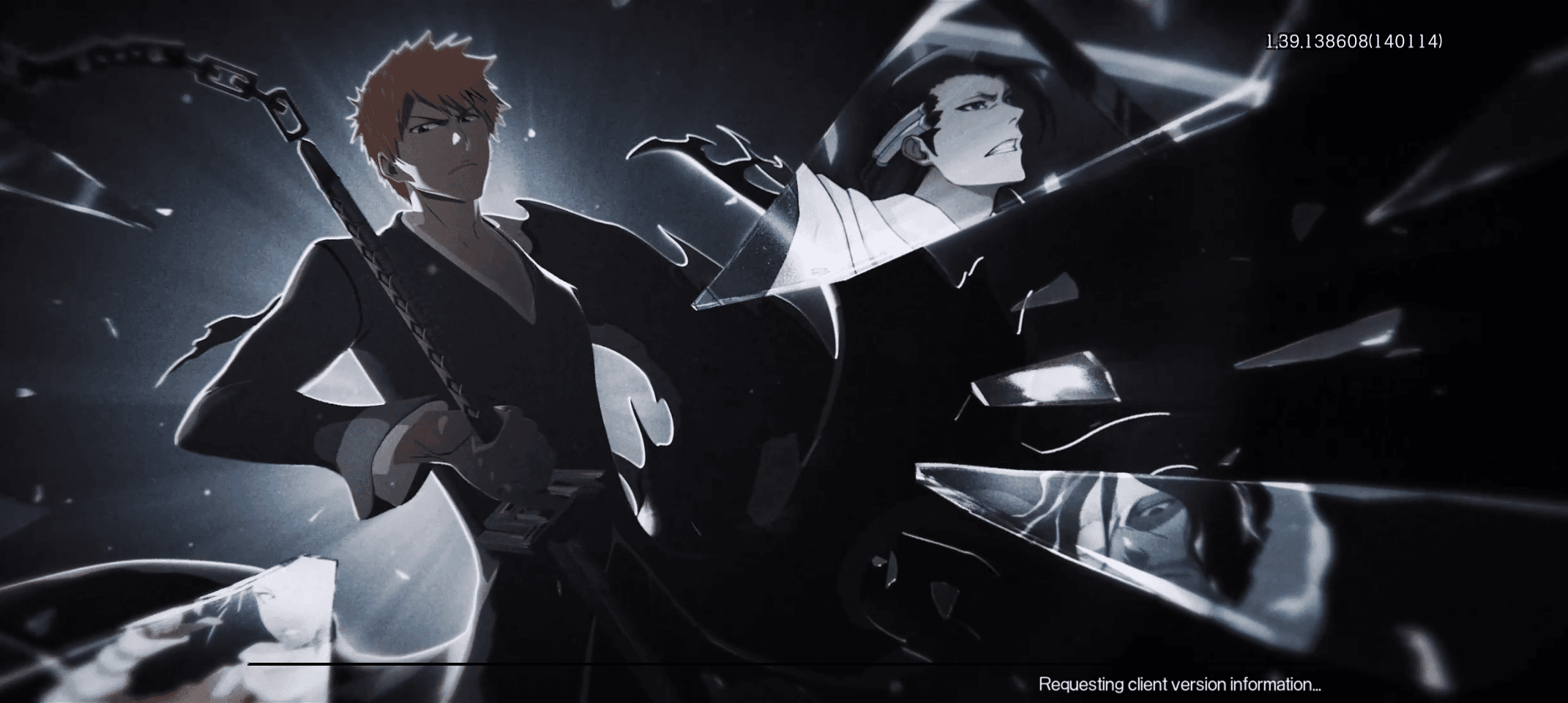
The "Failed to check update resources" error in BLEACH: Soul Resonance occurs when the local game client cannot complete its handshake with the patch delivery network, leaving the initialization progress bar frozen on prompts such as "requesting client version information" or "fetching client data." Resolving this startup block requires verifying local client storage against the minimum 10GB free space requirement, checking client permissions, and resolving local routing bottlenecks when patch servers report zero global outages.

BLEACH: Soul Resonance
- -70%
BLEACH: Soul Resonance Top Up 60 Spirit Coins
Buy NowUSD 0.90
USD 1.52
BLEACH: Soul Resonance Top Up 300 Spirit Coins
Buy NowUSD 4.35
- -70%
BLEACH: Soul Resonance Top Up 980 Spirit Coins
Buy NowUSD 13.95
USD 23.72
- -70%
BLEACH: Soul Resonance Top Up 1,980 Spirit Coins
Buy NowUSD 26.85
USD 45.64
- -70%
BLEACH: Soul Resonance Top Up 3,280 Spirit Coins
Buy NowUSD 44.77
USD 76.11
- -70%
BLEACH: Soul Resonance Top Up 6,480 Spirit Coins
Buy NowUSD 89.61
USD 152.33
- -70%
BLEACH: Soul Resonance Top Up 12,800 Spirit Coins
Buy NowUSD 187.72
USD 319.13
- -70%
BLEACH: Soul Resonance Top Up 32,800 Spirit Coins
Buy NowUSD 469.31
USD 797.83
- -70%
BLEACH: Soul Resonance Top Up 64,800 Spirit Coins
Buy NowUSD 938.61
USD 1595.63
- -70%
BLEACH: Soul Resonance Top Up Iceworld Journey Pack
Buy NowUSD 0.92
USD 1.56
- -70%
BLEACH: Soul Resonance Top Up Selected Monthly Voucher
Buy NowUSD 4.56
USD 7.75
- -70%
BLEACH: Soul Resonance Top Up Limited Assembly Box
Buy NowUSD 8.91
USD 15.15
- -70%
BLEACH: Soul Resonance Top Up Limited Summoning Box
Buy NowUSD 8.91
USD 15.15
- -70%
BLEACH: Soul Resonance Top Up Premium Assembly Box
Buy NowUSD 22.69
USD 38.57
- -70%
BLEACH: Soul Resonance Top Up Monthly Card Membership
Buy NowUSD 4.43
USD 7.54
- -70%
BLEACH: Soul Resonance Top Up Phase Training
Buy NowUSD 8.91
USD 15.15
- -70%
BLEACH: Soul Resonance Top Up Extreme Training
Buy NowUSD 18.92
USD 32.16
Why Client Version Validation Fails
During startup, BLEACH: Soul Resonance contacts its patch servers to cross-reference your local game manifest against the latest build files. If this data stream drops or corrupts, the client stalls.
According to incident tracking on OutageScope, players frequently experience loading screens that freeze indefinitely on "requesting client version information" even when automated monitoring flags the game services as operational with zero incidents. This disconnect indicates that the issue often stems from local handshake interruptions or resource read-write limits rather than a total server blackout.
Common triggers for this failure include:
- Local security filters blocking the version manifest request.
- Insufficient drive capacity preventing temporary patch allocation.
- Cached, partially downloaded patch data conflicting with the new version manifest.
- High latency or packet loss during the initial server query.
Troubleshooting the Startup Resource Error
Work through these steps in order to clear stalled client handshakes and restore the patch sequence.
1. Verify Free Disk Space and Memory
Patch checkers verify that the device can unpack downloaded assets before initiating the transfer. If free storage is near its ceiling, the version query aborts without clearly stating a storage error.
If you are playing on PC or Mac via BlueStacks, the official requirements documented by BlueStacks specify at least 10GB of free disk space and 4GB of RAM. Running below these thresholds causes resource checks to fail outright.
2. Purge Cached Version Data
A corrupted local manifest file forces the client to endlessly re-query an incomplete patch index.
- On Android / Emulators: Close the app completely. Open Settings > Apps > BLEACH: Soul Resonance > Storage, then select Clear Cache. Avoid clearing user data unless you have linked your account, as clearing data removes guest credentials.
- Restart the device to release background memory reservations before relaunching.
3. Cycle Local Network and DNS Routes
When the client hangs while reaching an unresponsive Content Delivery Network (CDN) node, switching connections forces a fresh routing path:
- Toggle between Wi-Fi and mobile data on handheld devices to bypass local Wi-Fi routing bottlenecks.
- Flush local DNS settings or update your connection to public DNS resolvers (such as 1.1.1.1 or 8.8.8.8) to resolve unresponsive domain lookups for the patch servers.
4. Check Desktop Permissions and Drivers
On desktop emulators, restricted system permissions can block the application from writing downloaded patch files to disk. Verify these baseline settings:
- Run the emulator application with administrator permissions.
- Verify your GPU drivers are updated to their latest release.
- Confirm your operating system meets the minimum requirements: Windows 7 or higher, or macOS 11 (Big Sur) or higher, running on Intel, AMD, or Apple Silicon (M1–M4) hardware.
Once the client successfully verifies the manifest files, the progress bar will advance past the splash screen, letting you log in and access your BLEACH: Soul Resonance account progression and character roster.
Technical Baseline Reference
Compare your system against documented emulator specifications to confirm it can validate and unpack patch assets:
| Specification Component | Minimum Emulator Requirement (BlueStacks) |
|---|---|
| Operating System | Windows 7+ / macOS 11 (Big Sur)+ |
| Processor | Intel / AMD / Apple Silicon (M1–M4) |
| System RAM | At least 4GB |
| Storage Space | At least 10GB free disk space |
| Access Rights | Administrator permissions |

Community
Comments