

Moving to another server in Dynasty Warriors: Overlords will not erase your existing officers, story progress, or inventory, but your data will not follow you either. Character progression, VIP privileges, and items are strictly isolated by server instance. Switching servers starts a fresh playthrough on that new partition, while your original character remains untouched and accessible whenever you switch back to your initial server.

Dynasty Warriors: Overlords Package
- -3%
Special Recruitment Package
Buy NowUSD 13.95
USD 14.37
- -3%
Value Recruitment Gift Bag
Buy NowUSD 30.27
USD 31.18
- -3%
Luxury Recruitment Gift Bag
Buy NowUSD 46.58
USD 47.98
- -3%
Supreme Recruitment Gift Bag
Buy NowUSD 93.15
USD 95.94
- -3%
Special Recruitment Package (Android)
Buy NowUSD 13.95
USD 14.37
- -3%
Value Recruitment Gift Bag (Android)
Buy NowUSD 30.27
USD 31.18
- -3%
Luxury Recruitment Gift Bag (Android)
Buy NowUSD 46.58
USD 47.98
- -3%
Supreme Recruitment Gift Bag (Android)
Buy NowUSD 93.15
USD 95.94
How Server Progression Works in Dynasty Warriors: Overlords
Many players worry that changing their gateway will overwrite their profile. That fear comes from confusion over how account databases handle save data. In Dynasty Warriors: Overlords, player identification relies on a two-part combination: your chosen server (區服) and your unique Character ID (角色ID), as outlined in the MyCard payment top-up guide.
Data does not sync across servers because the game stores each partition in an isolated database. No inter-server character transfer system exists in Dynasty Warriors: Overlords. If you switch servers to reduce latency or join friends, you must build an officer roster from scratch on that new target.
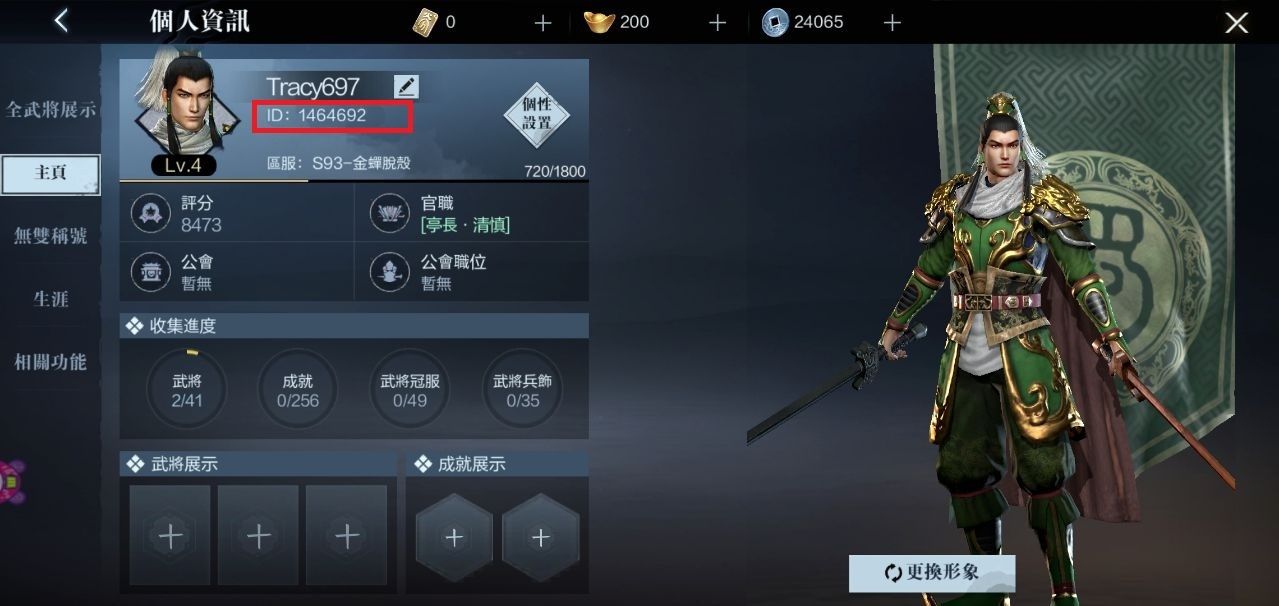
To see how your account is registered, check your profile:
- Launch the game and enter your current active session.
- Tap your character avatar located on the main screen.
- Note the numeric Character ID displayed directly beside your profile picture.
Keep a record of your Character ID along with your exact server name before adjusting any client settings.
Step-by-Step: Dynasty Warriors Overlords Switch Server Safely
Before you select another server, secure your credentials. If you are playing on an unbound guest login, switching environments or reinstalling can trigger credential loss.
Step 1: Secure Your Guest Profile
Bind your login before switching servers to prevent account lockouts. In the system settings, connect your session to a third-party login method such as Google, Apple, or Facebook. Unbound guest accounts can be lost if the application cache clears during a client restart.
Step 2: Access the Dynasty Warriors Overlords Server Selection Screen
Log out of your active combat hub to return to the startup title screen. Look for the server box located near the center of the display. Tapping this box opens the Dynasty Warriors Overlords server selection screen, which lists regional options, group tags, and individual server numbers.
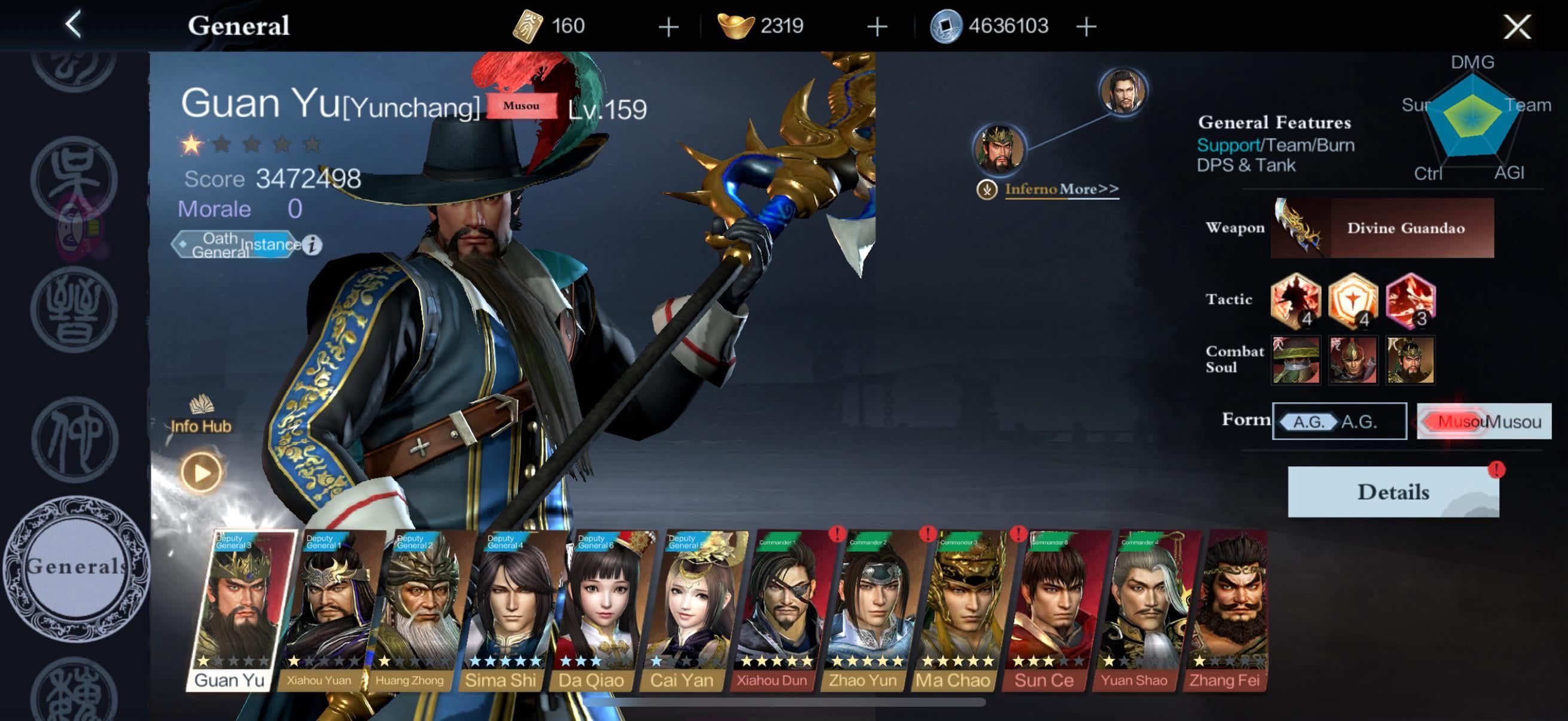
Step 3: Select a New Server
Tap your target server from the list. The startup screen will refresh to show the new server name. Tap the screen to enter the game. The application will prompt you to create a new character, pick your starter, and begin the opening tutorial sequence.
Step 4: Return to Your Original Account
To access your established characters again, switch back through the main menu:
- Return to the title menu.
- Open the server selection list.
- Select your original server name.
- Log in to immediately load your established roster, currencies, and story milestones.
Global vs. Regional Client Footprints
If you cannot find the specific server your friend is playing on, you might be using different client builds. Dynasty Warriors: Overlords has operated across separate regional releases under different publishers.
| Deployment / Version | Release Date | Regional Coverage | Operational Details |
|---|---|---|---|
| NEOCRAFT Global Server Release | July 30, 2026 | Hong Kong, Macao, Taiwan, South Korea, Southeast Asia, Europe, Americas | Servers opened at 12:00 PM GMT+8; mainland China and Japan excluded (MMO Culture). |
| VNG Southeast Asia Release | August 2022 | Vietnam, Thailand, Indonesia, Philippines | Earlier regional mobile build managed under a separate publishing network (MMO Culture). |
Accounts do not cross over between the VNG Southeast Asian client and the NEOCRAFT global client. Players must install the identical application build and choose the identical server name to team up in co-op modes.
What Happens to Top-Ups, Bundles, and Gift Codes?
Because progression is isolated by partition, in-game purchases do not share across servers. If you buy a Dynasty Warriors: Overlords Package containing upgrade materials, Coins, summon tickets, or Ingots, the storefront credits those resources strictly to the single Player ID and Server indicated at checkout. According to NXPGame's product terms, top-ups delivered to a specific server cannot be reversed, refunded, or migrated to another account or server instance.
Web-based promotional redemptions follow the same rule. When using an external redemption site or gift center, players must explicitly select their server and character name before entering code strings, as documented by MuMuPlayer. Rewards sent to Server A will not appear in the mailbox on Server B.
Troubleshooting Disappearing Progress and Account Binding Errors
If your original character seems missing after changing servers, check these common causes:
- Check the Server Header: The most frequent issue is selecting the wrong server number. If you played on Server 3 and accidentally tap Server 4, the game will present the character creation screen. Check your recorded Character ID and return to the title list to find the correct server.
- Verify Account Login Channel: If your server name is correct but the game still prompts for a new character, log out to the title screen. Check whether you logged in via Apple ID, Google Play, or a Guest profile. Switching login channels creates a completely different account profile on that same server.
- Resolve Binding Desyncs: If the game displays an account binding error when linking a guest session, ensure the third-party platform (such as Google or Facebook) is not already tied to an existing Dynasty Warriors: Overlords profile. If it is already linked elsewhere, the system will reject the request to prevent overwriting cloud records.

Community
Comments