

Learn the fastest route to farm Google Play points 2026 with weekly prize resets, multiplier stacking rules, and safe credit redemption routines.
Passive spending is the slowest way to build up a balance in Google Play Points. Waiting for unexpected in-app purchases leaves hundreds of points unclaimed every month. Between weekly perk claims, rotating promo campaigns, and timed purchase multipliers, the Play Store runs on a predictable cycle that rewards disciplined timing.
Treat your Google Play balance like a secondary gaming currency. By aligning check-ins with server-side catalog refreshes and dodging the standard math traps that catch casual buyers, you can reliably pull free Play Credit every month.

Google Play Gift Card (BR)
- -10%
Google Play Gift Card 15 BRL BR
Buy NowUSD 3.20
USD 3.52
- -10%
Google Play Gift Card 30 BRL BR
Buy NowUSD 6.40
USD 7.03
- -10%
Google Play Gift Card 50 BRL BR
Buy NowUSD 10.66
USD 11.72
- -10%
Google Play Gift Card 100 BRL BR
Buy NowUSD 21.32
USD 23.45
- -10%
Google Play Gift Card 200 BRL
Buy NowUSD 42.63
USD 46.90
- -10%
Google Play Gift Card 300 BRL
Buy NowUSD 62.87
USD 69.15
Core Tier Mechanics and Annual Thresholds
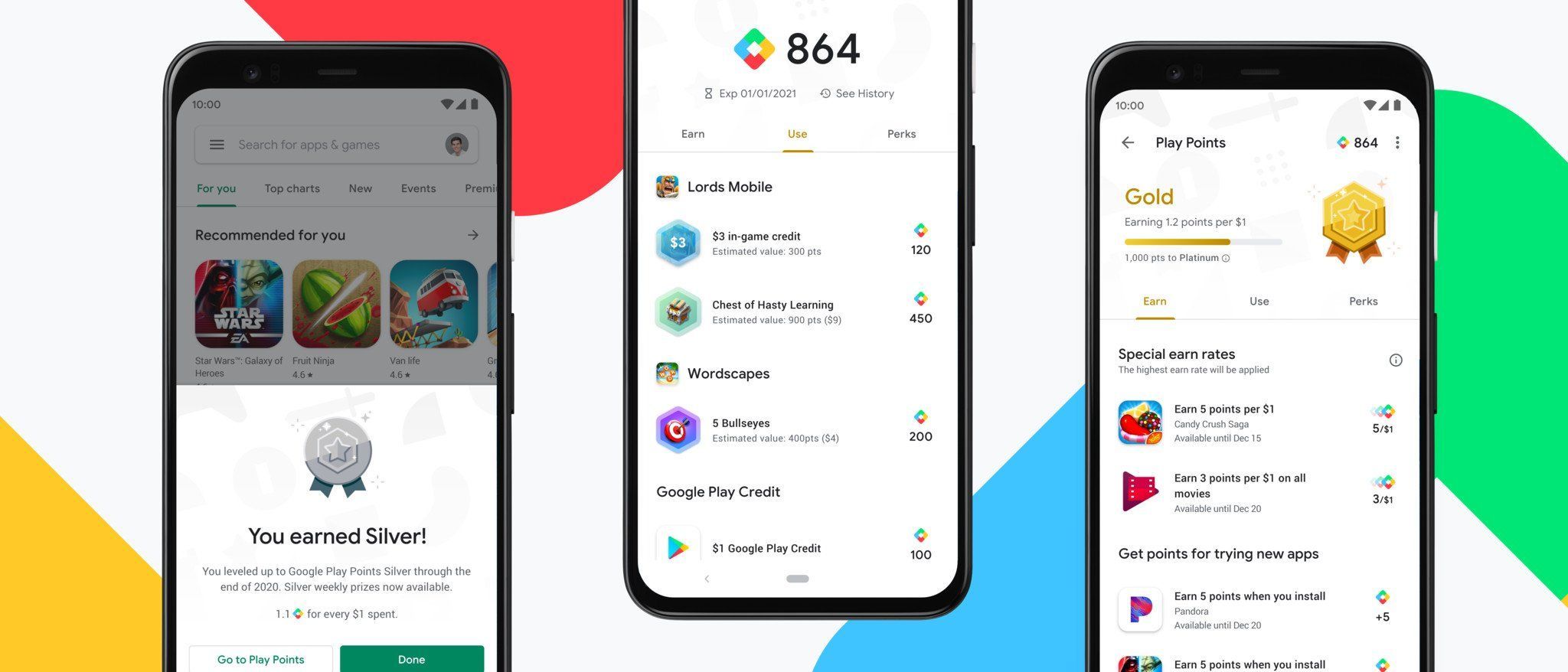
Google Play Points calculates your standing strictly on points earned within a single calendar year. Cross a tier barrier, and you lock in that status for the remainder of the current calendar year plus the entire following year. Falling back to Bronze happens only when you fail to hit the required point threshold during the renewal cycle.
Base earn rates tick upward as you climb. The true payoff, however, begins when you unlock the weekly perk drops at Silver and above.
| Tier Level | Annual Points Needed | Base Earning Rate | Weekly Prize Cap | Key Perks |
|---|---|---|---|---|
| Bronze | 0 – 149 pts | 1.0 pt / $1 | None | Up to 4x in-game purchase events; book promos |
| Silver | 150 – 599 pts | 1.1 pts / $1 | Up to 100 pts | Up to 3x book event multiplier; weekly prize card access |
| Gold | 600 – 2,999 pts | 1.2 pts / $1 | Up to 200 pts | Super Prizes entry eligibility; upgraded weekly caps |
| Platinum | 3,000+ pts | 1.4 pts / $1 | Up to 500 pts | Dedicated VIP customer support; highest weekly drop cap |
Takeaway: Pushing your account from Bronze to Silver takes only 150 points, yet it permanently unlocks the weekly claim card that pays out points for zero cash outlay.
Silver is your immediate baseline target. Bronze yields zero weekly drops, leaving you entirely dependent on cash outlays. When you need to clear the initial 150-point threshold quickly, purchasing a Google Play gift card for the Brazil region funds your account without risking unverified payment methods.
The Seven-Day Routine: Weekly Perks and Booster Timing
The weekly claim card under the Perks tab serves as your main point engine. Google never automates this claim. Miss tapping the card before the Thursday reset, and those points vanish.
For Play Pass subscribers in eligible regions (including the US, UK, France, Germany, Japan, Korea, and Taiwan), exclusive weekly bonuses and earn rate boosters refresh on a strict Thursday schedule. Unclaimed rewards expire the following Thursday. While Brazilian accounts do not always share identical Play Pass booster catalogs with northern markets, the Thursday reset remains the global standard for shop updates and perk reloads.
[Monday - Wednesday] -------> [Thursday Morning] --------> [Friday - Sunday]
Monitor app install tasks     Weekly Perks Refresh          Execute high-value purchases
Track 24-hr retention time    Claim Silver/Gold/Plat Card   Apply activated multipliers
Log Opinion Rewards balance   Check Play Pass bonus drops   Clear 24-hr app installs
Follow this ranked action order each week:
- Thursday Morning Check-In: Open Google Play, tap your profile icon, select Play Points, and enter the Perks tab. Claim your weekly prize drop immediately. Silver users can pull up to 100 points, Gold up to 200, and Platinum up to 500.
- Booster Audit: Check the "Earn" tab for active booster events. Activate app-specific multipliers (such as 3x, 4x, or 5x in featured games) before buying in-game packs.
- Download Task Sweep: Scan the bottom of the Earn page for "Get points for trying new apps and games." Initiate these downloads over Wi-Fi.
- 24-Hour Hold: Keep promotional apps on your device for at least 24 hours. Uninstalling early flags the transaction and reverses the awarded points.
- Sunday Sweep: Verify that active event multipliers are not expiring before completing planned weekly renewals or Battle Pass purchases.
The Multiplier Stacking Reality Check
The single biggest misconception in the Play Points ecosystem involves stacking. Many players assume holding a Silver tier rank (1.1x earn rate) alongside an active 3x promo booster yields a 4.1x return. It does not.
Google calculates rewards using a non-additive replacement model. The store prioritizes the single highest eligible earn rate available on your account for that specific SKU. The promotional booster completely replaces your tier base rate.
| Active Base Rate | Promotional Offer | Expected Math (Mistaken) | Actual Applied Multiplier | Net Points on $50 Purchase |
|---|---|---|---|---|
| Bronze (1.0x) | 3x Featured Game | 4.0x | 3.0x | 150 pts |
| Silver (1.1x) | 3x Featured Game | 4.1x | 3.0x | 150 pts |
| Gold (1.2x) | 4x Publisher Special | 5.2x | 4.0x | 200 pts |
| Platinum (1.4x) | 5x Event Booster | 6.4x | 5.0x | 250 pts |
| Platinum (1.4x) | None (Standard) | 1.4x | 1.4x | 70 pts |
Takeaway: Multipliers replace your tier base earn rate entirely rather than augmenting it, so wait for specific 3x to 5x events rather than expecting tier ranks to supercharge small sales.
Higher tiers simply raise your earning floor. When no promo runs, a Platinum member earning 1.4 points per dollar gathers rewards 40% faster on routine spending than a Bronze member. During a 4x event, however, both accounts earn the exact same 4 points per dollar.
App Install Tasks and Personalization Settings
Promotional download tasks under the Earn tab award 5 to 10 points per installation without requiring cash. They do not appear on every account at the same cadence.
Google uses account history and hardware telemetry to distribute these offers. Disabling app tracking or opting out of personalized store recommendations removes these tasks from your Earn tab entirely. To keep install campaigns active:
- Open Google Play Store settings.
- Navigate to General > Account and device preferences.
- Confirm that personalized offers and recommendations are turned on.
- Open your device's primary Settings > Privacy > Special App Access and verify that Google Play services holds usage tracking access.
When a download campaign appears, install the app completely and launch it once. Keep it installed for 24 hours. Google checks package manager logs; immediate removal triggers an automated point clawback. Once 24 hours pass, you can safely uninstall the app.
Super Prizes 2026 and Regional Tier Discrepancies
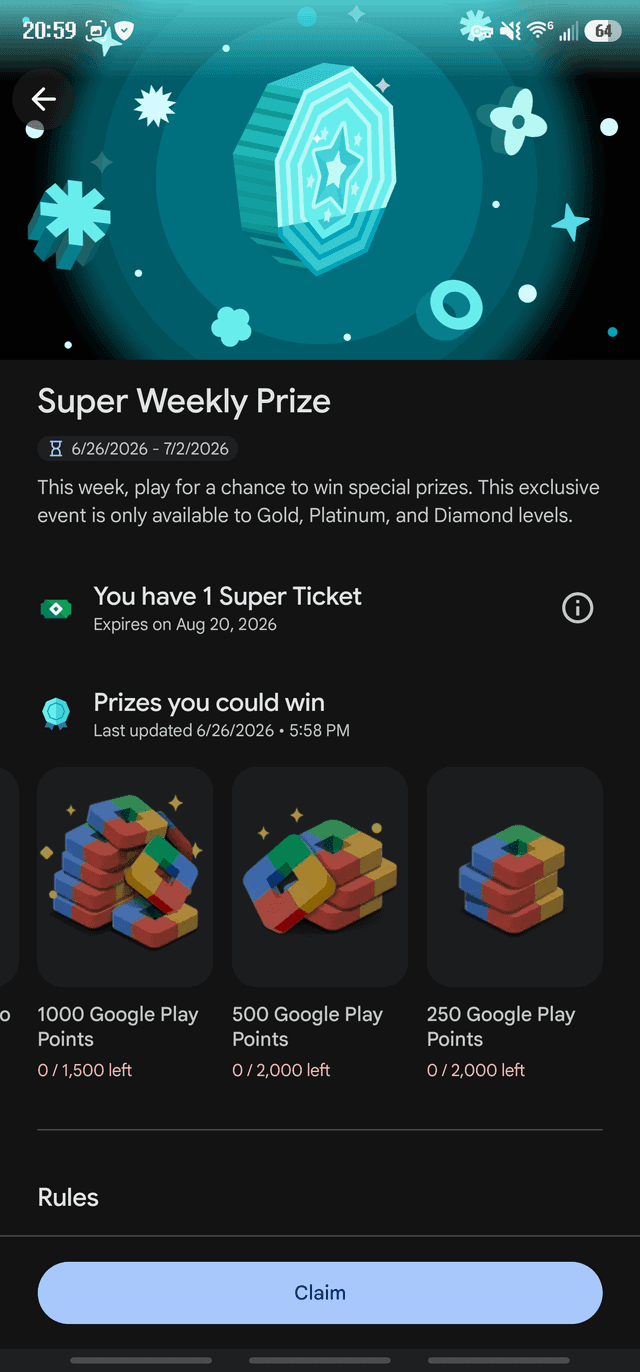
Promotional rules depend on account registration territory. In early 2026, Google launched Super Prizes 2026 across 31 weekly entry periods, running from January 2, 2026, through August 6, 2026. This sweepstakes targets Gold, Platinum, and Diamond accounts, offering instant-win payouts reaching 1,000 Play Points alongside physical merchandise.
This structure highlights a split in Google documentation: standard store help pages list four primary tiers (Bronze, Silver, Gold, Platinum), while US promotional filings include a fifth "Diamond" bracket. For Brazilian accounts and most international regions, Platinum remains the operational cap for tier progression.
If your account sits at Gold or Platinum, checking the Perks tab during active promo windows is mandatory. High-end hardware draws carry steep odds, but instant drops of 500 to 1,000 bonus points provide dependable fuel for in-game purchases.
Redemption Math: Converting Points to Play Credit
Accumulating points is only half the job; bad redemptions wipe out your gains. You have two exit paths: third-party in-game item coupons and direct Google Play Credit.
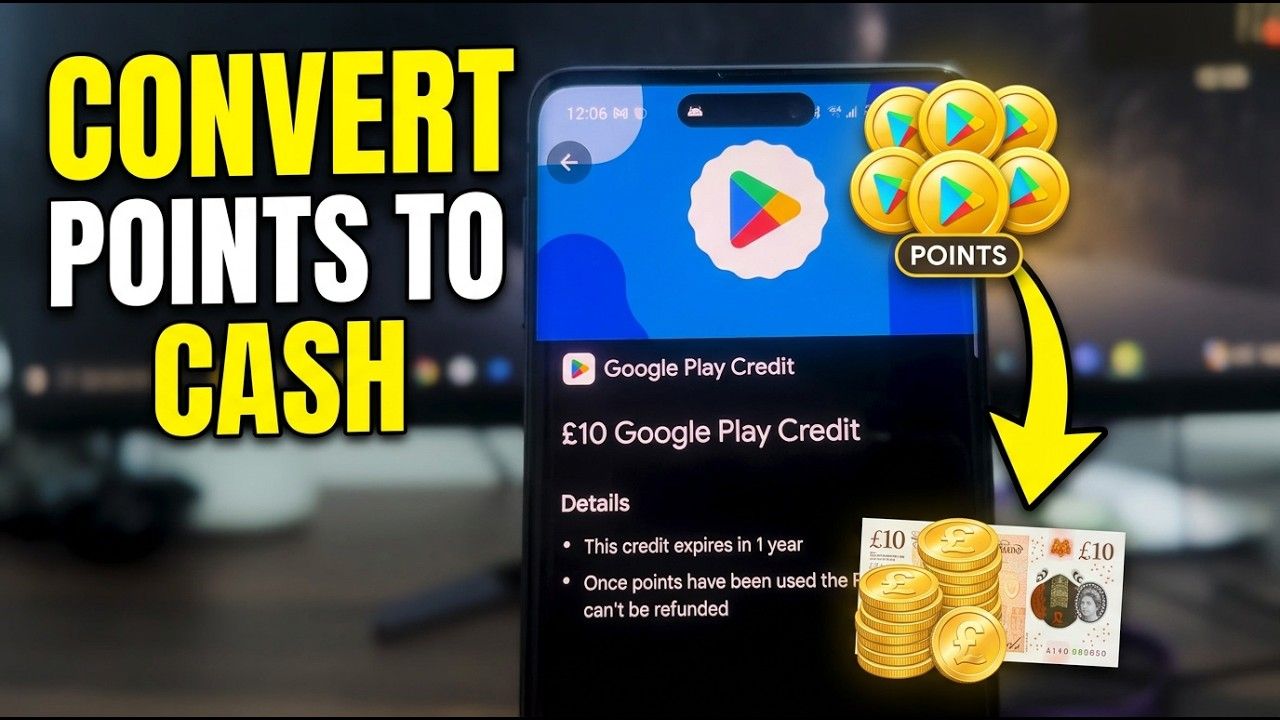
Direct Google Play Credit converts at a flat rate: 100 Play Points equals $1 USD. Google distributes these in fixed amounts under the Use tab. Partner coupons often provide $5 of in-game currency for 250 points (a 2x value boost), but they bind to single titles and expire quickly. Play Credit gives you unrestricted spending across every app, subscription, and rental in the store.
| Redemption Denomination | Points Cost | Effective Value per Point | Optimal Use Case |
|---|---|---|---|
| $1.00 Play Credit | 100 pts | $0.010 | Clearing odd-cent balances on minor purchases |
| $2.00 Play Credit | 200 pts | $0.010 | Subsidizing low-tier gacha pulls |
| $5.00 Play Credit | 500 pts | $0.010 | Purchasing monthly game subscriptions / battle passes |
| $10.00 Play Credit | 1,000 pts | $0.010 | Full funding for premium standalone apps/games |
| Featured Game Coupon | 250 pts | $0.020 | Best value IF you play that specific title actively |
Takeaway: Direct Play Credit preserves universal flexibility at an exchange rate of 100 points per dollar, whereas partner coupons offer up to double the value at the cost of strict game-specific restrictions.
Skip partner coupons unless they target a title you play daily. Coupons cannot be divided, cannot be refunded back into points, and become worthless if the publisher alters its item catalog. Flat 100:1 Play Credit redemptions eliminate that operational risk.
Common Pitfalls: Country Switching, Refunds, and Expirations
A few simple account management errors can wipe out an entire year of accrued point progress.
Point Expiration Logic
Your Play Points balance expires 12 months after your most recent account activity. That activity includes both earning and spending. Banking 5 points from a single free install resets the 12-month countdown for your entire accumulated balance. Regular participation makes accidental point expiration virtually impossible.
Promotional credits outside the loyalty system follow different terms. Balances earned through Google Opinion Rewards surveys expire on an independent, rolling 12-month schedule.
The Country Profile Reset Trap
Never change your Google Play billing country while holding an active points balance. Points tie strictly to the regional billing profile of that specific territory. Migrating an account from Brazil to another market immediately forfeits your point balance, earned tier status, and saved coupons. Support will not reinstate them.
The Negative Balance Spiral
Points calculate strictly on the net purchase price of eligible transactions, excluding taxes and platform credits. If you buy a $50 pack, earn 200 points, redeem those points for credit, and subsequently refund the pack, Google reclaims the awarded points. With the points already spent, your account balance drops below zero.
Every point earned from subsequent weekly drops or app downloads routes straight into paying down that deficit before you can redeem again.
Family Library Walls
Points carry zero cash value and cannot transfer between accounts. Even within a Google Family Library linking up to five family members, point balances remain completely segregated. Direct all paid transactions through the single account you intend to level up.
Brazil Play Store Ecosystem and Direct Top-Up Strategies
Operating within the Brazilian mobile gaming ecosystem requires careful billing choices. Third-party direct checkouts have expanded across some global markets, but embedded alternative billing in Brazilian Android apps remains deferred until September 2027. Google Play native billing remains the primary gateway across apps downloaded through the regional storefront.
Because third-party billing options remain restricted, transactions route directly through Google Play, ensuring every payment credits your loyalty profile. When maintaining an account in this territory, a verified recharge card for Brazilian Play accounts ensures your balance earns standard points on net transactions.
Target Tier: Gold (600 Points / Calendar Year)
=======================================================
Strategy A (Raw Spending, No Promos):
Spend $500 at Base Silver Rate (1.1x) = 550 pts (Short!)

Strategy B (Farming Route + Boosters):
- 52 Weekly Prize Drops (Avg 15 pts)   = 780 pts
- 12 Timed App Installs (5 pts each)    =  60 pts
- $100 spent during 4x Booster Events   = 400 pts
Total Earned: 1,240 pts -> Hits Gold Tier with 80% less cash spent.
Efficiency means aligning transactions with event windows. Instead of loading funds on arbitrary days, watch the Play Store home feed for publisher campaigns. When your primary game runs a 3x or 4x promotional banner, apply a Brazil Google Play balance top-up to cover microtransactions while the multiplier is active.
Step-by-Step Summary: The Fastest Monthly Play Points Routine
Follow this operational sequence each month to maximize your points yield:
- Lock in Personalization: Verify that app usage tracking and personalized deals remain enabled in Play Store settings to preserve access to install tasks.
- Set a Thursday Alarm: Log into the Perks tab every Thursday morning to bank between 5 and 500 free points depending on your tier.
- Clear Free App Installs: Download promotional games from the Earn tab. Launch them once, hold them for 24 hours, and remove them on day two.
- Hold Purchases for Events: Delay currency and pass purchases until featured 3x to 5x multiplier events go live on the Earn tab.
- Cash Out at 100 Points: Exchange points exclusively for universal Google Play Credit at the 100:1 ratio, bypassing partner coupons unless tied to your main game.
FAQ
How fast do Google Play Points expire?
Unused Play Points expire 12 months after your most recent earning or redeeming activity. Earning or spending any amount of points immediately extends the expiration window of your entire balance by another year.
Do promotional multipliers stack with my tier rate?
No, earning rates and event multipliers do not stack additively. The system automatically applies only the highest eligible earn rate visible on your account at checkout.
What is the standard redemption conversion rate for Play Credit?
You must redeem 100 Google Play Points to receive $1 USD in Google Play Credit. Denominations can be purchased through the Use tab in increments of $1, $2, $5, or $10.
Can I transfer Google Play Points to another family member?
No, points are strictly non-transferable between Google accounts. Even members within the same Family Library group earn and keep points entirely in their individual accounts.
Why did my Google Play Point balance go negative?
Your balance drops below zero if you receive a refund or cancellation for an item whose points you already spent. Any points accumulated afterward will automatically offset the negative balance until it reaches zero.
How do weekly Perks and Super Prizes work in 2026?
Members at Silver tier or higher can manually claim a free weekly prize card every week under the Perks tab. In 2026, Gold, Platinum, and Diamond accounts can enter the 31-week Super Prizes instant-win drawings for up to 1,000 bonus points.
Will changing my Google Play Store country erase my points?
Yes, changing your billing country permanently resets and forfeits your accumulated Google Play Points. You will also lose active promotional coupons, though existing in-app purchases remain linked to your account.
Strategic Verdict: Maximizing Annual Yield
Treating Google Play Points as a passive cashback program leaves money on the table. Skipping weekly resets forfeits hundreds of free points annually that require only two taps to collect. The fastest path to free credit does not demand high spending at base rates; it requires locking in Silver status early, executing Thursday perk claims, and holding purchases for 3x to 5x multiplier events. Stick to the weekly routine, hold free installs for the mandatory 24-hour verification window, and redeem strictly for universal Play Credit.

Community
Comments