

If your Jawaker voucher redeemed but tokens not received in your wallet, check our quick troubleshooting guide to sync your balance and recover missing tokens.

Jawaker Voucher
- -70%
Jawaker Voucher (Global) Jawaker 4250 Token
Buy NowUSD 0.99
USD 1.68
- -70%
Jawaker Voucher (Global) Jawaker 32500 Token
Buy NowUSD 4.96
USD 8.43
- -70%
Jawaker Voucher (Global) Jawaker 70000 Token
Buy NowUSD 9.91
USD 16.85
- -70%
Jawaker Voucher (Global) Jawaker 150000 Token
Buy NowUSD 19.82
USD 33.70
- -70%
Jawaker Voucher (Global) Jawaker 230000 Token
Buy NowUSD 29.74
USD 50.55
- -70%
Jawaker Voucher (Global) Jawaker 400000 Token
Buy NowUSD 49.56
USD 84.25
- -70%
Jawaker Voucher (Global) Jawaker 525000 Token
Buy NowUSD 64.43
USD 109.52
- -70%
Jawaker Voucher (Global) Jawaker 805000 Token
Buy NowUSD 99.12
USD 168.50
Immediate Diagnostic: Why Your Jawaker Token Balance Is Missing
You typed your pin, hit the redemption button, saw a confirmation banner, and opened your game to an empty wallet. A delay between the web redemption endpoint and your mobile client happens regularly during peak hours.
Token vouchers normally credit in seconds. Under heavy tournament traffic or routine database maintenance, background sync can take up to 10 minutes. Wait out that 10-minute window before submitting multiple support requests or attempting another redemption.
The most frequent culprit behind an unchanged balance is a stale local app cache. Mobile operating systems preserve session states to save bandwidth, which stops the app from polling the central server for live wallet data.
To force a manual balance refresh:
- Close the Jawaker app completely and swipe it away from your device task manager.
- Verify your device has an active, stable internet connection.
- Relaunch Jawaker.
- If your balance still reads zero, open the in-app settings menu (gear icon) and tap Log Out.
- Log back into your account using your original sign-in method (phone number, email, or linked social profile).
Logging out kills the cached local session and forces a clean query to the central server. If your balance remains unchanged after logging back in, the breakdown occurred during portal submission.
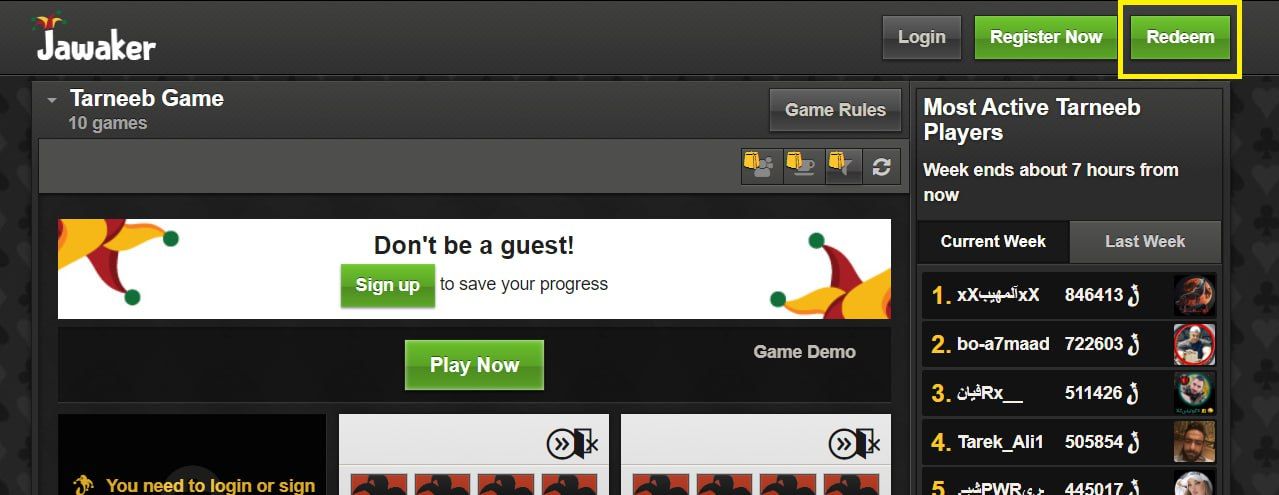
Common Point-of-Failure Checklist on the Redemption Portal
Web redemption forms reject minor typographical errors without specific warnings. Entering an in-game display name instead of your numeric account ID or mistyping a single character prevents the server from crediting your wallet.
Review these common portal submission errors and their direct fixes:
| Failure Point | Root Cause | Direct Fix |
|---|---|---|
| Player Number Typo | Misreading numbers or entering an in-game display name instead of the numeric ID | Retrieve the exact numeric ID from the gear icon menu in the mobile app and re-submit. |
| Case Sensitivity Error | Entering alphanumeric voucher codes with incorrect letter capitalization | Type the code exactly as printed on your digital receipt, matching upper and lowercase letters. |
| reCAPTCHA Timeout | Human verification expired or failed before the server accepted the payload | Refresh the redemption webpage, re-enter your details, and complete the verification prompt. |
| Batch Entry Attempt | Trying to redeem multiple voucher pins inside a single submission box | Enter and submit voucher codes one by one; batch processing is strictly unsupported. |
| Client Balance Desync | In-app store wallet holding stale cached session data | Log out of the mobile app completely, force-close the task, and log back in. |
Diagnostic takeaway: Always double-check your numeric Player Number before clicking confirm, as digital voucher submissions execute instantly once validated by the server.
Web portals enforce bot verification on every transaction. If your network connection drops while solving the security prompt, the script drops the payload while throwing a generic browser error. Refresh the page whenever a confirmation looks incomplete.
Redemption inputs accept only one PIN per submission. Separating multiple codes with commas or spaces fails immediately. Submit each code individually so the server binds every denomination cleanly to your Player ID.
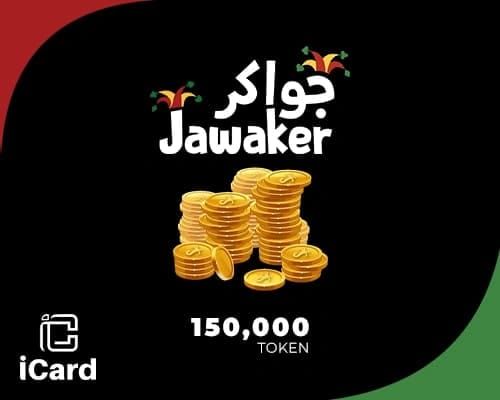
Standard Token Pack Denominations and Delivery Speeds
Vouchers come in fixed tiers configured for casual tables, tournament stakes, or club management. Knowing your pack size confirms whether your credited balance matches your order.
| Voucher Denomination | In-Game Tier | Primary Use Case |
|---|---|---|
| 4,250 Tokens | Starter Pack | Casual match stakes and entry-level card game competitions |
| 32,500 Tokens | Mid-Tier Pack | Mid-stake tournament buy-ins and basic avatar accessories |
| 150,000 Tokens | Club Founder Bundle | Establishing clubs, hosting private rooms, and purchasing cosmetics |
| 400,000 Tokens | High-Roller Pack | High-tier tournament entries and active club treasury funding |
| 610,000 Tokens | Elite Bundle | Sustained competitive play, premium cosmetics, and Basha VIP status |
Denomination takeaway: Higher token bundles provide the necessary reserve for recurring club fees and VIP perks, while smaller packs serve casual daily matches.
Delivery mechanics depend on the purchase method. Direct top-ups push tokens straight to your numeric ID, whereas purchasing a Jawaker voucher pack online generates an alphanumeric digital PIN that requires manual redemption on the official web portal.
Unused voucher PINs do not expire. They remain valid on the system until submitted against an active Player Number. Once processed, the credit locks permanently to that account.
Jawaker Code Already Redeemed Error: Root Causes and Fixes
An "Already Redeemed" alert means the platform's central database has marked that voucher key as spent.
Three scenarios trigger this state:
- Accidental Double-Click: Clicking the submit button repeatedly under high latency sends duplicate API requests. The first click redeems the voucher; the second click immediately hits the spent code and triggers the error. Check your in-game balance to see if the tokens arrived despite the alert.
- Multiple Device Logins: If your account runs on multiple phones or tablets, a secondary active session might have received the balance update while your active screen stayed idle.
- Compromised Digital Code: Codes bought through unauthorized third-party resellers or open marketplaces may have been redeemed before delivery.
If the portal flags the code as redeemed but your in-game balance remains unchanged after a fresh login, check your account transaction history. When tokens are missing entirely, collect your purchase invoice and contact your merchant.
Buying codes from public forums or social media groups carries high fraud risk. To guarantee clean keys, purchase your next digital Jawaker voucher key from an authorized distributor that delivers unspent, single-use codes directly.
Account Restrictions and Token Movement Limits
Players occasionally attempt to route around voucher issues by redeeming codes on an alternate profile and transferring the tokens. Platform rules restrict peer-to-peer transfers to curb account fraud.
| Restriction Type | Platform Rule | Impact on Token Management |
|---|---|---|
| New Account Transfer Lock | Locked for 1 to 2 weeks or until 100 matches are played | Prevents immediate peer-to-peer sending on newly registered accounts. |
| Peer-to-Peer Transfer Fee | 10% to 20% system fee per transaction | Substantial token loss when attempting to split balances across accounts. |
| Daily Transfer Limit | 50,000 Token maximum per 24-hour cycle | Restricts bulk token shifting between personal or friend accounts. |
| ID Binding Permanence | Permanent assignment to submitted Player Number | Tokens cannot be transferred, unlinked, or reversed by support after redemption. |
| Account Inactivity Expiration | 2 Years of continuous account dormancy | Inactive wallets forfeit unused virtual tokens and accessories after 24 months. |
Policy takeaway: Peer-to-peer transfers carry heavy percentage fees and daily caps, making direct voucher redemption on your own account the only cost-effective top-up method.
Transfer fees consume up to 20% of every transaction alongside a 50,000 daily limit. Attempting to fix a misapplied code by moving funds between accounts sacrifices a large chunk of your balance. Inactive accounts also forfeit stored balances after two years of zero logins. Keep your primary account active with regular sessions to safeguard your wallet.
Spender-Tier Strategy: Managing Token Budgets in Jawaker
Token consumption varies based on game selection, tournament frequency, and club administration. Match your voucher purchase to your active play patterns.
Casual & F2P Players (Budget: Low)
If you play occasional rounds of Tarneeb or Baloot with friends, stick to 4,250 token starter packs. Low-stakes social tables do not require deep reserves. Skip cosmetic avatar frames and save your tokens purely for match stakes when your free balance runs dry.
Competitive League & Mid-Tier Spenders (Budget: Moderate)
For regular tournament brackets and leaderboard climbs, 32,500 to 150,000 token bundles provide the best cushion. These tiers absorb tournament buy-in fees without forcing you to pause for micro-top-ups between matches.
Club Leaders & Basha VIP Grinders (Budget: High)
Running an active club demands a steady flow of tokens to fund weekly challenges, sponsor member events, and maintain custom room branding. The 400,000 and 610,000 bundles offer the necessary volume for club treasuries and Basha VIP tiers. If you are staging a large club event, secure a prepaid Jawaker token voucher in advance to prevent wallet shortages mid-bracket.
Scam Protection: Legitimate Top-Ups vs Account Phishing
A temporary delivery lag is an inconvenience; a compromised account is a total loss. Phishing sites clone official redemption portals to steal login credentials and hijack accounts.
Legitimate redemption pages require only two data points: * Your public numeric Player Number (found in the settings menu). * Your alphanumeric voucher PIN.
An authentic redemption portal never requests your password, email login codes, two-factor authentication keys, or social account access. If a site demands your password or requests direct account access to "verify missing tokens," close the browser tab immediately.
Jawaker staff and legitimate merchants never handle missing token disputes over external chat apps or request administrative payments to release stuck tokens. Keep your credentials private and input your Player Number only on official, secure portals.
Filing a Jawaker Support Ticket for Missing Tokens
When you have waited 10 minutes, performed a full cache logout, confirmed your numeric Player Number, and verified your PIN status, submit a support ticket. Merchant terms classify digital code sales as final, with manual token injections reserved for verified server delivery failures or duplicate charges.
Support teams require complete transaction logs to trace missing server payloads quickly.
Copy and paste this template into your support request:
Subject: Missing Tokens - Voucher Redemption Delivery Failure

Account Details:
- Username: [Your In-Game Display Name]
- Player Number: [Your Numeric Player ID from Settings]
- Registered Email/Phone: [Your Account Contact Info]

Transaction Details:
- Date & Time of Redemption: [Include Timezone]
- Voucher Code: [Enter the Full Alphanumeric Code]
- Voucher Denomination: [e.g., 32,500 / 150,000 Tokens]
- Order/Invoice Number: [From Your Purchase Receipt]

Issue Description:
I successfully redeemed the voucher code listed above on the web portal. The portal accepted the code, but my in-app token balance has not updated after 10 minutes. I have logged out and back into the application, but the balance remains unchanged.

Attached:
[Attach a screenshot of your purchase receipt and in-app profile settings showing your Player Number]
Attaching screenshots of both your digital invoice and your in-app profile settings allows support agents to locate your transaction log and resolve the discrepancy without extended correspondence.
FAQ
Why have my Jawaker tokens not appeared after redeeming my voucher?
Redemptions typically process instantly, but database sync can take up to 10 minutes during heavy server traffic. If your balance does not update, log out of the mobile app and log back in to force a cache refresh.
Where do I find my Jawaker Player Number to redeem a voucher?
Open Jawaker and tap the gear icon to view account settings. Your numeric Player Number is listed directly on this screen. Copy the numbers exactly without entering your display name.
Can I transfer tokens if I accidentally redeemed the voucher on the wrong ID?
No. Redeemed tokens bind permanently to the submitted Player Number. Platform support cannot unbind, transfer, or reverse tokens once a redemption is completed.
What should I do if the portal says my code is already redeemed?
Check your in-game transaction log and log out to confirm the balance did not update quietly. If your wallet balance never changed, contact the merchant where you bought the voucher alongside your purchase receipt.
Are digital Jawaker voucher purchases refundable?
Digital voucher purchases are final once delivered. Exceptions apply strictly to confirmed technical delivery failures or duplicate billing errors verified by the merchant.
How long does a Jawaker top up usually take to reflect?
Standard top-ups and voucher redemptions credit in seconds under normal conditions. Allow up to 10 minutes during peak hours before treating the transaction as stuck.
Action Plan for Missing Token Recovery
When your Jawaker wallet does not update after a code redemption, follow a direct recovery sequence. Wait out the 10-minute server sync window, then log out and back into the app to force a clean cache reload.
If the balance remains unchanged, confirm that your numeric Player Number was entered correctly on the web portal. For stuck codes or unverified errors, collect your purchase invoice, capture your account settings screen, and submit a formal support ticket using the template above. Systematic verification resolves delivery glitches and restores your balance without lost time.

Community
Comments